
- "Is there a report that shows me all credit card declines?"
Resolution Steps
- Go to Reports → Invoicing & Payments.
- Select Credit Card Activity.
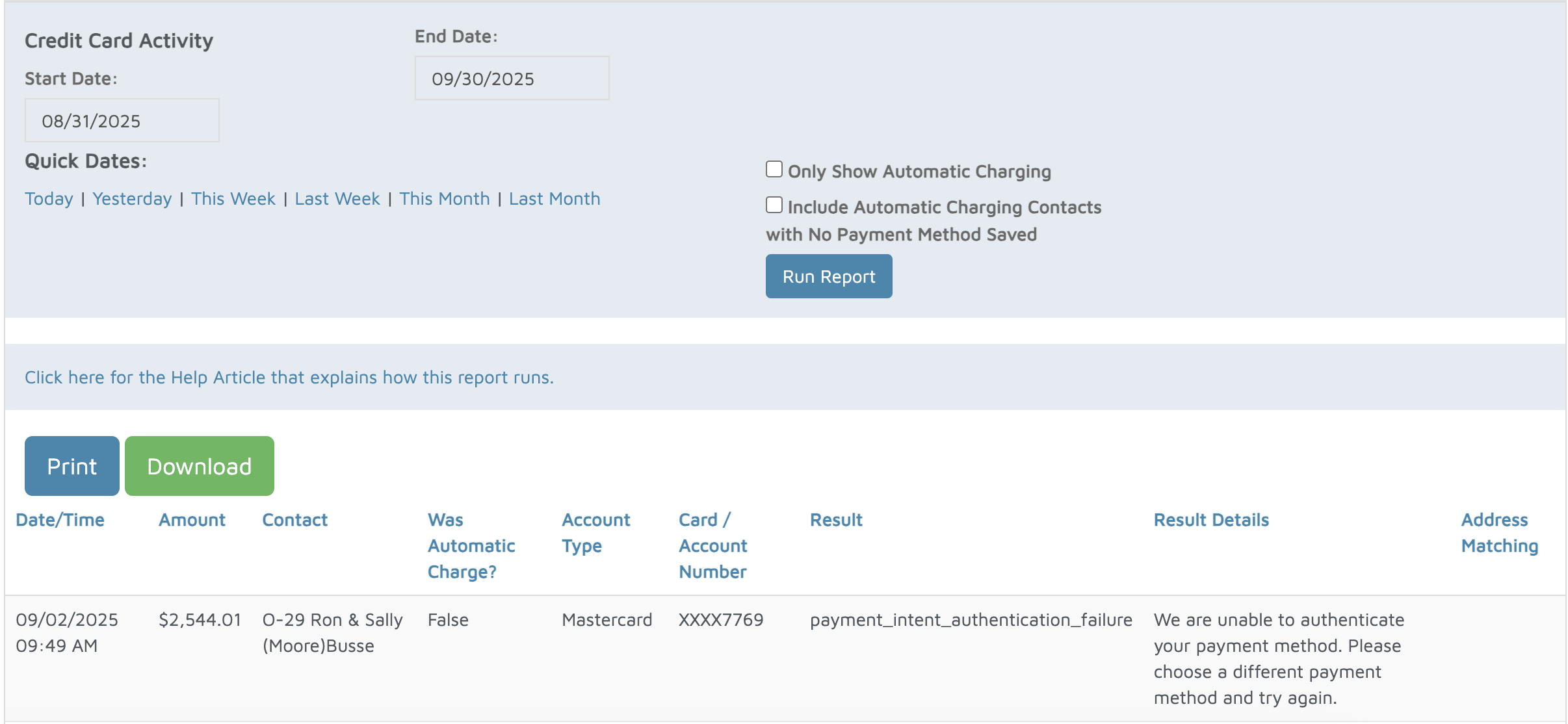
- Enter the start date and end date for the transactions you want to review.
- Click Run Report to generate results.
- For each credit card transaction, the report will display:
- Date & Time – when the charge was processed.
- Amount Charged – total charged to the card.
- Customer Contact – the name of the customer who was billed.
- Auto-Charge Status – indicates whether the charge was an automatic billing or manually processed.
- Account Type – credit card type (Visa, MasterCard, American Express, etc.).
- Card Details – last four digits of the card used.
- Result/Status – whether the transaction was successfully processed, declined, or errored
Verification: This report retrieves attempted Molo Credit Card transactions that are attempted whether approved or declined. Below are some details about precisely how it functions.