Invoices and Accruals Report
Print
Modified on: Mon, 22 Dec, 2025 at 8:45 AM
- "Can you explain the Invoices and Accrual Report?"
Resolution Steps
- Select Reports → Finance → Invoices and Accruals.
- Choose the start date and end date for the report. - This range determines which invoices will be included.
- Click Run Report to generate results.
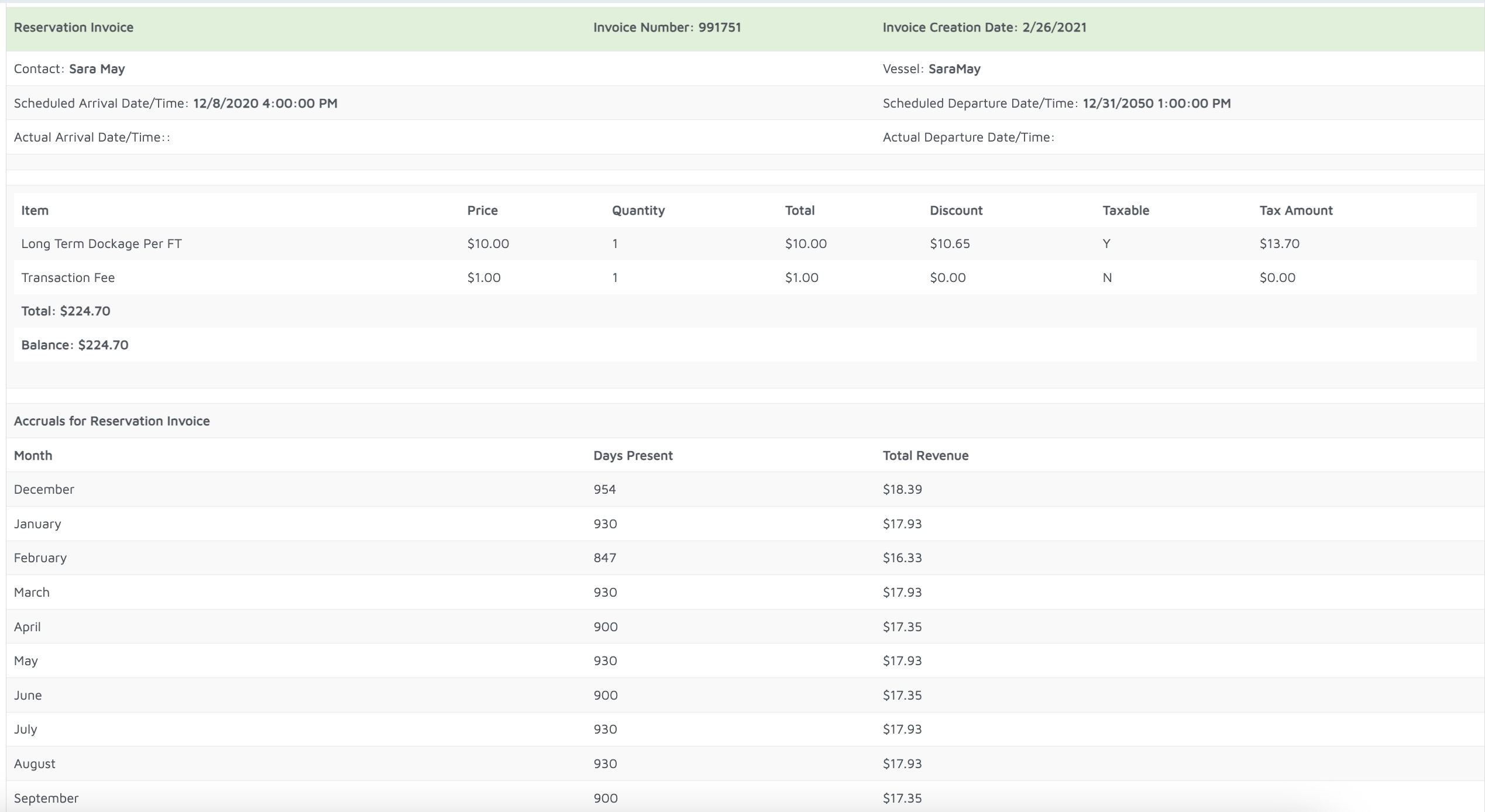
- For each reservation, the report will display:
- Invoice Breakdown – itemized charges, quantities, and totals.
- Pricing & Discounts – original price, discounts applied, and final totals.
- Tax Amounts – tax calculated per invoice.
- Accruals – how the reservation’s invoice revenue is distributed across months of the year (useful for long stays or split payments).
Did you find it helpful?
Yes
No
Send feedback Sorry we couldn't be helpful. Help us improve this article with your feedback.
