
- "How can I generate a report that shows all recurring reservations, including customer, vessel, and rate details?"
Resolution Steps
- Go to Reports.
- Select Reservation and Spaces.
- Click on Recurring Reservation Audit.
- Apply optional filters:
- View specific recurring rates.
- Include add-ons, if applicable.
- Click Run Report.
- The report will display details for all recurring reservations, including:
- Scheduled arrival dates.
- Reservation status.
- Customer and vessel details.
- Selected rate and rate amount.
- User who created the reservation.
- Creation date and time.
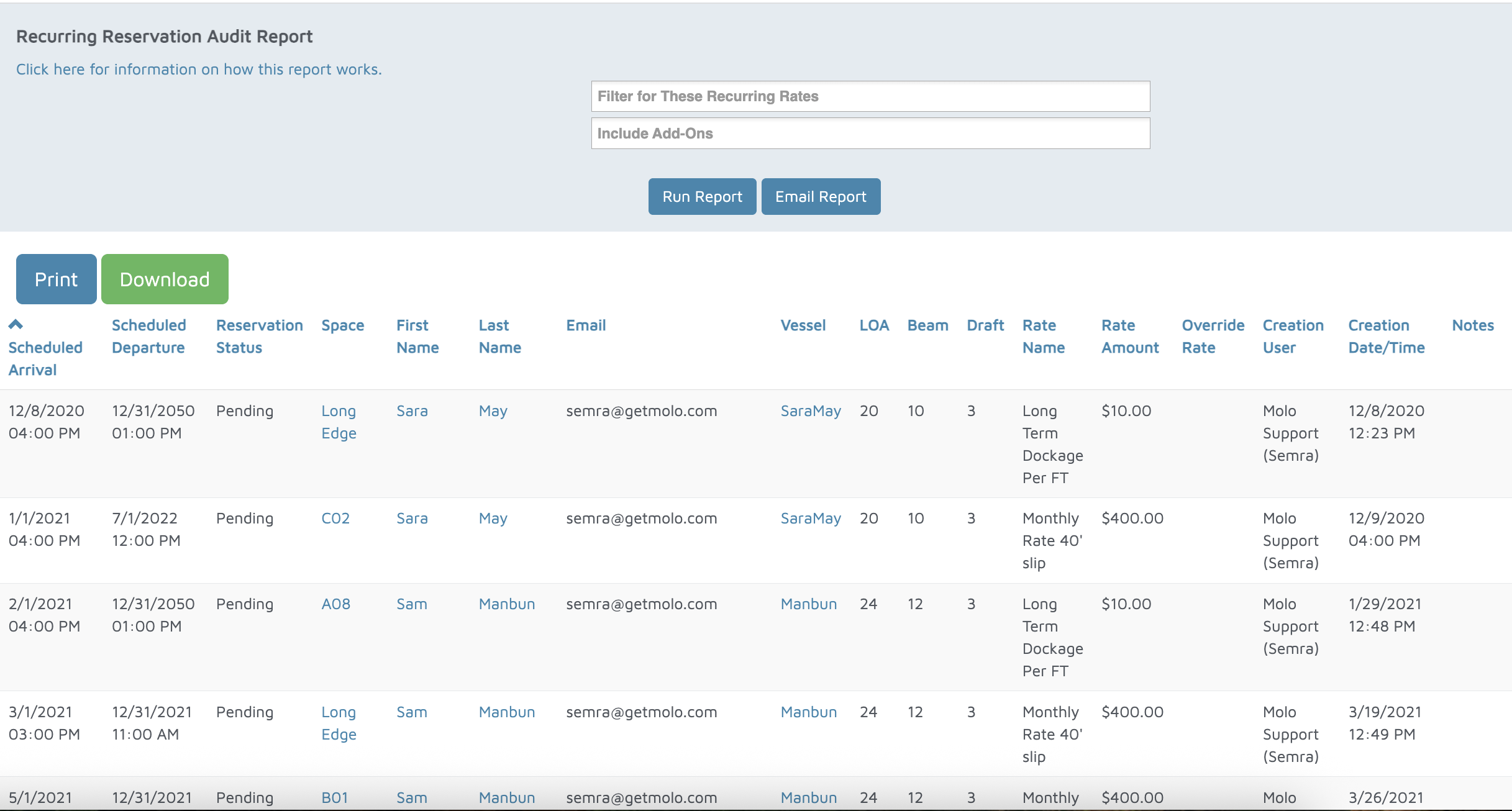
Verification: The report will populate all recurring reservations within the selected date range.