
- "How can I view everything I have under inventory in a report?"
- "Can you help me understand the Inventory Settings report?"
Resolution Steps
- This report provides a full overview of all inventory items, including their pricing, tax status, tracking details, and other configuration settings.
Go to Reports > Inventory > Inventory Settings.
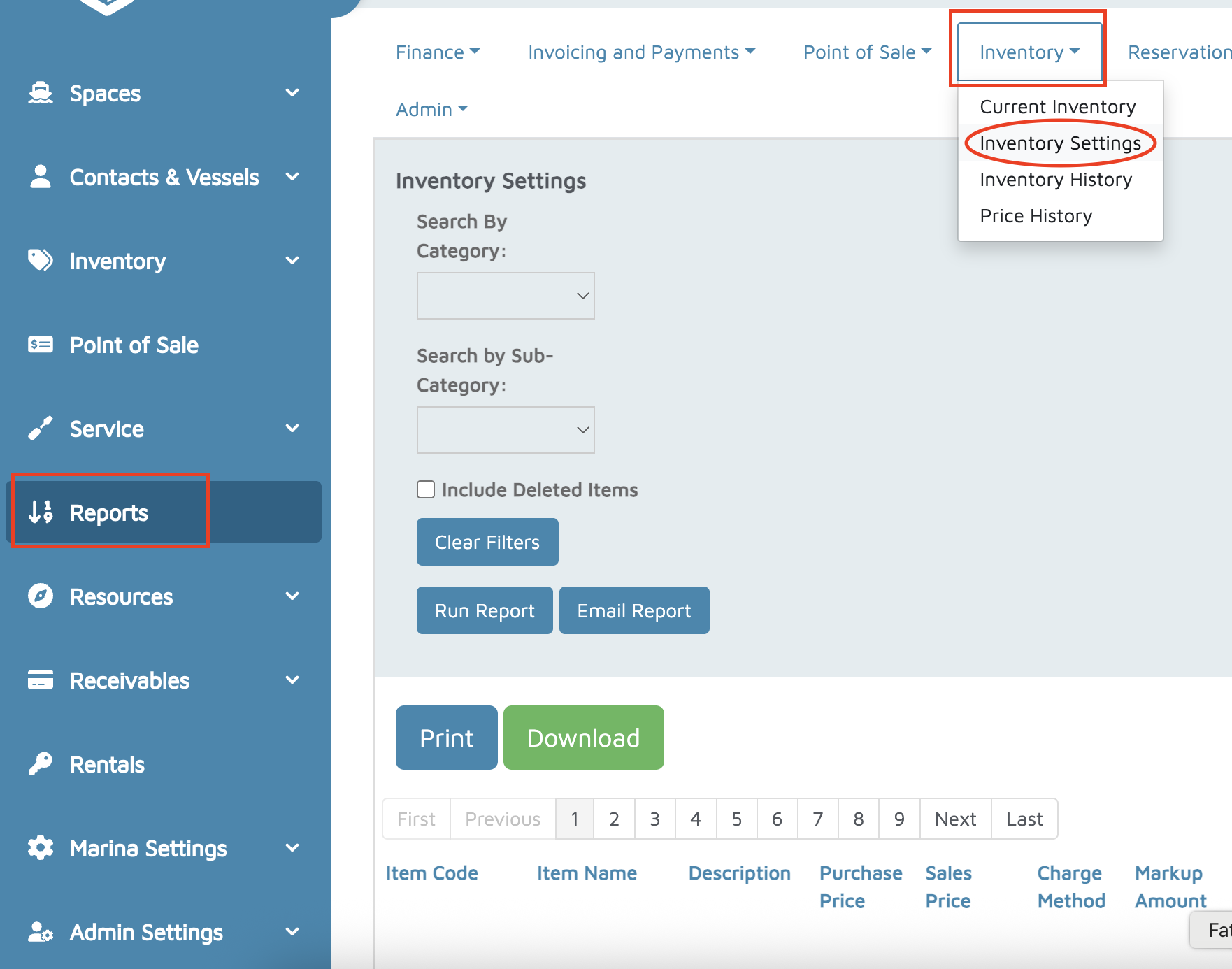
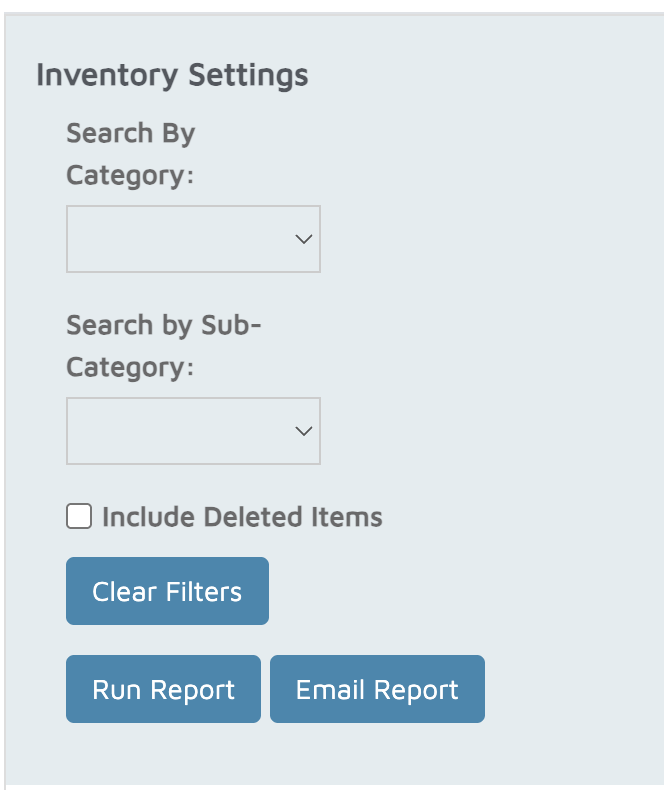
(Optional) Use filters:
Search by Category
Include Deleted Items
Click Run Report.
The report displays each item in your inventory (whether tracked or not), with the following columns:
Item Code
Item Name
Description
Purchase Price
Sales Price
Charge Method
Markup Amount / Percentage
Gross Margin
Taxable (Yes/No)
Tracked (Yes/No)
Allow Negative Inventory (Yes/No)
Quantity on Hand
Barcode (if applicable)
Category & Job Category
Inventory Location
Preferred Vendor
- This report is helpful for:
- Auditing inventory setup and item details
- Validating purchase and sales pricing
- Reviewing markup and margin calculations
- Confirming tax and tracking settings
- Identifying inactive or deleted inventory items
Verification: The report will populate with everything from the Inventory section of Molo.