
- "What is the transactions report used for?"
- "How can I see a report of all transactions?"
Resolution Steps
- Go to Reports > Invoicing & Payments > Transactions.
- Choose the start date and end date for the period you want to review.
- Apply Filters (Optional)
- Show only these Contacts – search for payments made by a specific customer.
- Show Only This User – filter by staff member who processed the payment.
- Click Run Report
- The report organizes payments by type and shows key details:
- Payment Type – credit card, bank account, cash, check, or wire transfer.
- Reference – last four digits of the card used or the bank account name
- Date & Time – when the payment was processed.
- Invoice Number – the reservation invoice linked to the payment.
- Contact - which customer this payment is from.
- Amount - how much was charged.
- User - shows which Molo user processed the payment.
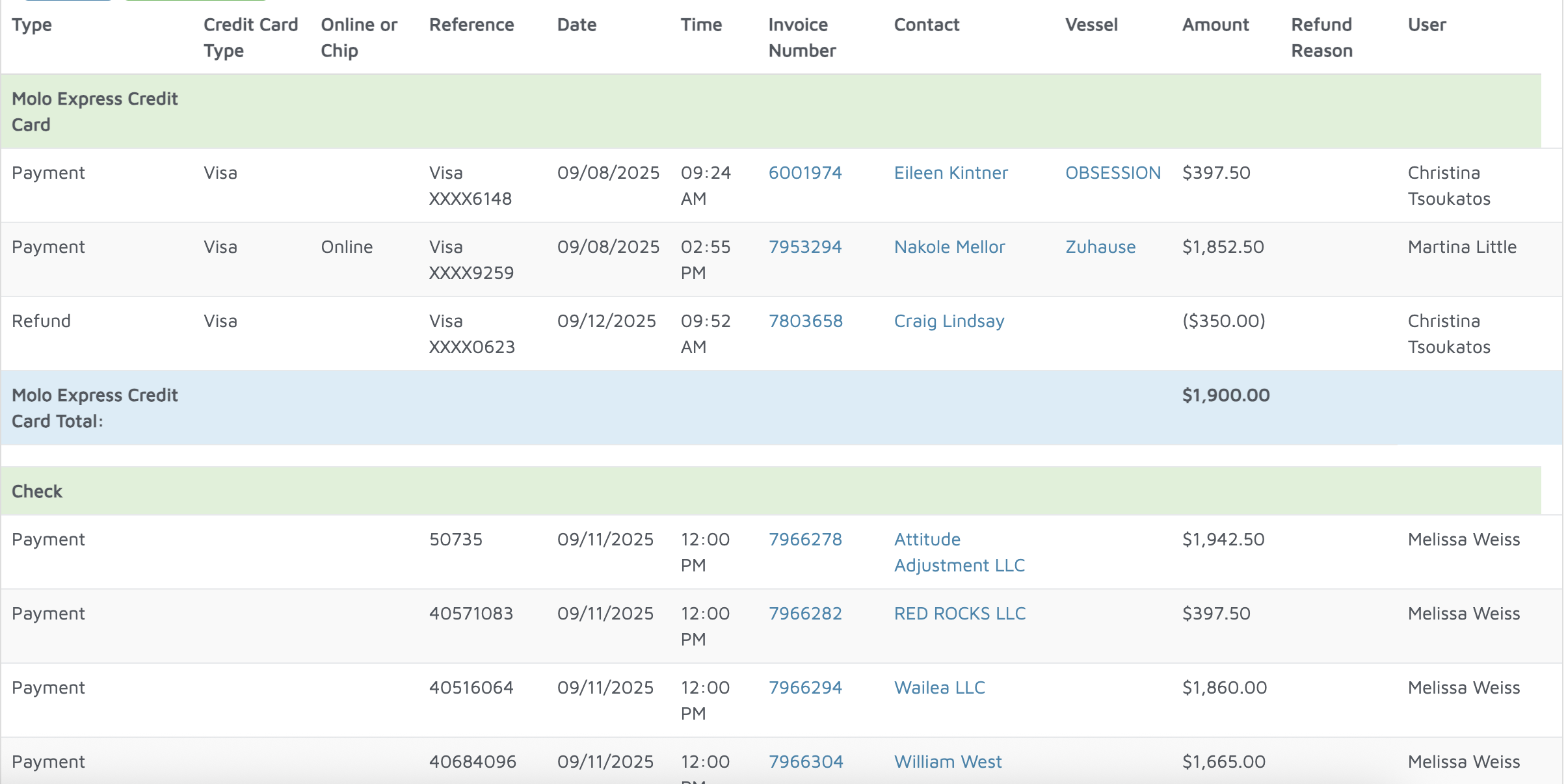
Verification: Use this report to track payments processed.