
- "How do I generate and review the Space Planning Report in Molo?"
Resolution Steps
- Go to Reports.
- Select Reservation and Spaces.
- Click on Space Planning.
- Choose the Date Range you would like to review.
- Apply optional filters:
- Include "Do Not Count" spaces.
- Show linked space blocks.
- Show notes for reservations.
- Include safety length for long-edge spaces.
- Filter by specific spaces if desired.
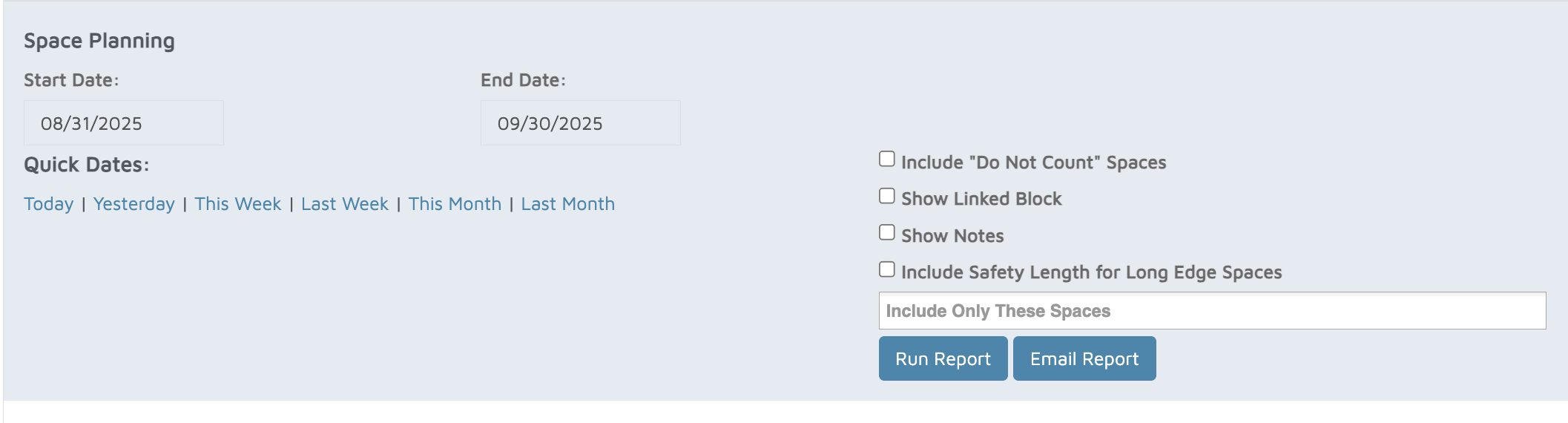
- Click Run Report.
- The report will display:
- All spaces by date.
- Total footage available.
- Feet occupied and percentage occupied.
- Percentage available.
- Total number of spaces and how many are occupied.
- A detailed list of reservations for each date, including:
- Space assignment.
- Contact and vessel details.
- Number of people and space usage.
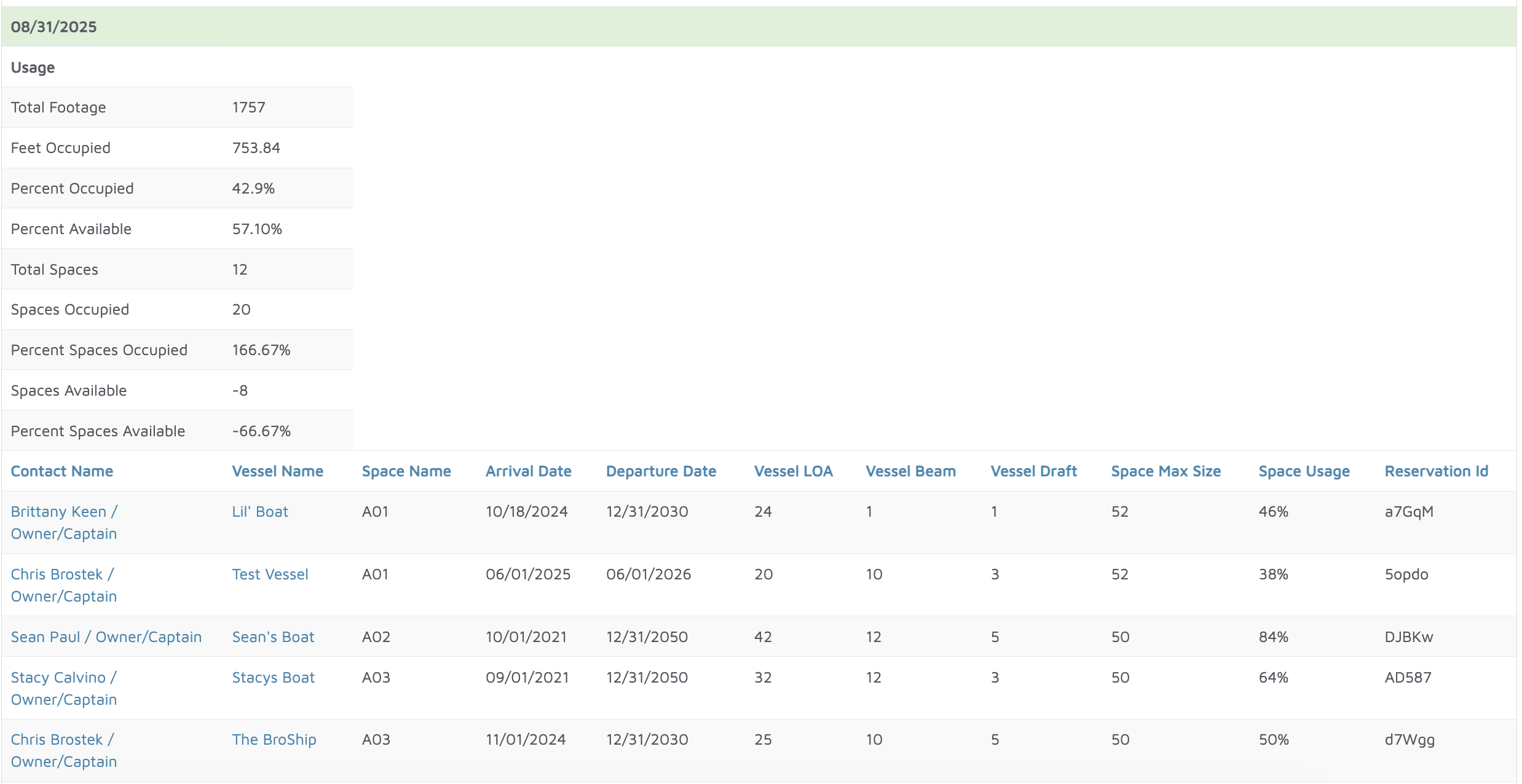
Verification: The report will populate all reservations within each space and how many feet were occupied.