
- "How do I generate a Multi-Occupancy Dockage Summary Report to review space usage by date and reservation count?"
Resolution Steps
- Go to Reports.
- Select Reservation and Spaces.
- Click on Multi-Occupancy Dockage Summary Report.
- Choose the Start and End Dates for the date range you want to review.
- Apply any optional settings:
- Select specific spaces to include in the report.
- Click Run Report.
- The report will display:
- Date of activity.
- Space name.
- Total space footage available.
- Number of reservations in that space for the day.
- Footage occupied and percentage occupied.
- Footage available and percentage available.
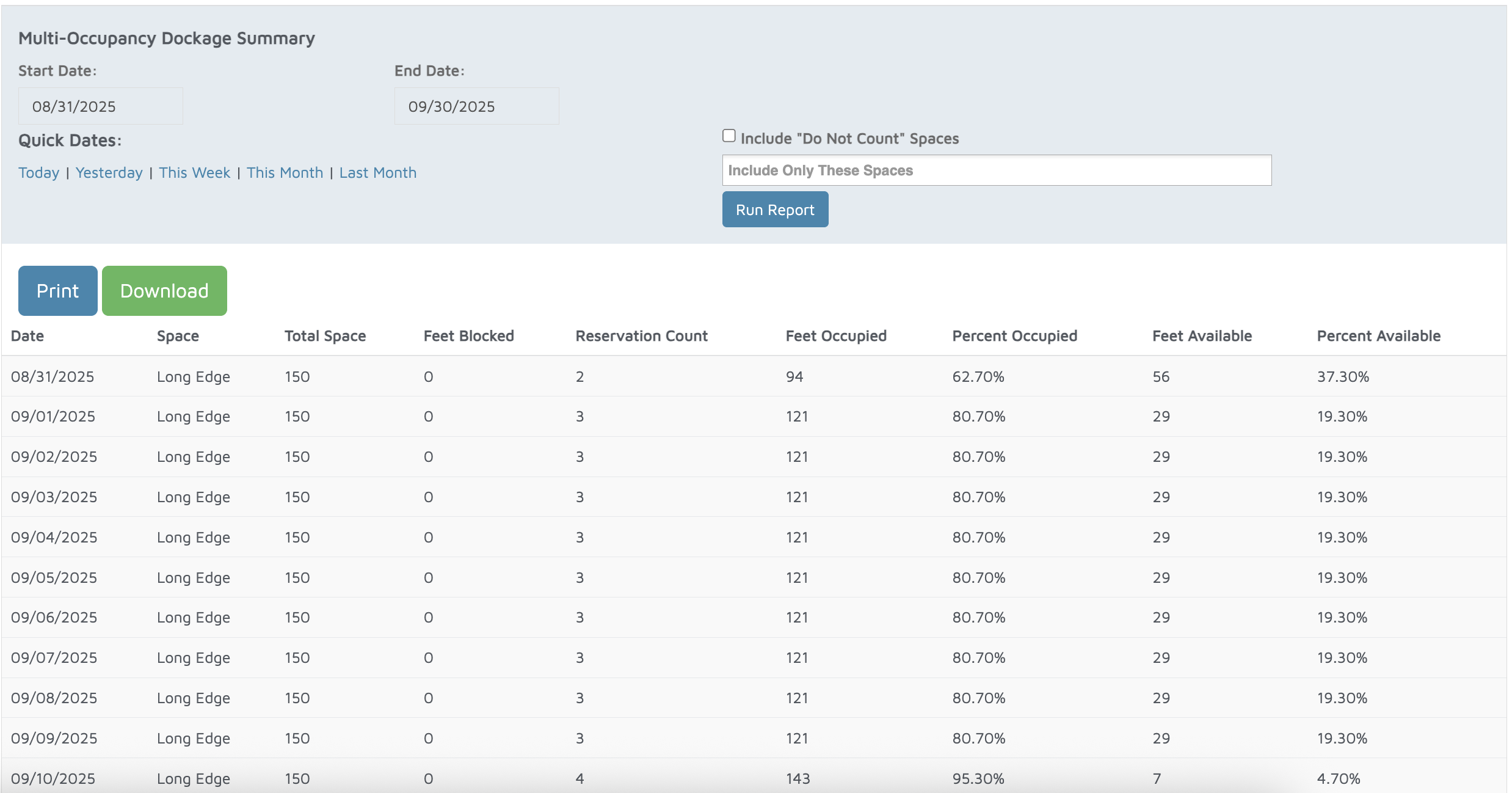
Verification: The report will populate all reservations that were placed in the long edge spaces.