
- "How do I view unbilled service jobs, including costs, job details, and work order information?"
Resolution Steps
- Go to Reports → Service → Unbilled Service Jobs.
- Select the As Of Date you would like to review.
- Use the available filters as needed:
- Show cost pricing
- Include closed work weeks
- Click Run Report.
- The report will display the following information:
- Job creation date
- Job name
- Labor, parts, and charges total
- Sublet total
- Status of the job
- Work order name
- Work order creation date
- Status of the work order
- Customer and vessel details
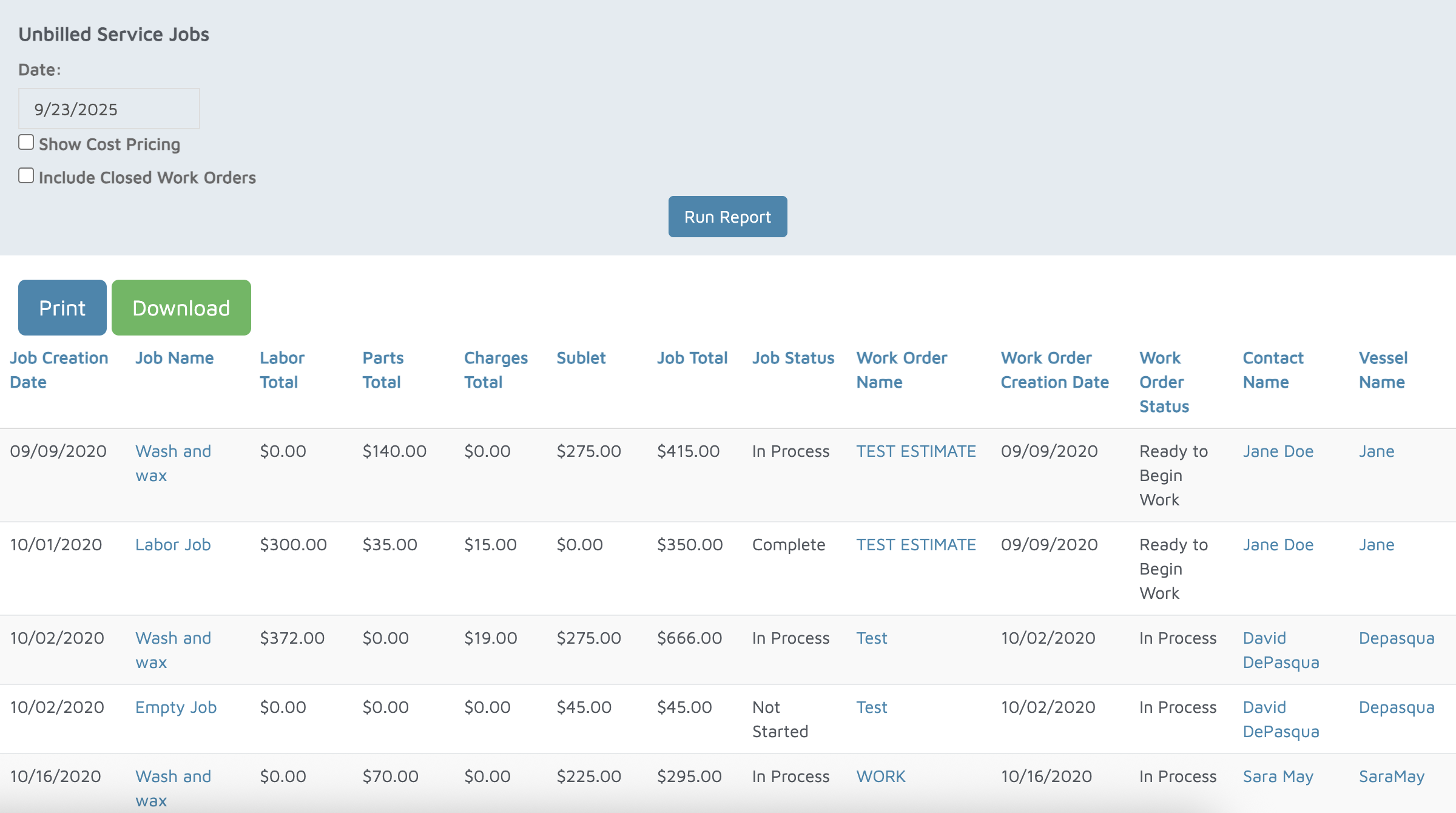
Verification: The report will populate unbilled service jobs that are still in progress.