
- "How can I generate a report showing vessel insurance details for all customers?"
Resolution Steps
- Go to Reports from the main menu.
- Select Contact and Vessels.
- Click on Vessel Insurance.
- Apply filters as needed:
- Include deleted insurance records
- Include inactive and deleted records
- Show vessels with no insurance
- Show only checked-in vessels
- Run for entire company (if managing multiple locations)
- Click Run Report.
- The report will generate a list displaying:
- Vessel details
- Linked contact information
- Insurance details (active or historical)
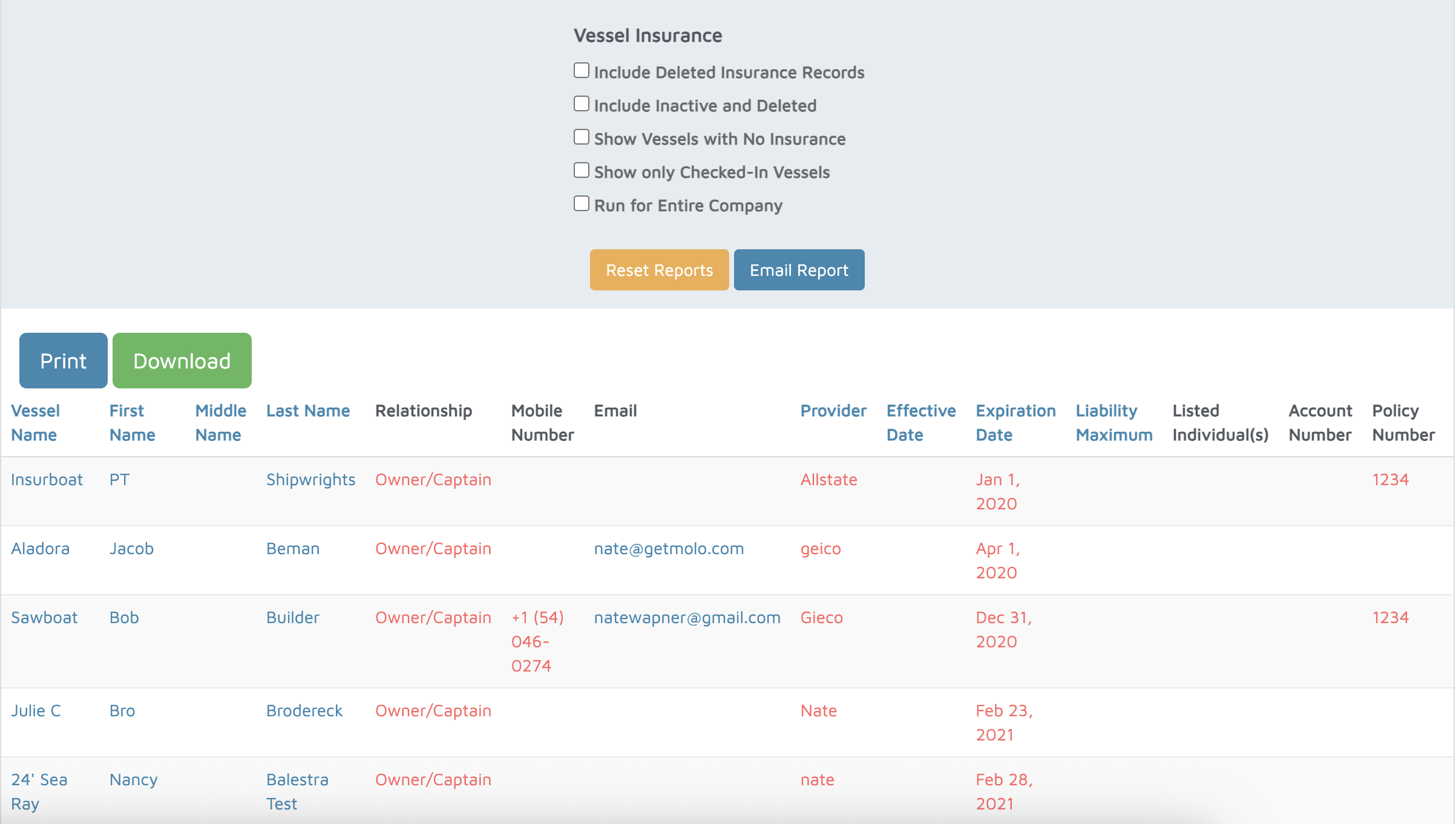
Verification: The report will populate vessel insurance details added to vessels.