
- "How can I see what all our technicians can access in Molo?"
- "I want to see what features our technicians can access, where do I check that?"
Resolution Steps
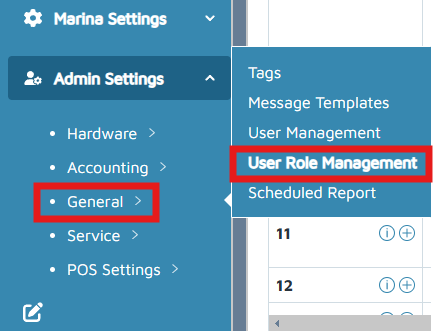
- On the left menu, click Admin Settings > General > User Role Management.
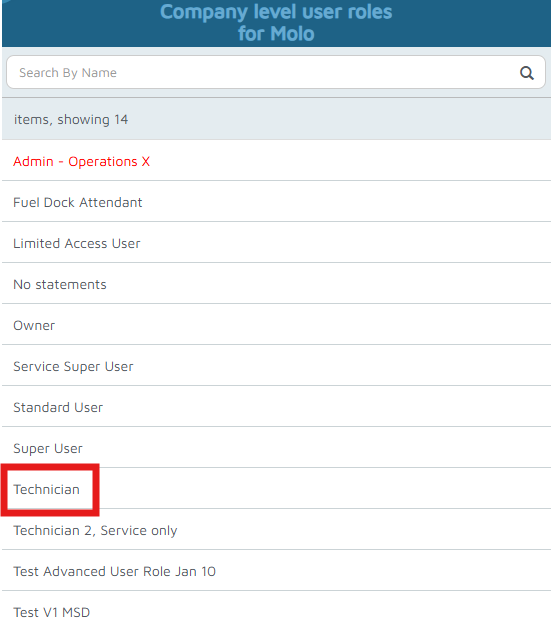
- Select the User Role (Technician).
- View all access granted under Elevated Access and all restrictions listed under Deny Access.
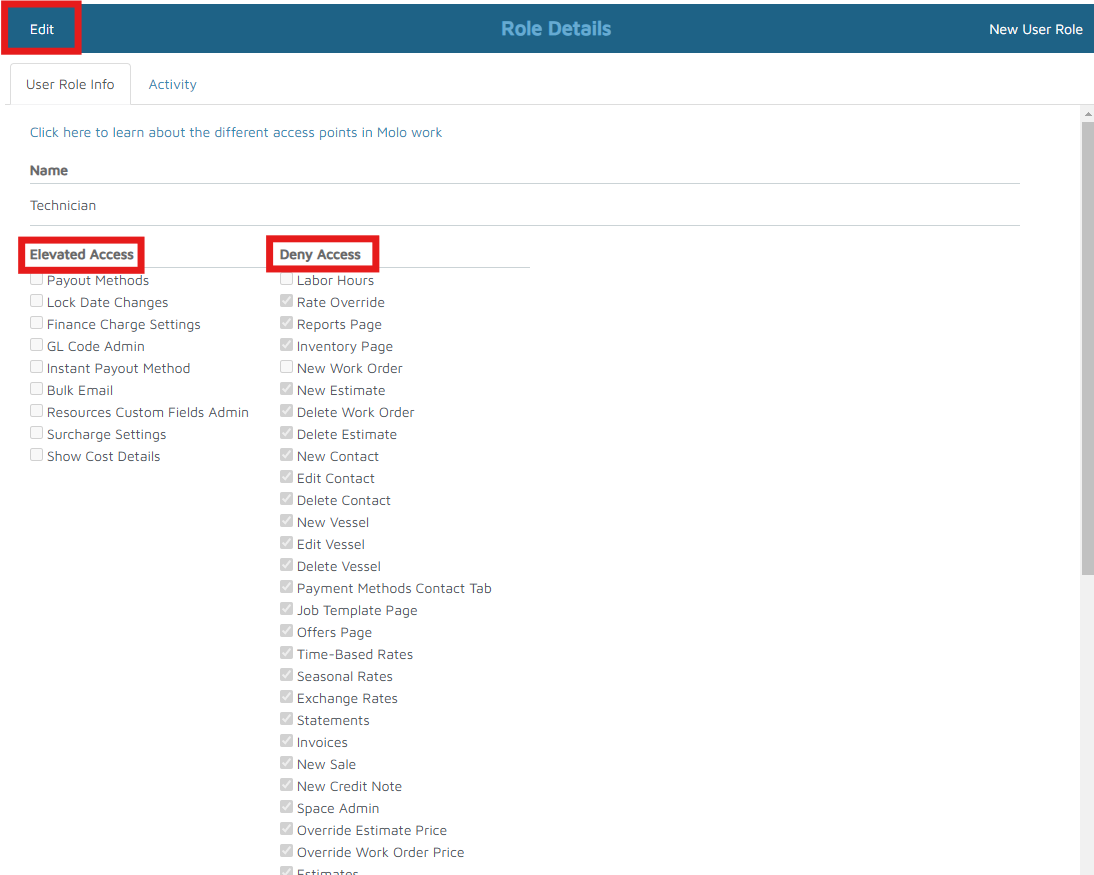
- Click Edit on the top-left corner to change permissions.
- After changes are made, click Done to save.
Verification: The technician's access should be found, and edits can be made.