
"How can I apply a discount to a reservation before confirming it?"
Resolution Steps
Note: These steps are only aplicable for time based and seasonal reservations.
- On the main Molo menu, click on Contacts & Vessels.
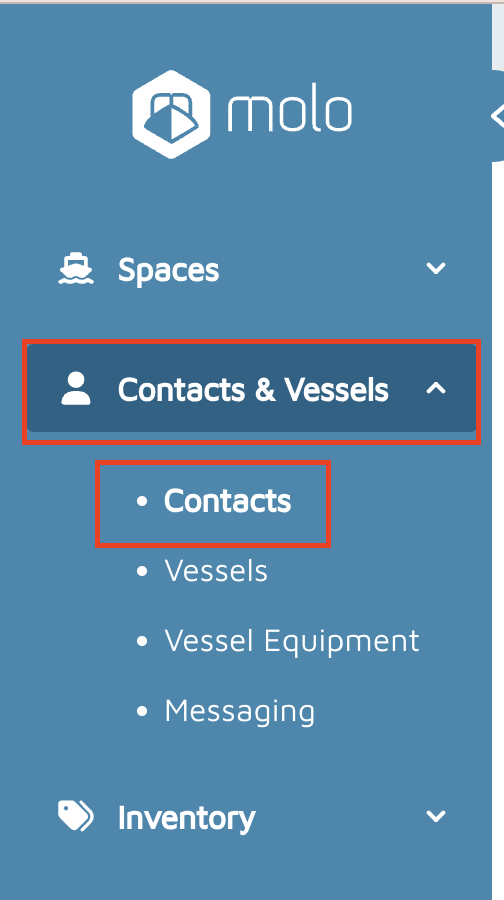
- Select Contacts.
- Search for the contact by Name, Vessel Name, Company, Email, Phone, or Notes.
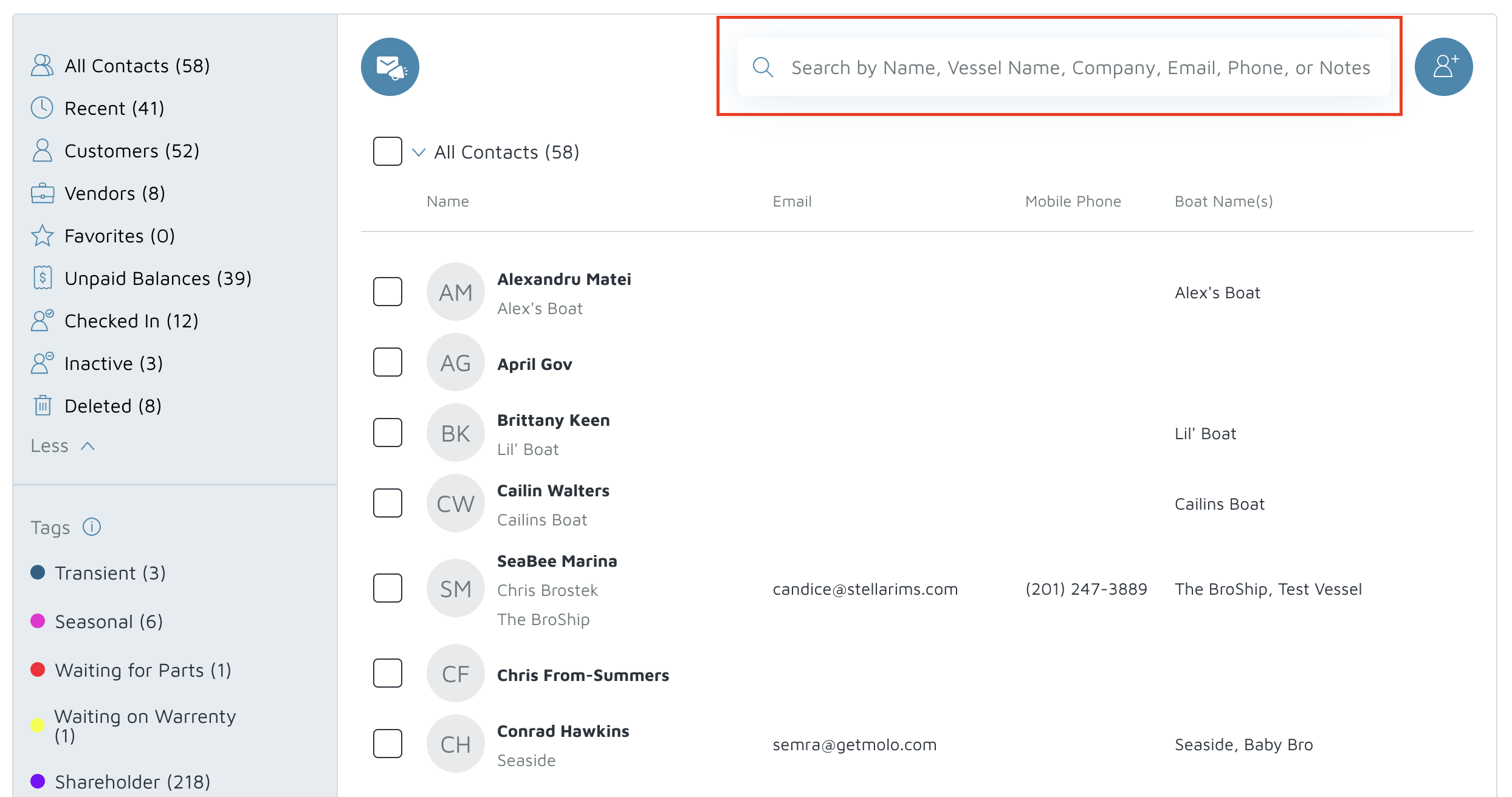
- Select the desired Contact.
- Click on Account > Reservations.
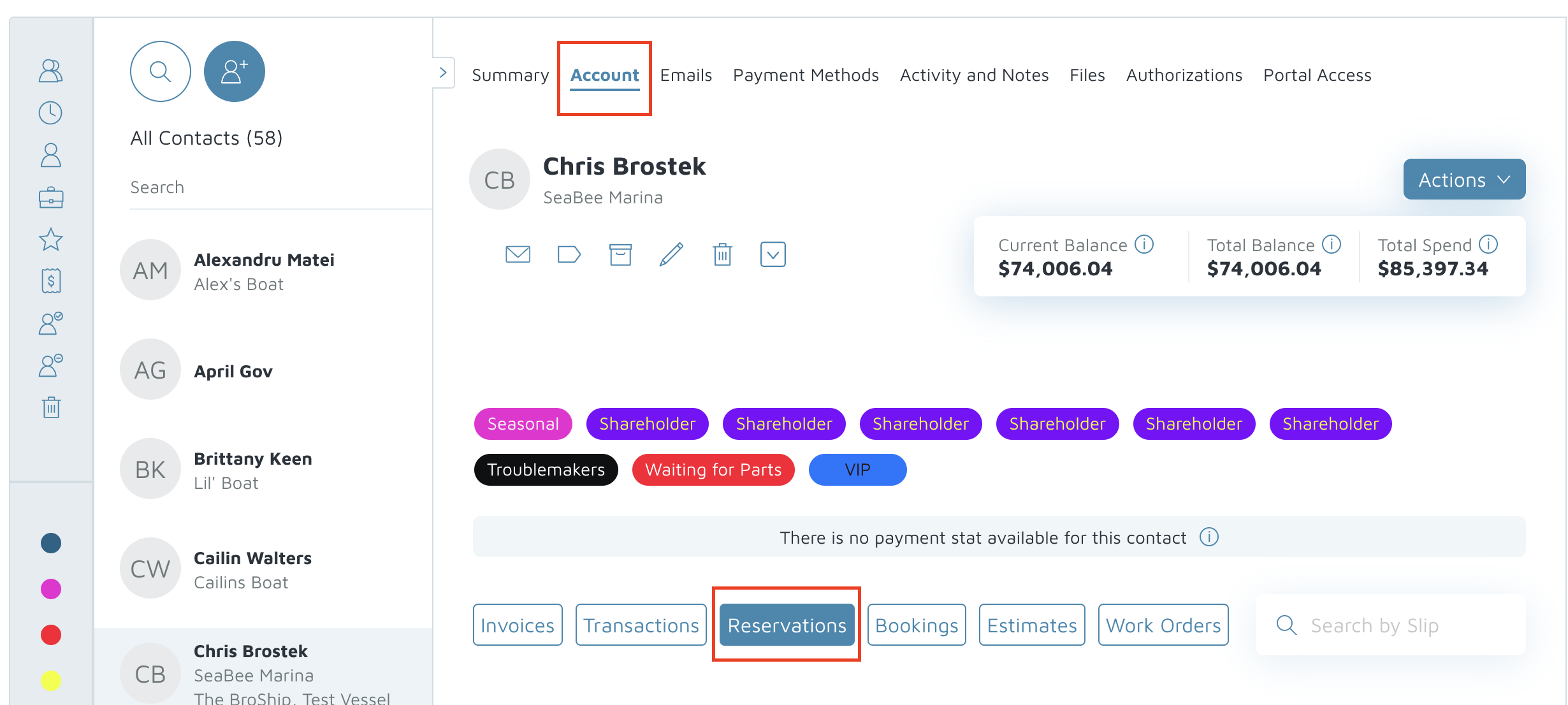
- Click on the Reservation to be discounted.
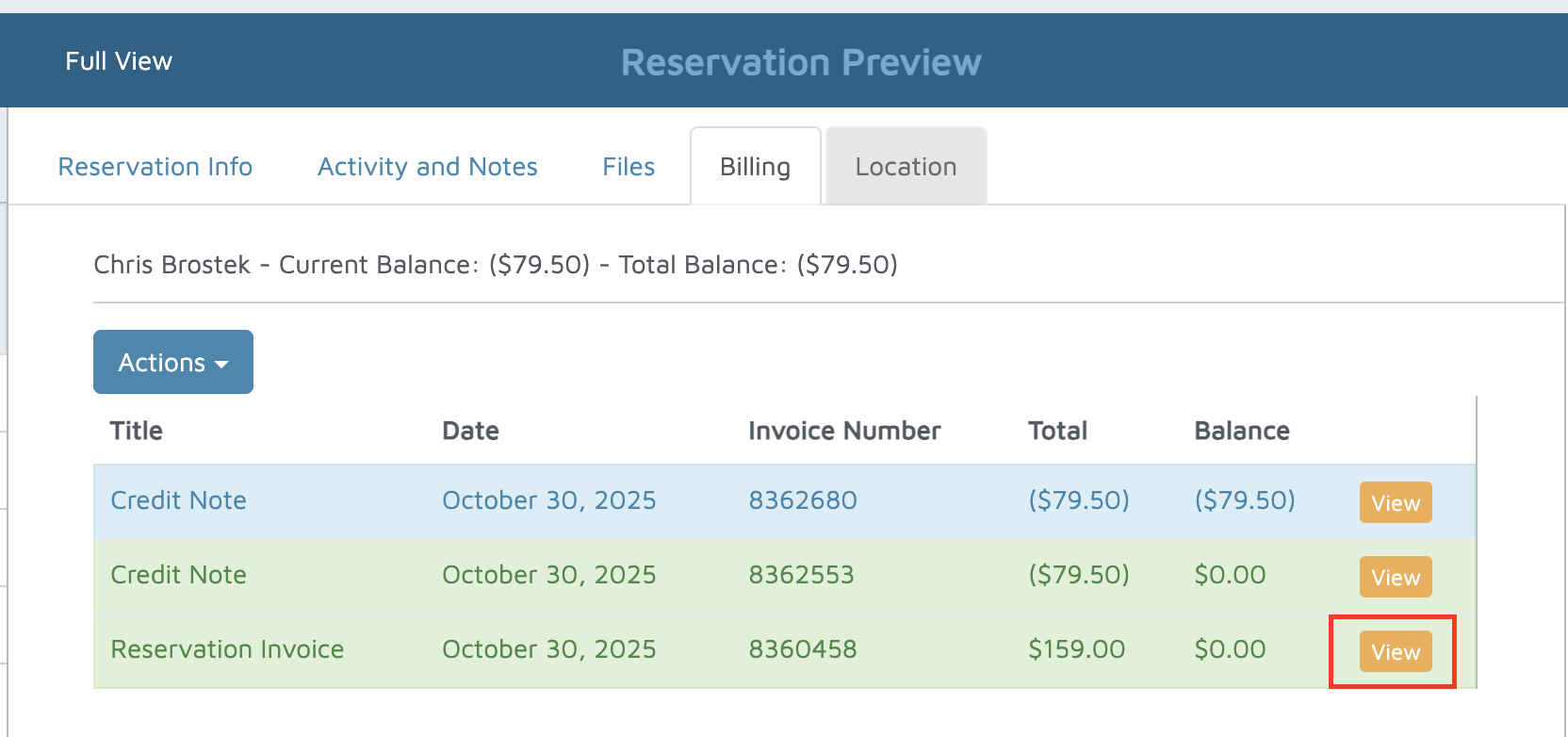
- Click on Billing.
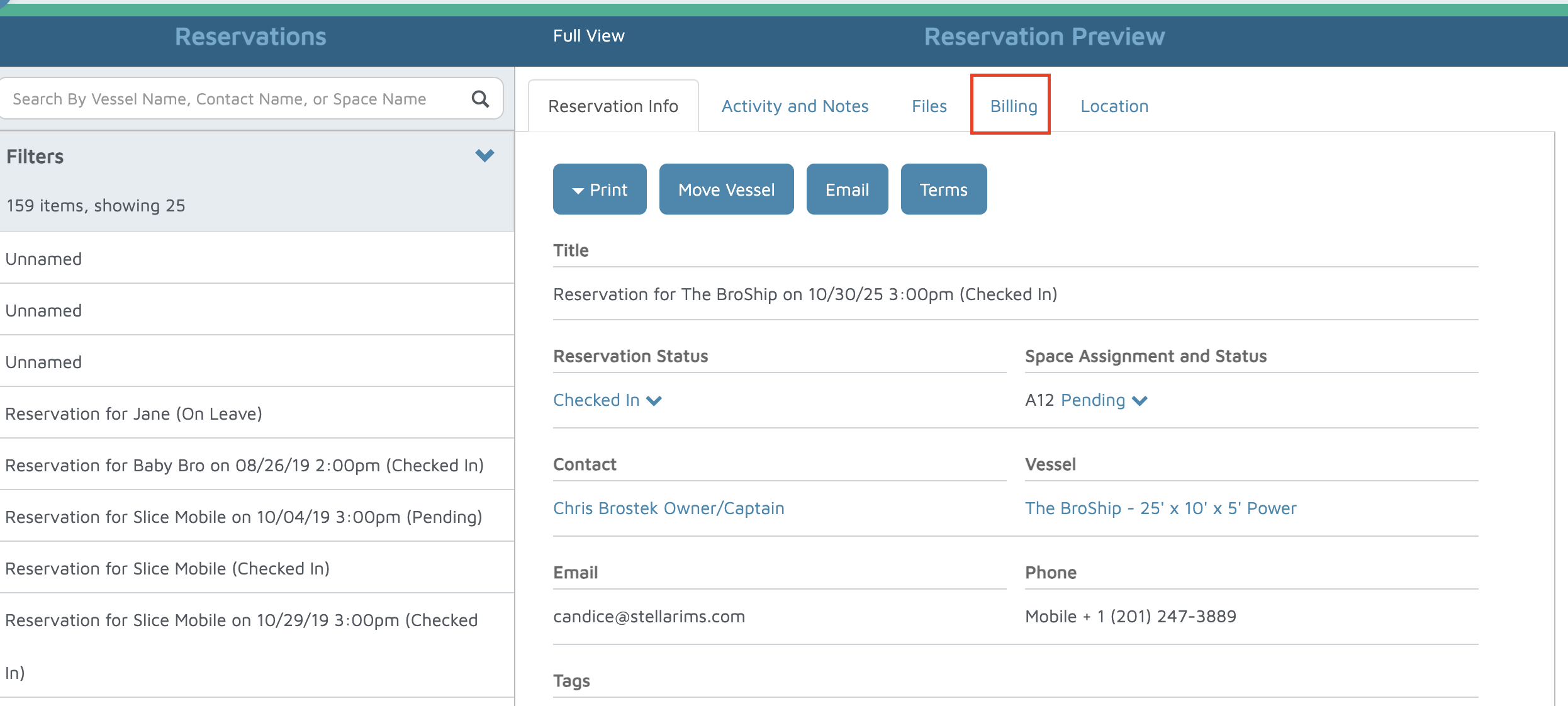
- Click View on the right-hand side of the reservation invoice to discount.
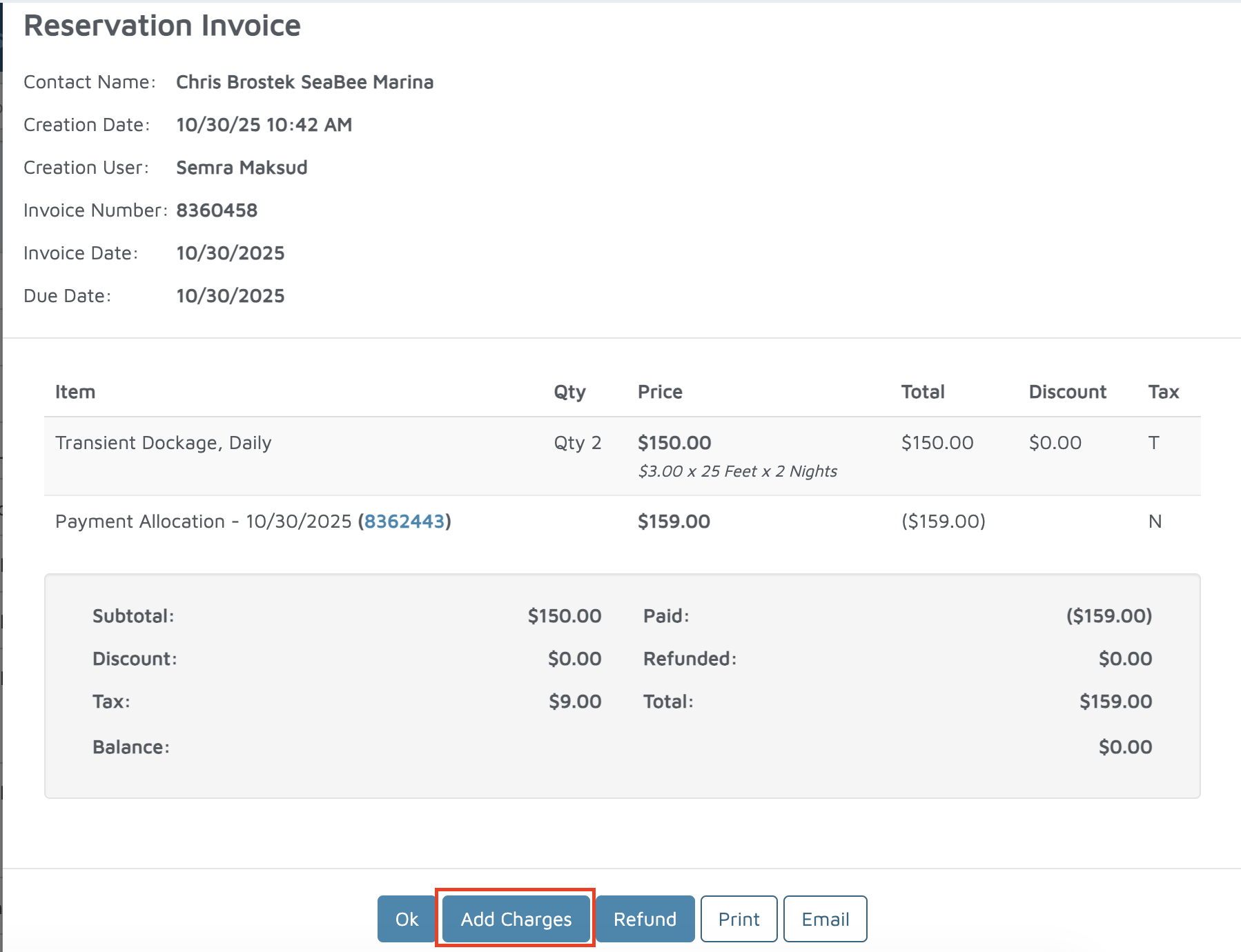
- Click Pay or Add Charges to open the reservation invoice on the POS screen.
- Select the Pencil Icon next to the reservation line item.
- Click Discount Item, then input the amount and the unit.
- Click Save.
- Click Save to Account.
Verification: The discount should appear on the invoice.