Making Bank Deposits in QuickBooks Online (QBO) Based on Transaction Batches in Molo
Print
Modified on: Thu, 16 Apr, 2026 at 11:52 AM
- "How do I match the customer's credit card payments in Molo in QBO?"
Resolution Steps
- When setting up the Molo > QBO Integration, we can set the payment methods to post to the Bank Account in which funds would be paid out or the QBO Undeposited Funds account. The below guide is for locations that have the Undeposited Funds as the default account setup in Molo.
- When credit card payments are received in Molo, each transaction is initially recorded in QuickBooks Online (QBO) under the "Undeposited Funds" account. Every day, the transactions processed by Molo are grouped into a "batch". This batch is then deposited into the Checking Account days later. This process allows the deposits to be matched with the corresponding incoming bank transactions.
- Identify the Molo Express transaction in QBO.
- Navigate to QBO.
- On the left menu, navigate to Transactions > Bank transactions.
- Click on the checking account.
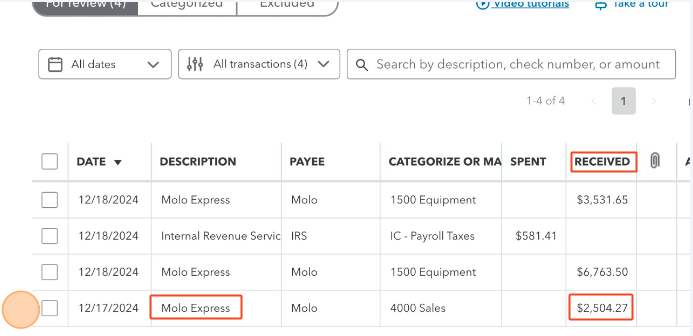
- Find the oldest transaction to review that has the description "Molo Express" and a positive amount in the "Received" column. Take note of the transaction date and amount.
- Identify the Molo Express Transaction in Molo.
- Open a new browser tab and navigate to Molo.
- On the left menu, click Reports.
- Click Invoicing and Payments > Molo Express Transactions.
- Run the report using the following parameters:
- Start Date: Choose a date that is one week before the date of the earliest transaction in the batch.
- Note: The date shown in QBO is the Deposit Date, but the actual transaction date could be as much as a week earlier.
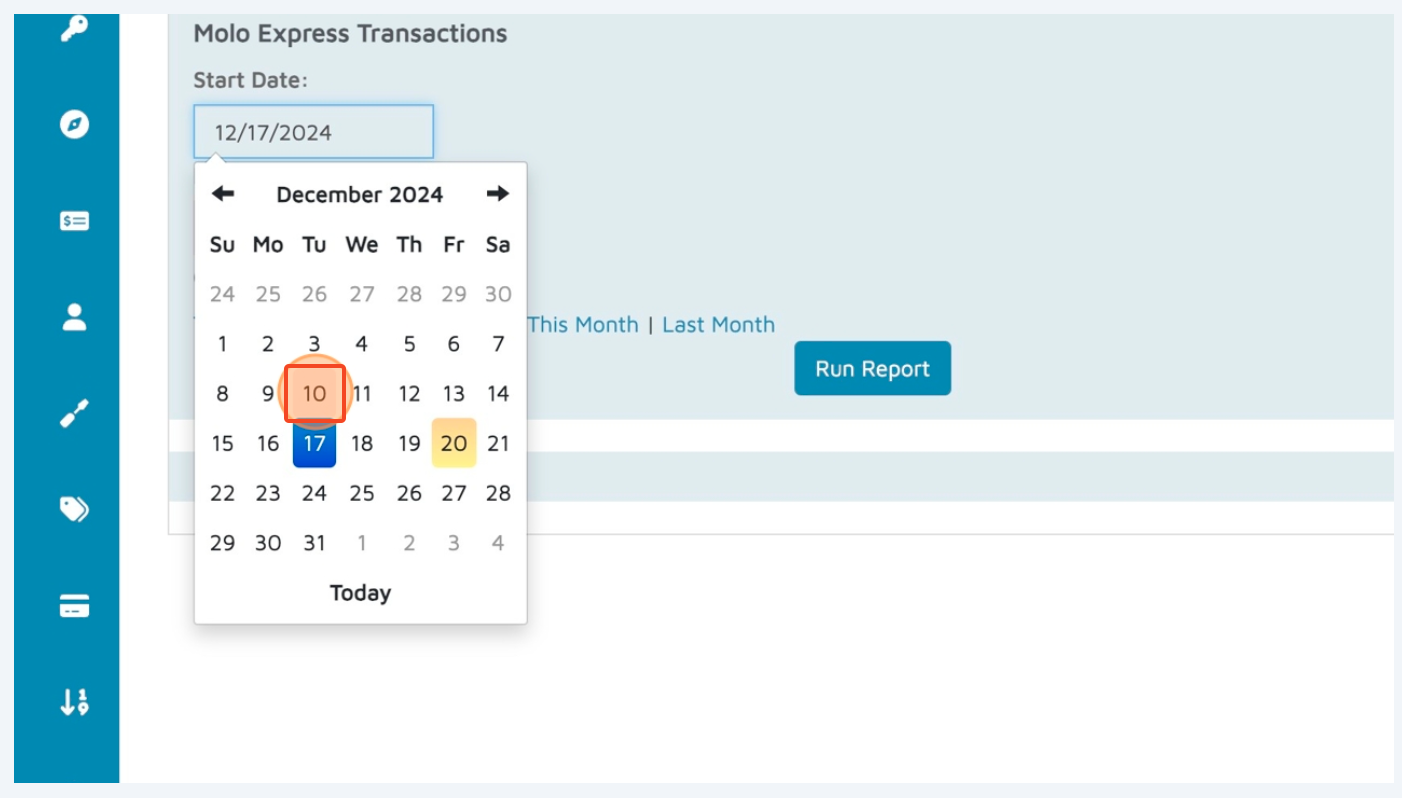
- End Date: Choose today's date.
- Click Run Report.
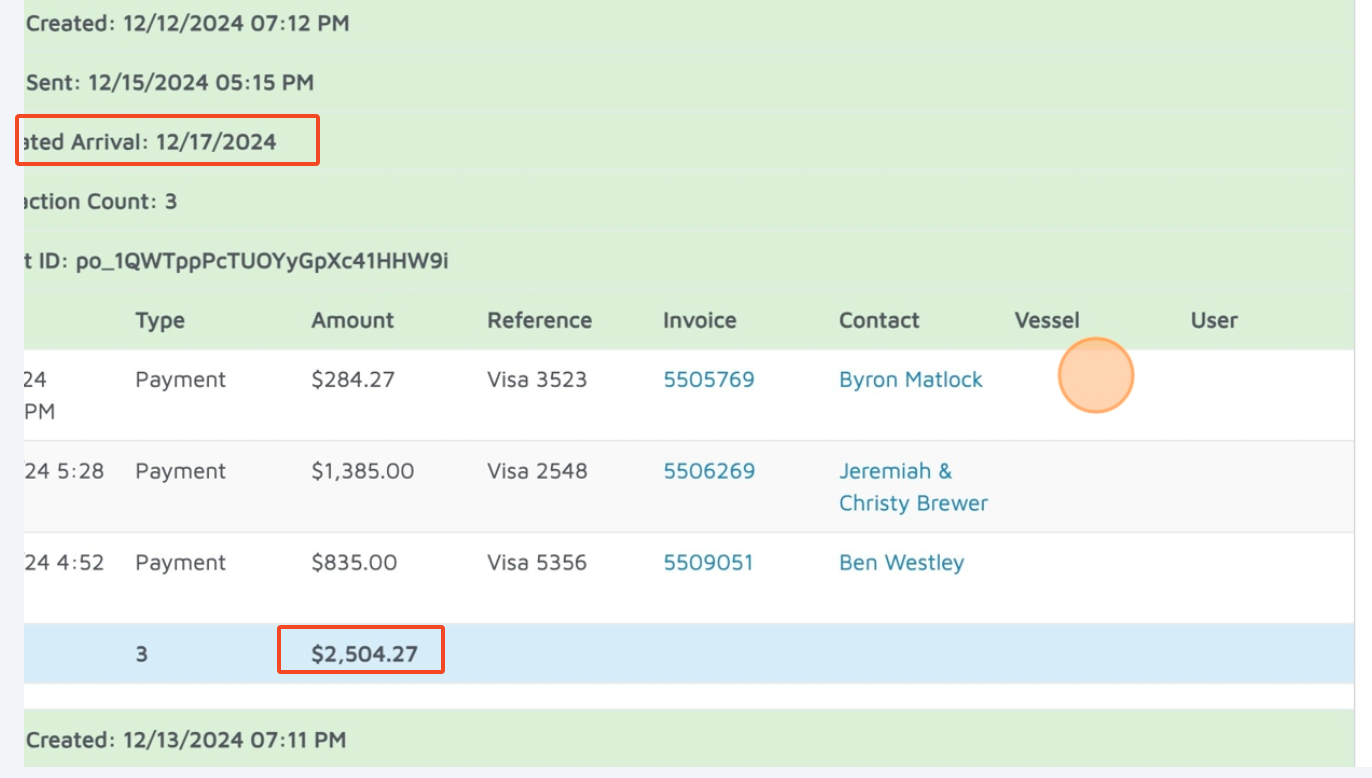
- In the report, focus on the batches highlighted in green. Pay close attention to the "Estimated Arrival Date" for each batch, as this is the date the deposit is expected to be or has already been made into the bank account.
- Match the batch to the QBO transaction referenced in Step 1. Check that the amount matches the transaction since multiple batches can be processed on the same day.
- Deposit the funds from "Undeposited Funds" into the checking account in QBO.
- Switch back to the browser tab for QBO.
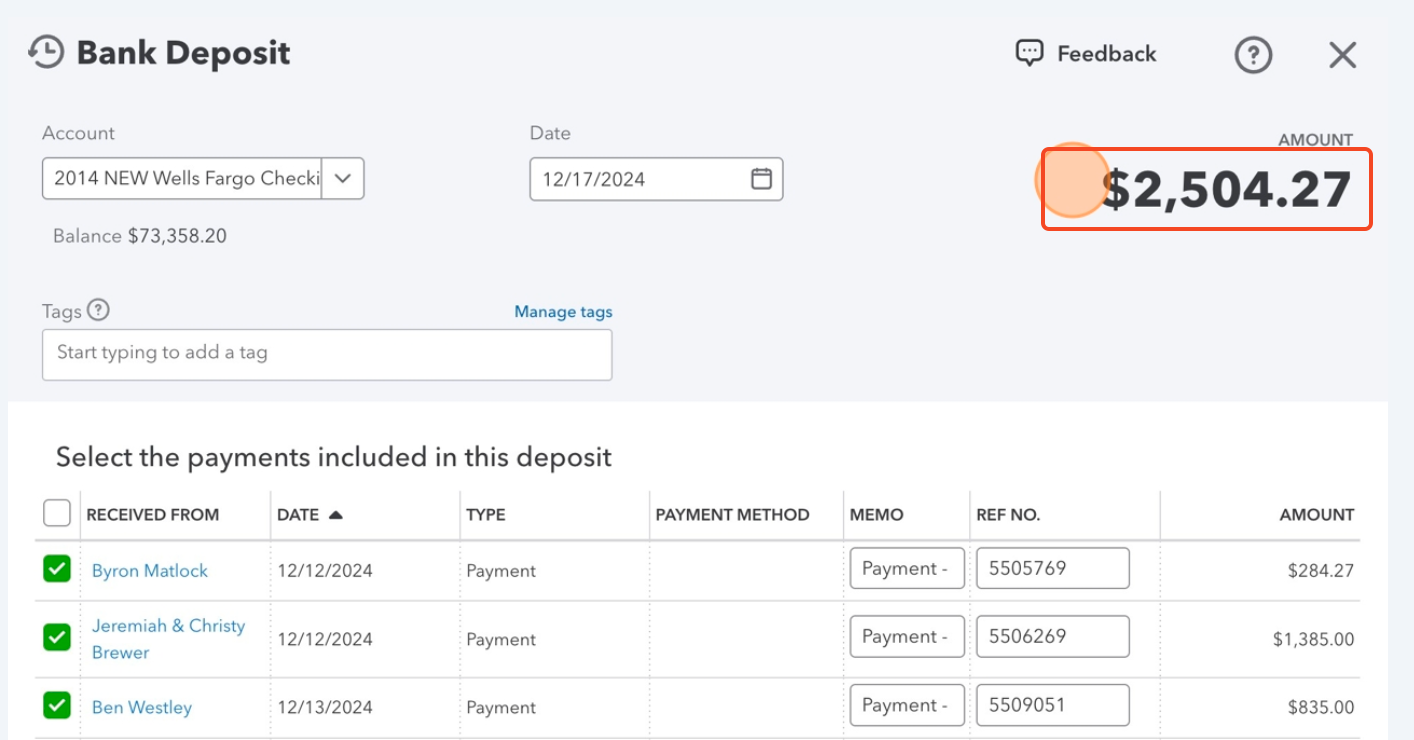
- On the left menu, click New > Bank deposit.
- On the Bank Deposit screen, make sure the Account is correct and the Date is close to when the batch was received.
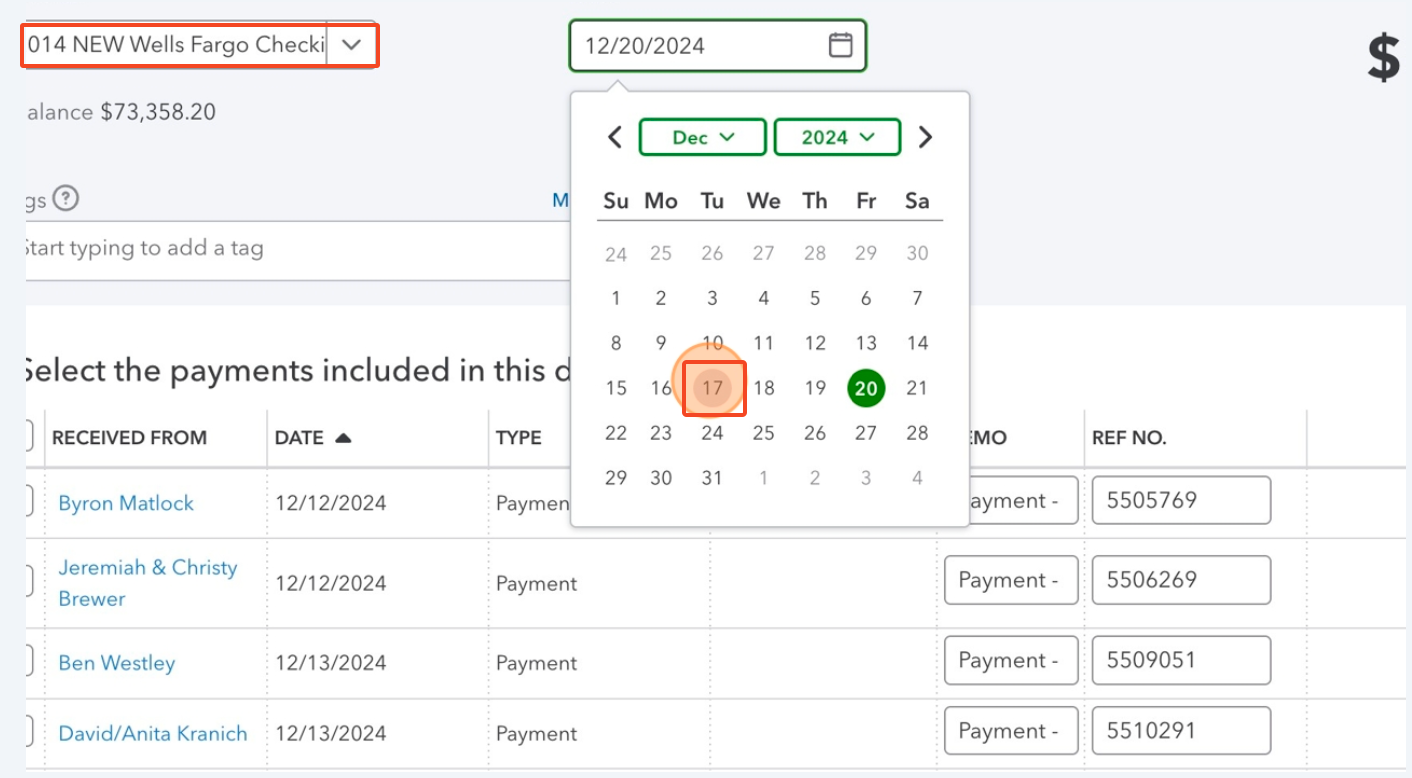
- Select the payments that were noted in the batch information from Molo. Check if the total of the selected payments match the batch total in Molo.
- If finished, click Save and Close.
Did you find it helpful?
Yes
No
Send feedback Sorry we couldn't be helpful. Help us improve this article with your feedback.
