- "Is there a way to have email templates in Molo?"
Resolution Steps
- Message Templates are pre-written, customizable messages used to save time and ensure consistency in communication. These templates are commonly used when sending Contact Emails, Bulk Emails, and Messaging (Texting).
- On the left menu, navigate to Admin Settings > General > Message Templates.
- On the upper right, click New Message Template.
- Complete the following:
- Title: Name of the template
- Message: Body of the message
- Available for Text Messages (Optional): only enable if Messaging/Texting is already set up
- Available for Emails: Enable
- Click Done.
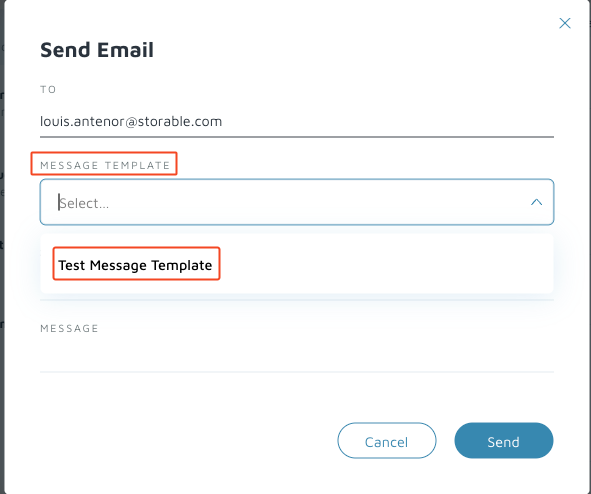
Verification/Confirmation: Navigate to a Contact. Click Actions > Email Contact. Under Message Template dropdown, confirm the new message template.