
- "How do I make a sale in Molo?"
- "How do I sell an item in Molo?"
Resolution Steps
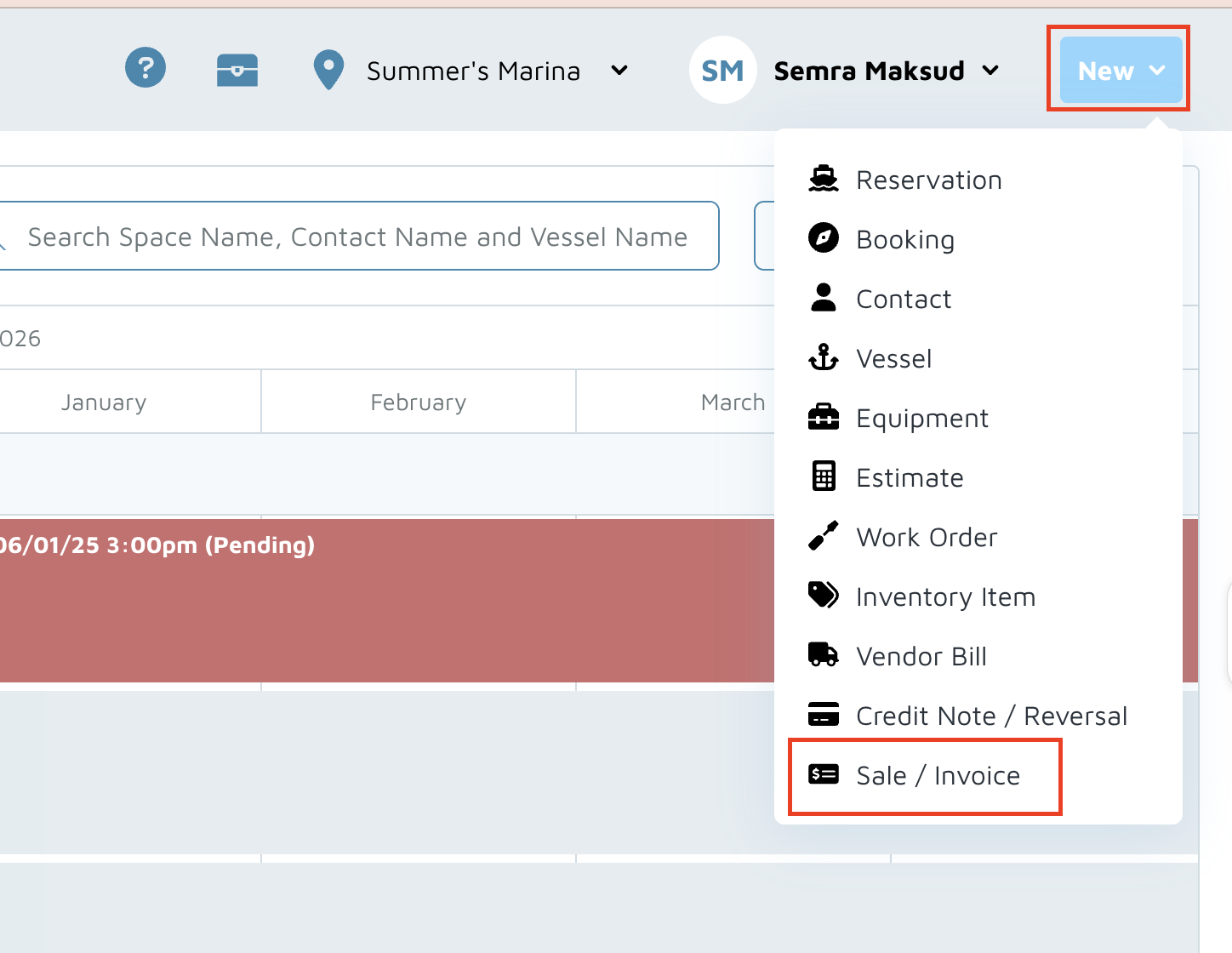
- On the upper-right, click on New > Sale / Invoice.
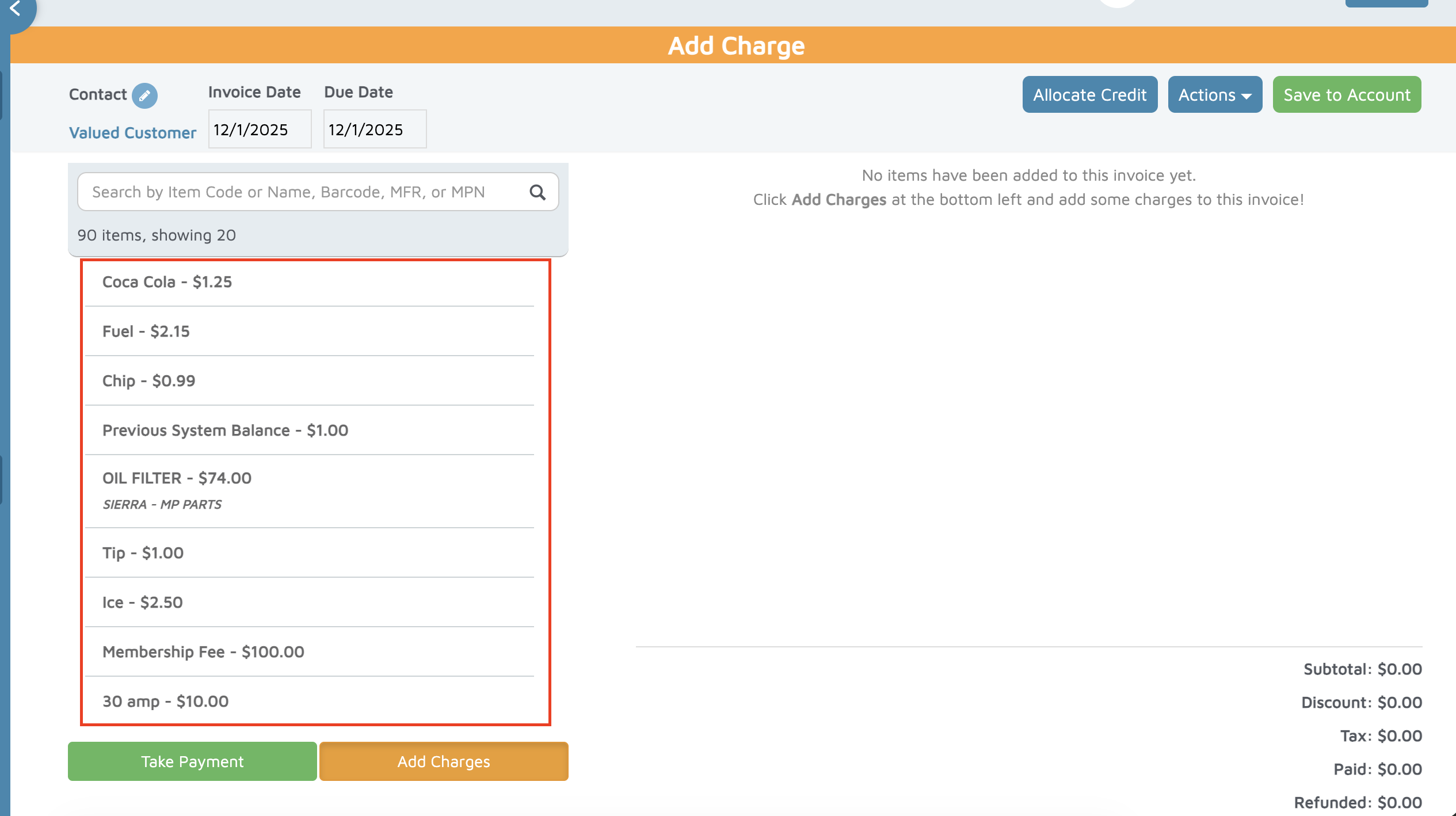
- Select the item on the list or search for the item.
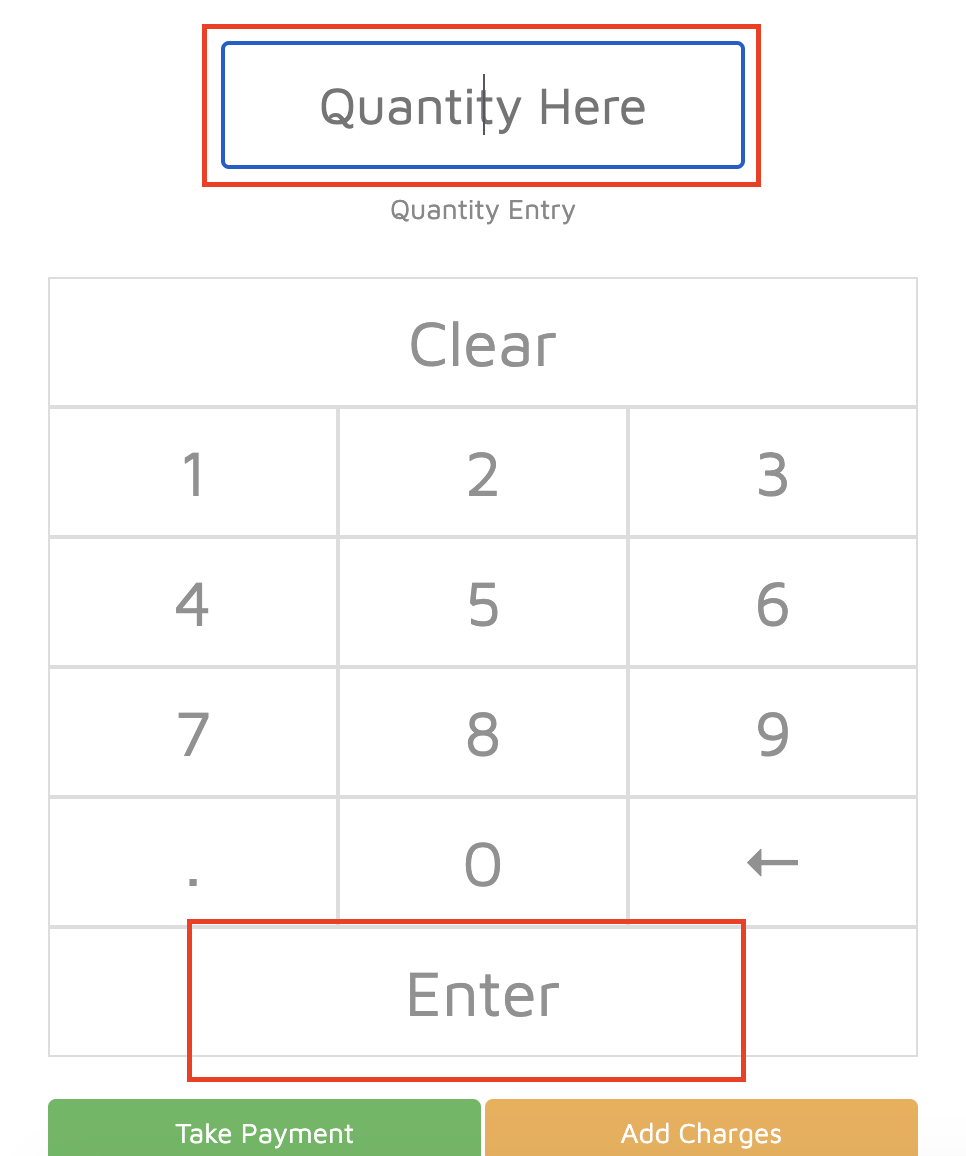
- Select the quantity, then click Enter.
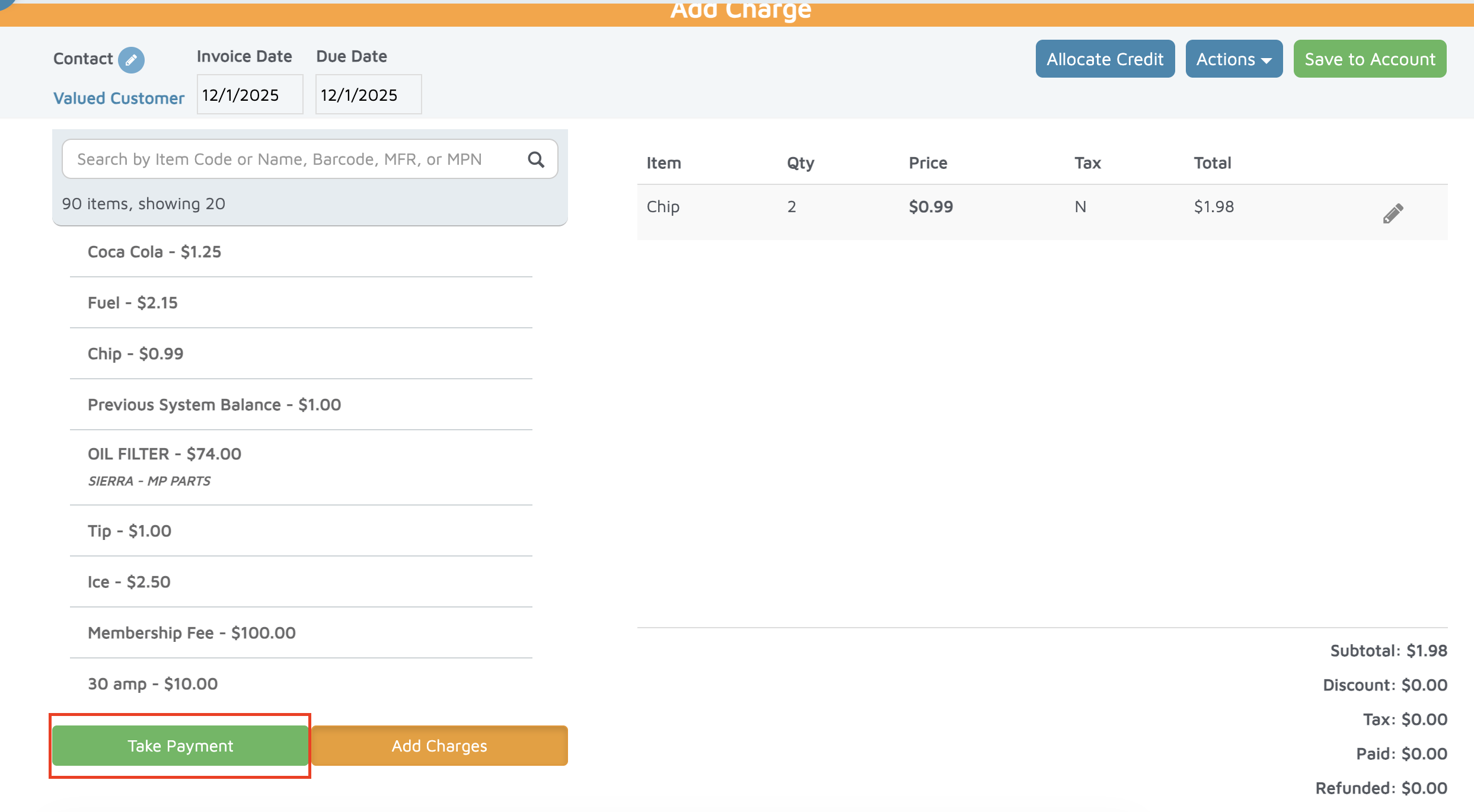
- Click Take Payment.
- Enter the value of the payment, then click the desired payment method (i.e. cash, check, credit card, bank account, etc).
Verification: The invoice should be under the customer's or valued customer account.