
- "What to do if the customer's bank account verification fails in Molo?"
- "How do I fix this failed bank account verification?"
Resolution Steps
- While in the Contacts List, click on a contact.
- Click on Payment Methods tab.
- Click Bank Accounts.
- Find the failed bank account and click on the trash icon.
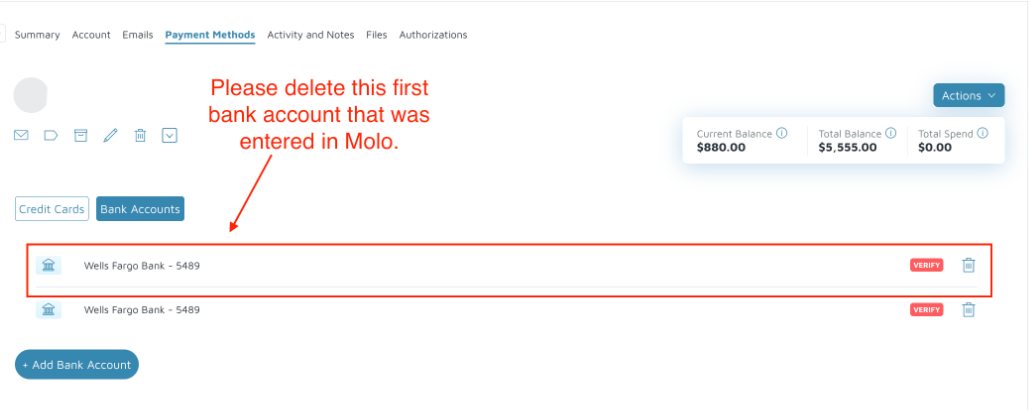
- After successful deletion, click Add Bank Account to complete banking details.
- After successfully re-adding the bank account, click Verify. This will trigger the micro-deposits again for the customer to verify.
Verification: The bank account should be successfully added, and try to process a payment.