
- "Where can I see a list of reservations and if the terms were accepted?"
- "Is there a report that shows all the people who have accepted terms?"
Resolution Steps
- This report lists all reservations within the selected timeframe, indicating whether their terms were accepted, along with the date and time of acceptance.
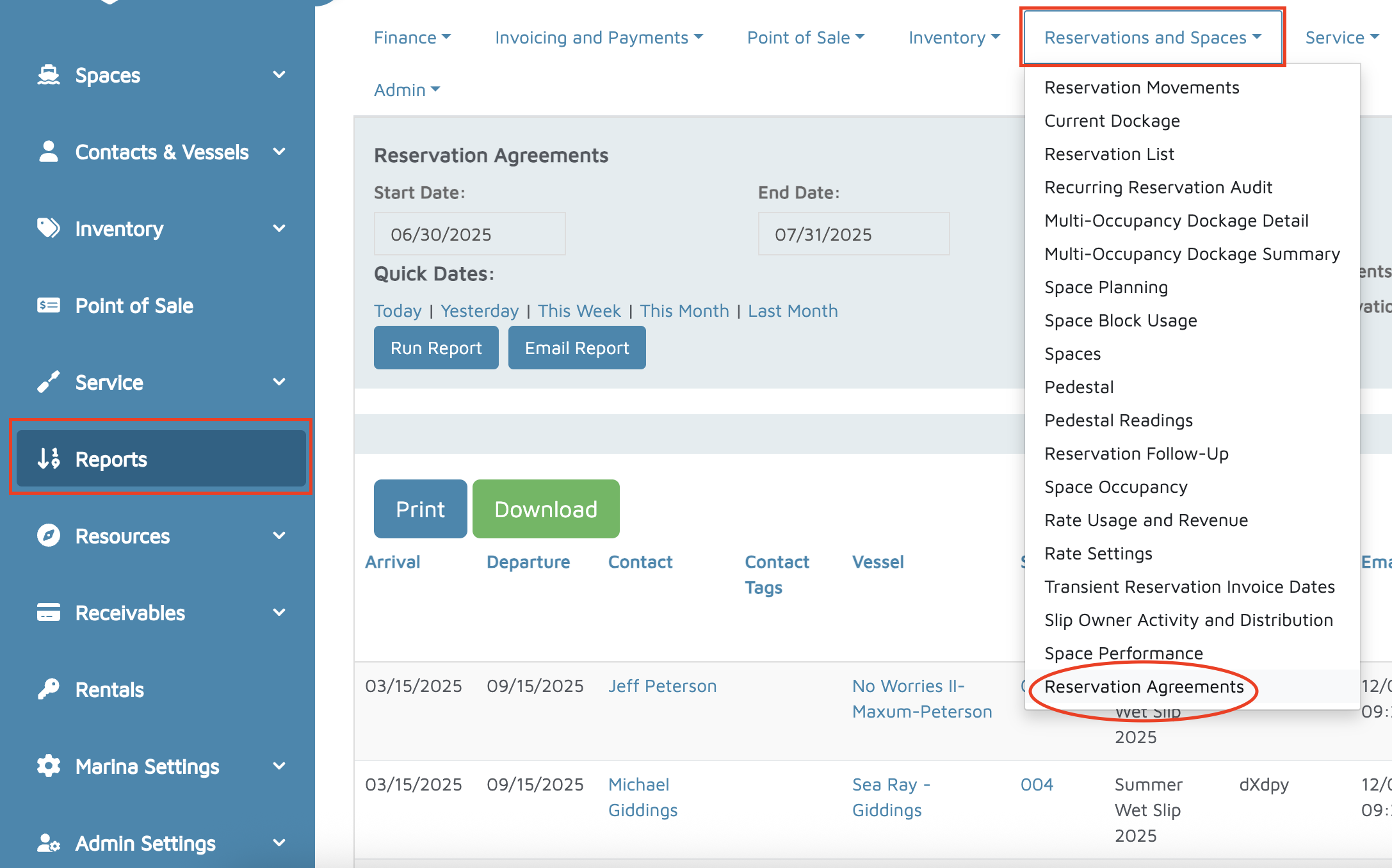
Go to Reports.
At the top, click Reservations & Spaces.
Select Reservation Agreements.
Choose the Date Range you want to view.
Click Run Report.
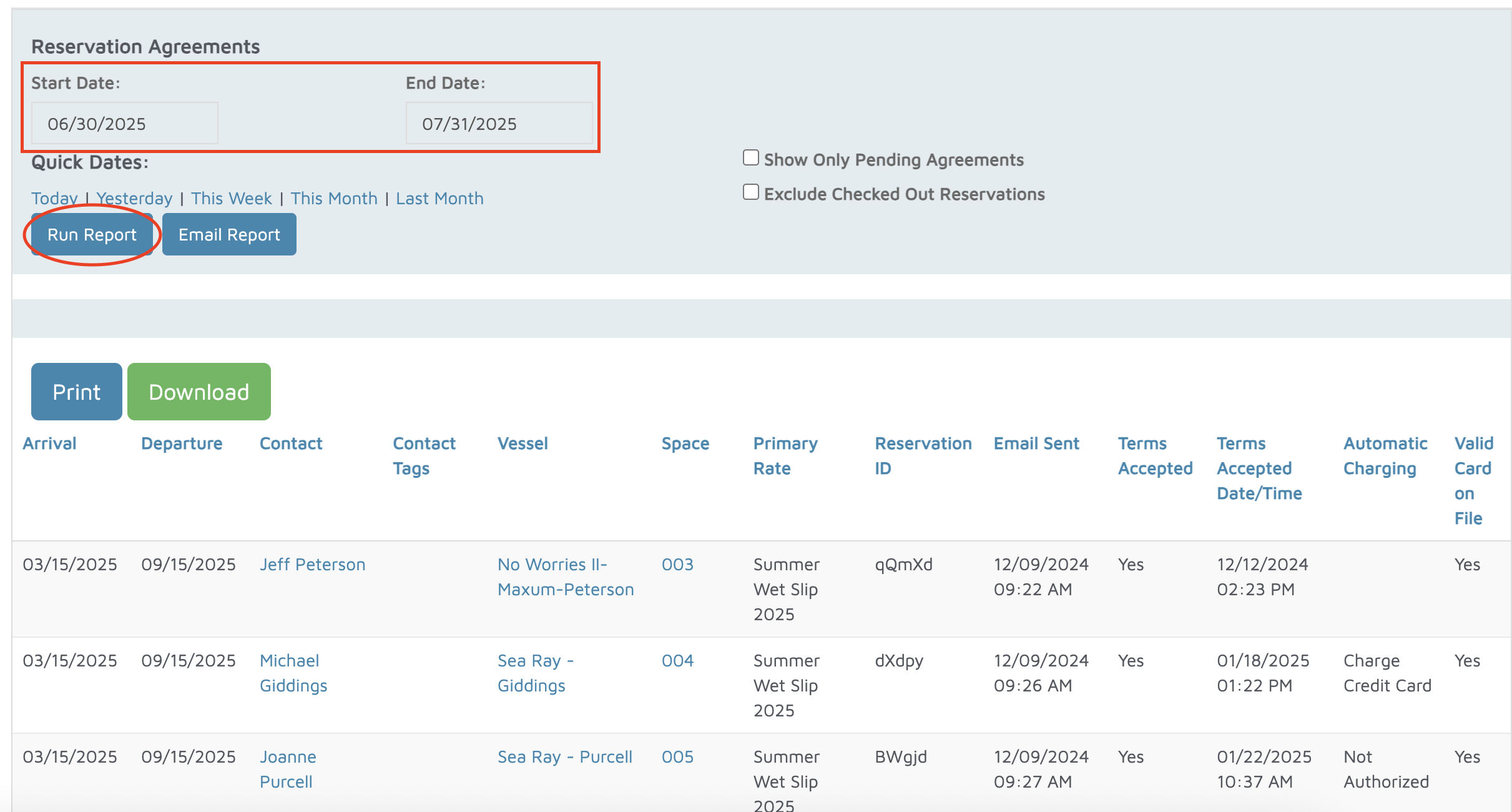
Review the report details, which include:
Arrival and Departure Dates
Contact Information
Rate Used
Email Sent Date for the reservation confirmation
Terms Accepted (Yes/No)
Terms Accepted Date & Time
Verification: Verify that the Terms Accepted Date & Time field matches what’s shown in the individual reservation details.