
- "How can I view a list of customer payment methods, including expired or expiring cards?"
Resolution Steps
- Go to Reports from the main menu.
- Select Contacts and Vessels.
- Click on Stored Payment Methods.
- Optional: Use the filter Show only expired or expiring payment methods to focus on cards needing updates.
- Click Run Report.
- The report will display:
- Customer name
- Phone number and Email
- Stored credit cards (last four digits)
- Expiration dates of stored cards
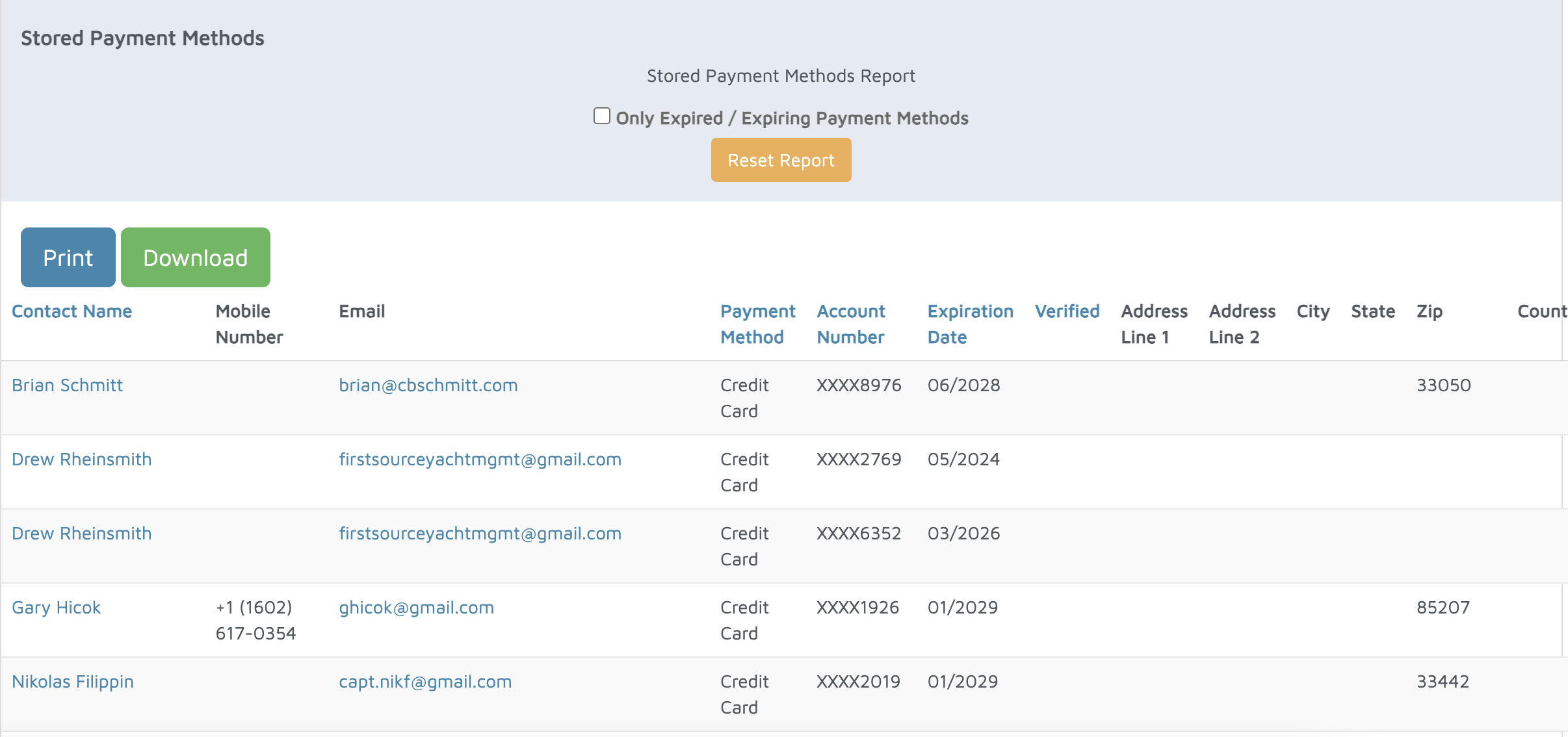
Verification: All contacts and stored payment methods should display on this report.