
- "How do I review cash drawer activity by user and transaction?"
Resolution Steps
- Go to Reports.
- Select Point of Sale.
- Click on Cash Drawer Audits.
- Choose the Start Date and End Date you want to review.
- The Cash Drawer Audit report provides:
- Each user’s cash-related activity
- Contact name associated with the transaction
- Amount taken or added
- Every drawer open/close event
- Cash put in or taken out of the drawer in POS
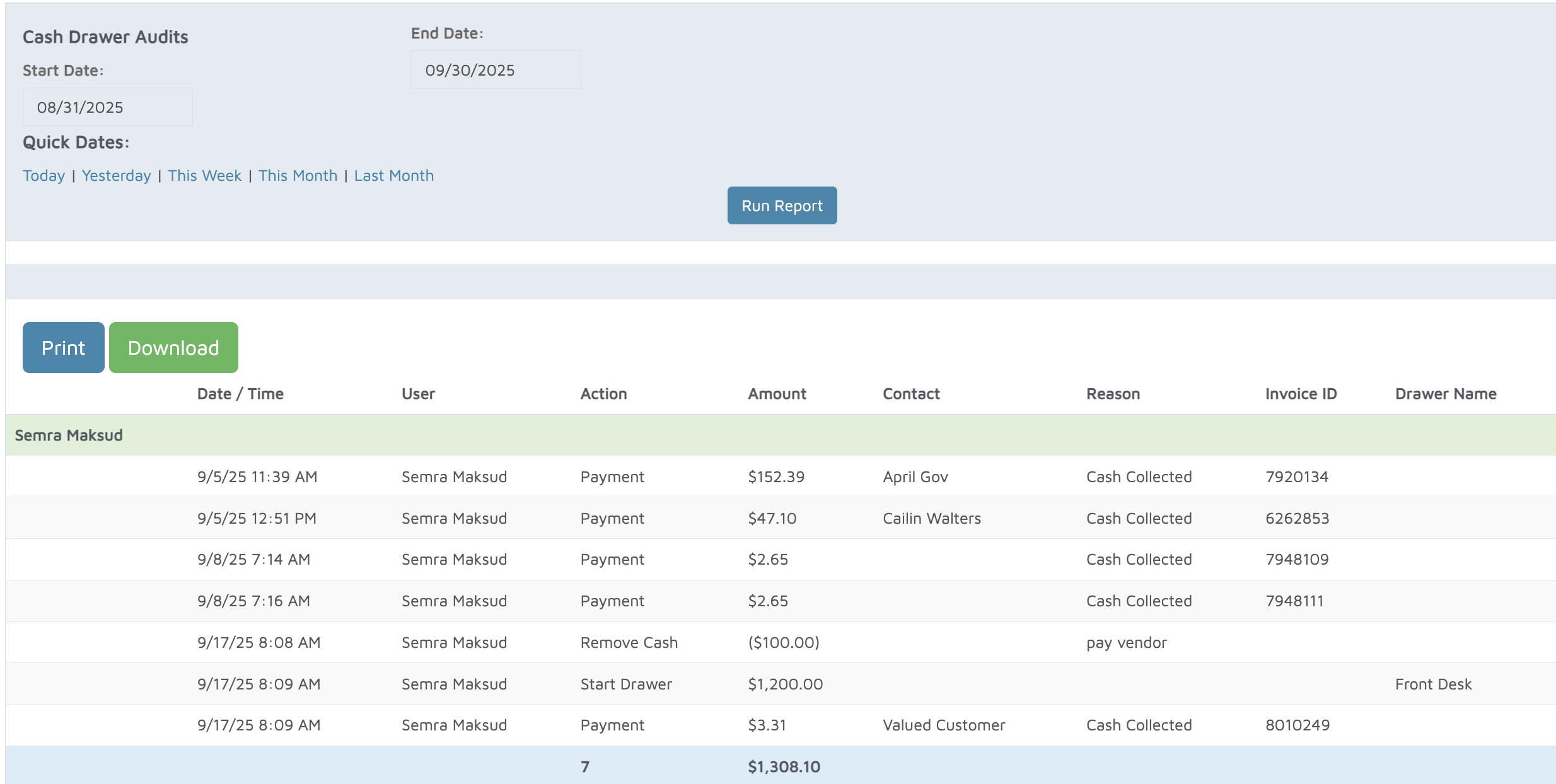
Verification: Use this report to track cash in drawers.