
- "How do I view all pending job estimates that haven’t been converted to work orders?"
Resolution Steps
- Go to Reports → Service → Pending Job Estimates.
- Click Load to display all pending job estimates.
- Use the available filter to Include Closed and Declined Estimates, if needed.
- The report will show all job estimates that have not yet been converted to work orders.
- This report is especially useful for following up on estimates sent to customers that have not been accepted.
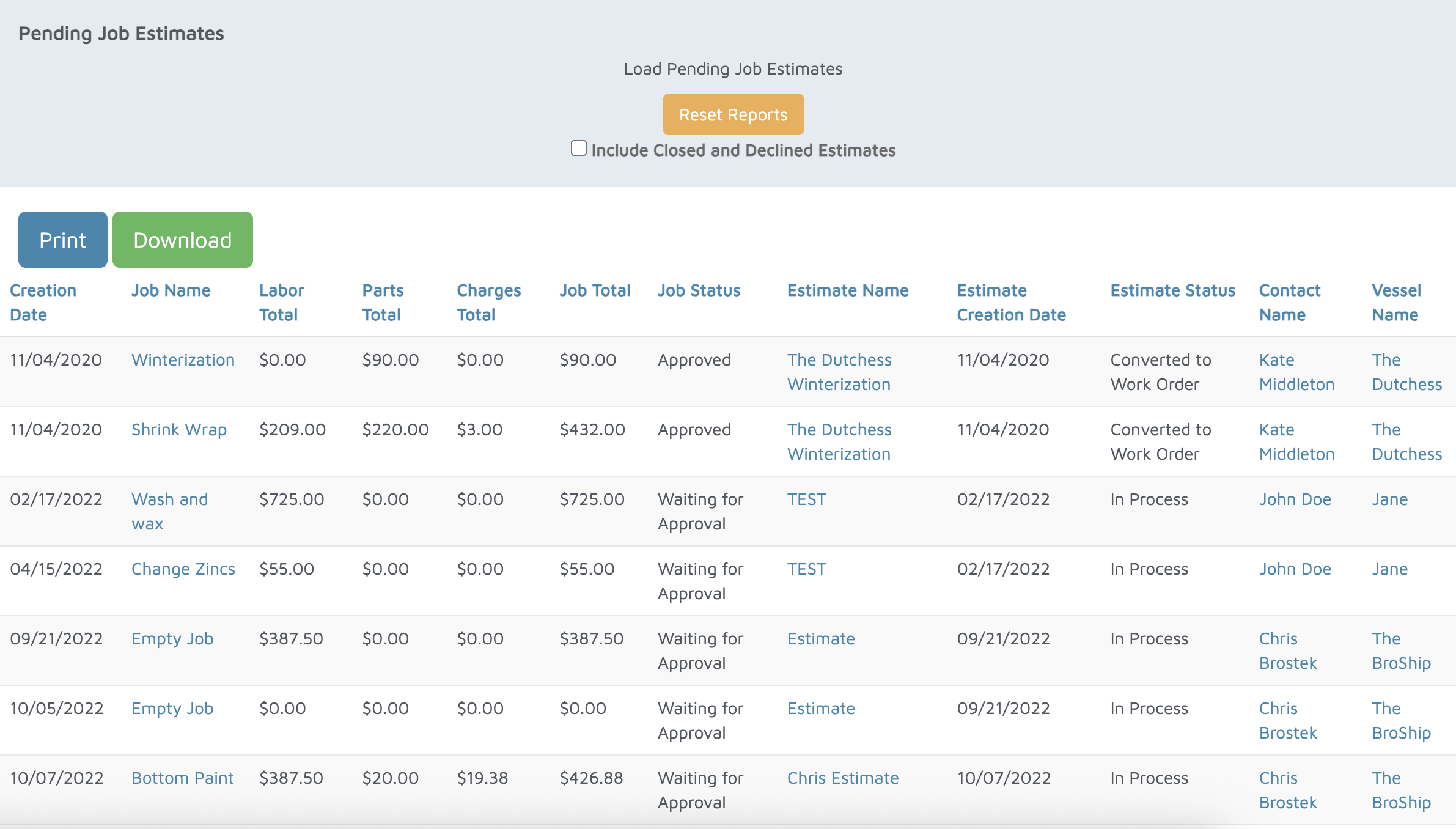
Verification: The report will populate all estimates that haven't been converted to a work order.