
- "How do I manage user access and permissions within Molo?"
- "How do I restrict or allow user access?"
Resolution Steps
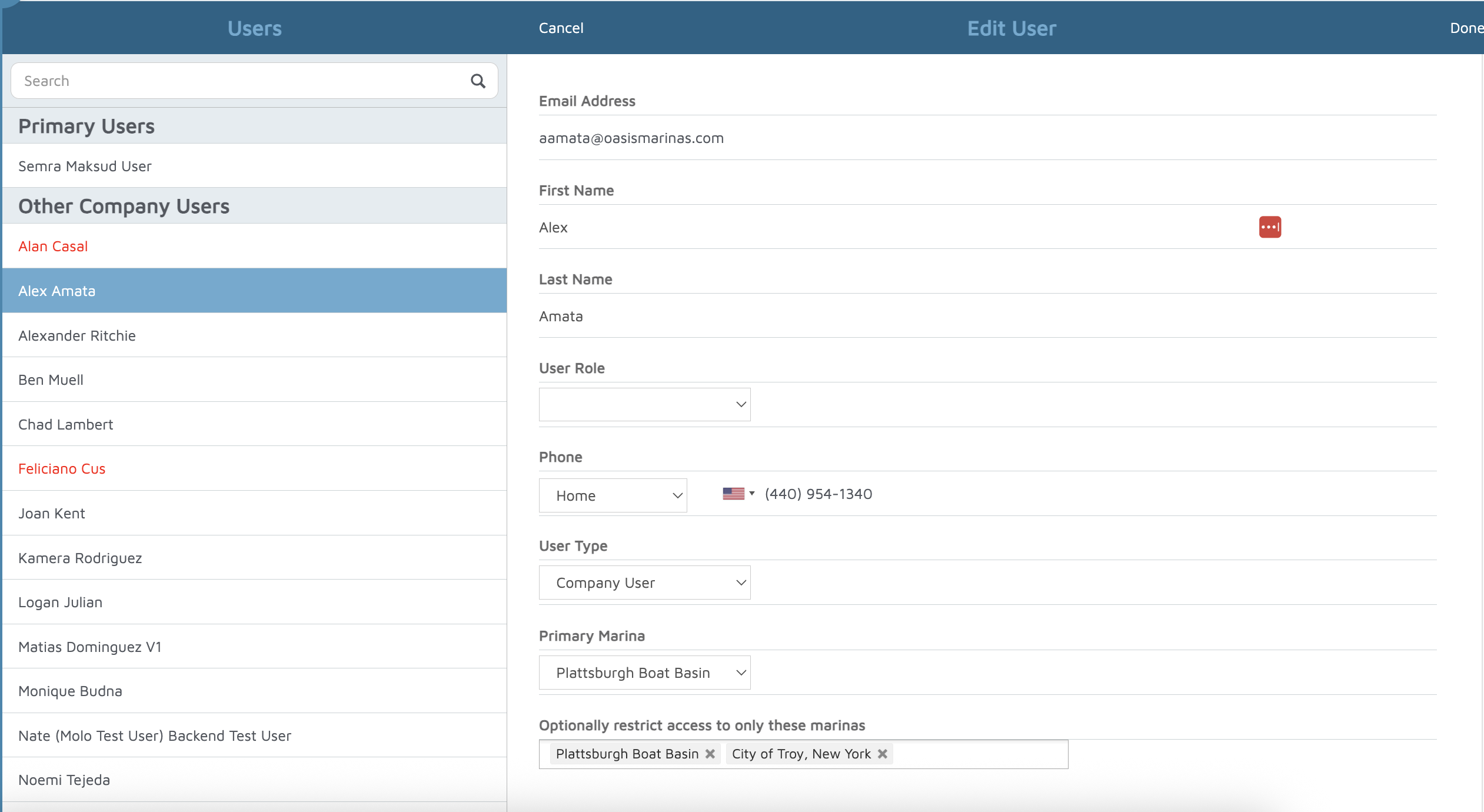
- Go to Admin Settings > General > User Management.
- You will see a list of all users who currently have access to Molo.
- Select the user you want to review.
- Click Edit.
- Update their User Role as needed.
- Ensure the User Typeis set correctly:
- Company User – can access multiple marinas/accounts.
- Single Marina User – can only access the marina you are currently logged into.
- Restrict access to specific marinas:
- Check the option Restrict access to only these marinas.
- Add the marinas the user should be able to access.
- Click Done to save the changes.
Verification: The changes for that user should take effect after you save.