
- "How do I generate and review the Pedestal Readings Report in Molo?"
Resolution Steps
- Go to Reports.
- Select Reservation and Spaces.
- Click on Pedestal Readings.
- Select the date range you’d like to review.
- (Optional) Apply the filter to show water readings.
- Click Run Report.
- The report will display:
- All pedestals read within the selected time period.
- The date of each reading.
- The user who recorded the reading.
- The prior reading and the new reading entered.
- Any linked reservations and invoices tied to that reading.
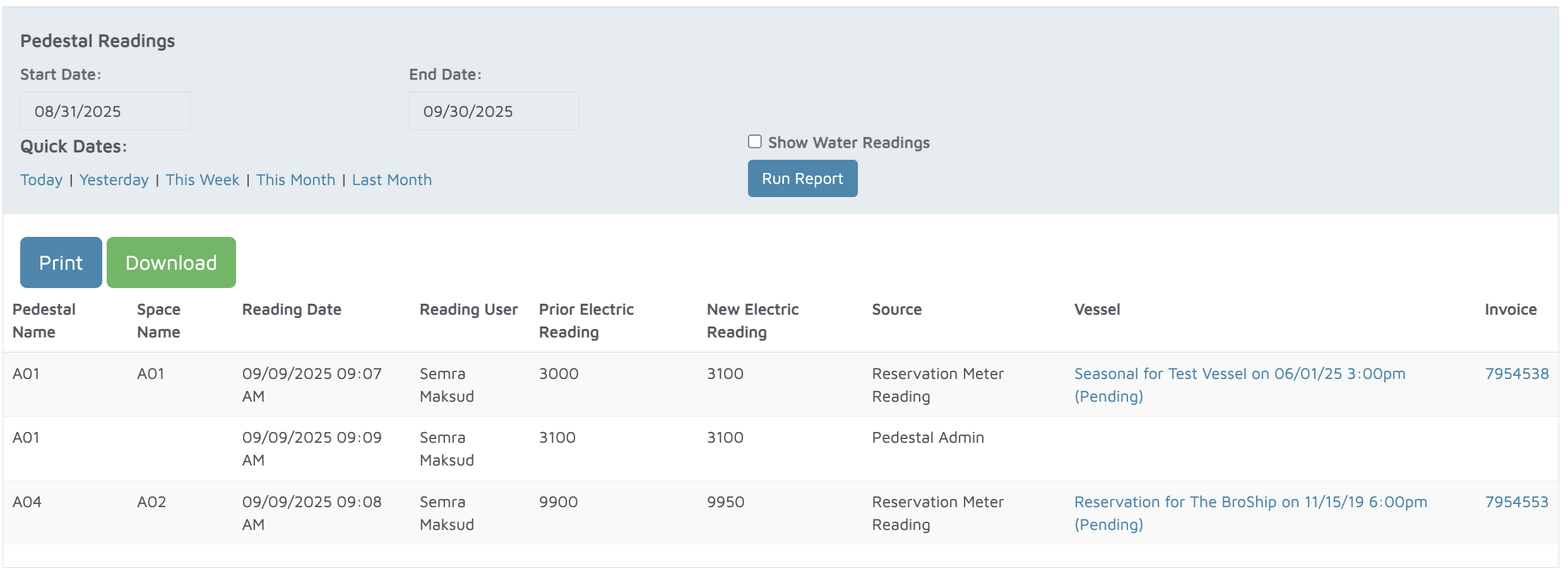
Verification: The report will populate all electric meter readings within the specified time period.