
- "How do I review and track purchase orders and vendor bills within the system?"
Resolution Steps
- Go to Reports → Service → PO/VB.
- Select the desired Start and End Dates for the report.
- Apply filters if needed:
- View Both Purchase Orders and Vendor Bills.
- View Purchase Orders Only.
- View Vendor Bills Only.
- Click Run Report to generate results.
- The report will display the following details:
- Vendor Bill Creation Date
- Purchase Order Date
- Vendor Bill Date
- Expected Delivery Date (from the purchase order)
- Vendor Name
- Vendor Bill Number (clickable and highlighted in blue to view full details)
- Reference Number
- Status of the bill or P.O.
- Total Amount
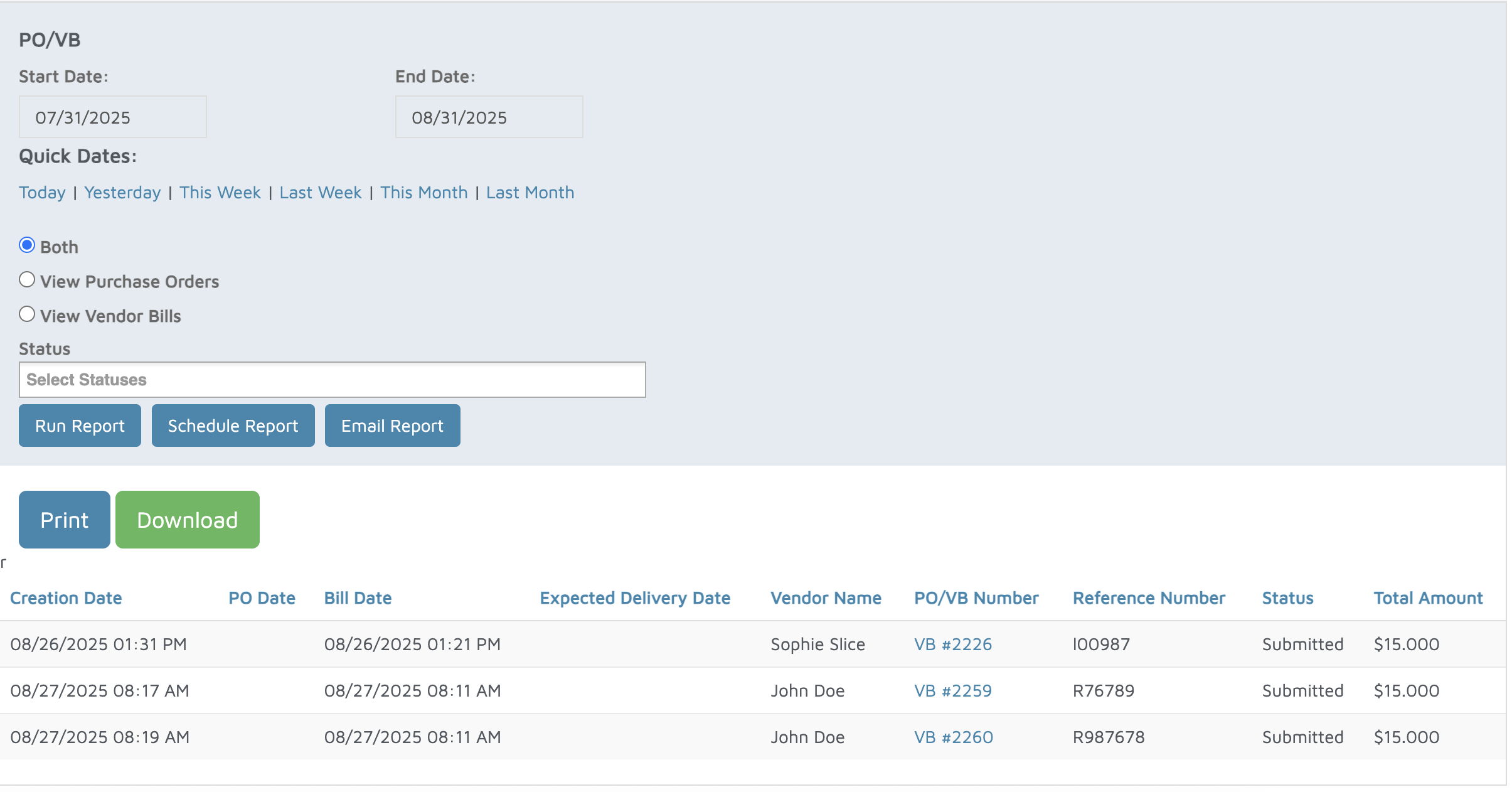
Verification: The report will displace all vendor bills and purchase orders.