
- "How can I view and track jobs grouped by technician, including labor costs, hours, and revenue details?"
Resolution Steps
- Go to Reports → Service → Jobs by Technician.
- Select the desired Date Range to review.
- Apply filters as needed:
- Filter by Specific Technicians.
- Filter by Job Types or Templates.
- Include jobs with certain keywords or text.
- Search by Work Order Creation Date or Invoice Dates.
- Hide Finished Work if only pending jobs are needed.
- Optionally limit the report to Specific Work Orders.
- Click Run Report to generate results.
- The report will group jobs by technician and display:
- Jobs without assigned technicians under the Unassigned column.
- Work order name and details.
- Contact and vessel information.
- Work order creator, assigned primary tech, and manager.
- Estimated and total hours.
- Job status and work order status.
- Totals for labor costs, parts, and revenue.
- Invoice date (if applicable).
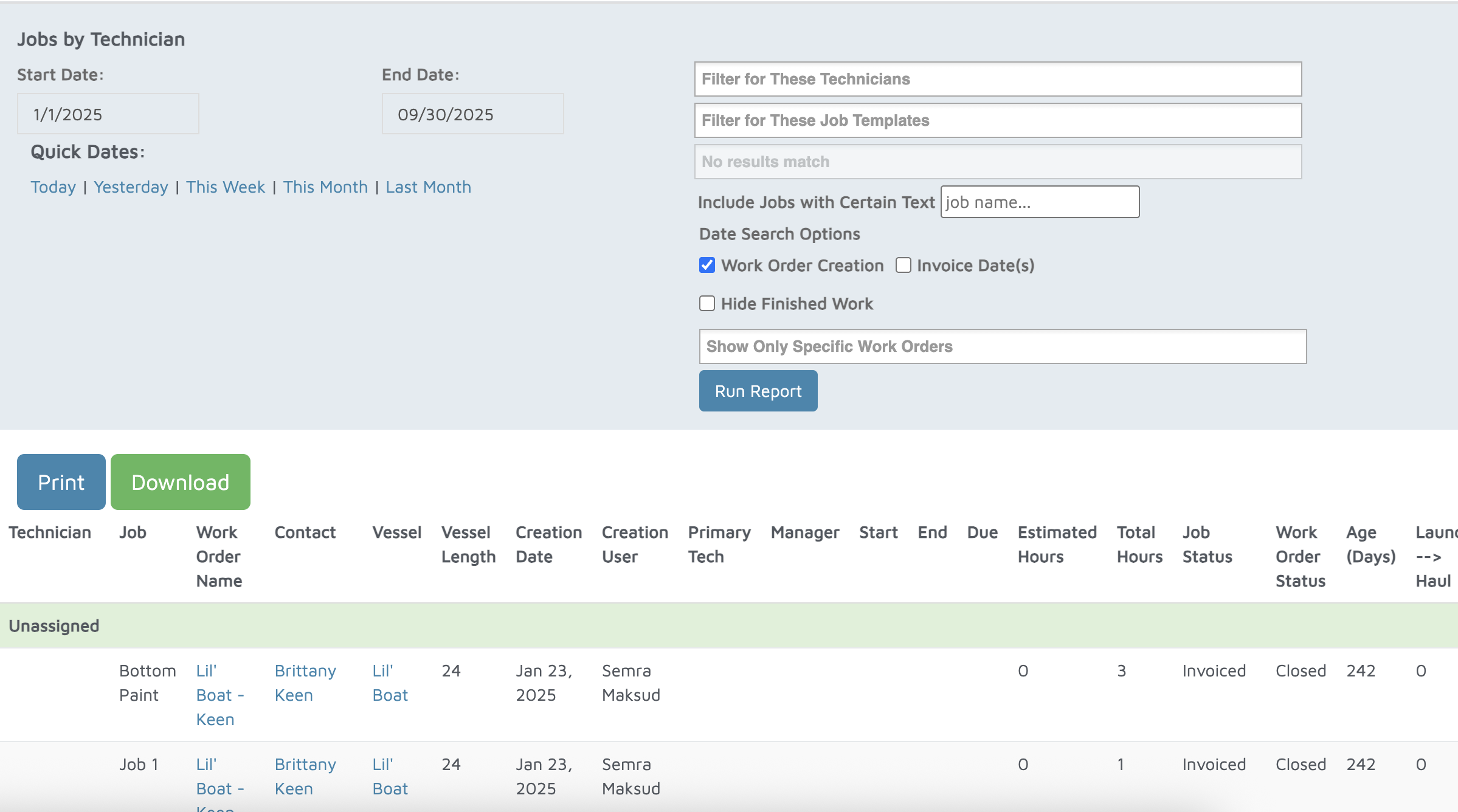
Verification: The report will populate all jobs and the technicians they are assigned to.