
- "Can you tell me where I can find a revenue report by categories?"
- Which report shows me my revenue by categories?"
Resolution Steps
- This report reviews all invoices and sales within the selected date range and displays total revenue by item category. Taxes are excluded.
- Go to Reports → Finance → Category Revenue.
- Select the date range you want to analyze.
- You can select filters if you want to see a specific item, rate, or item category.
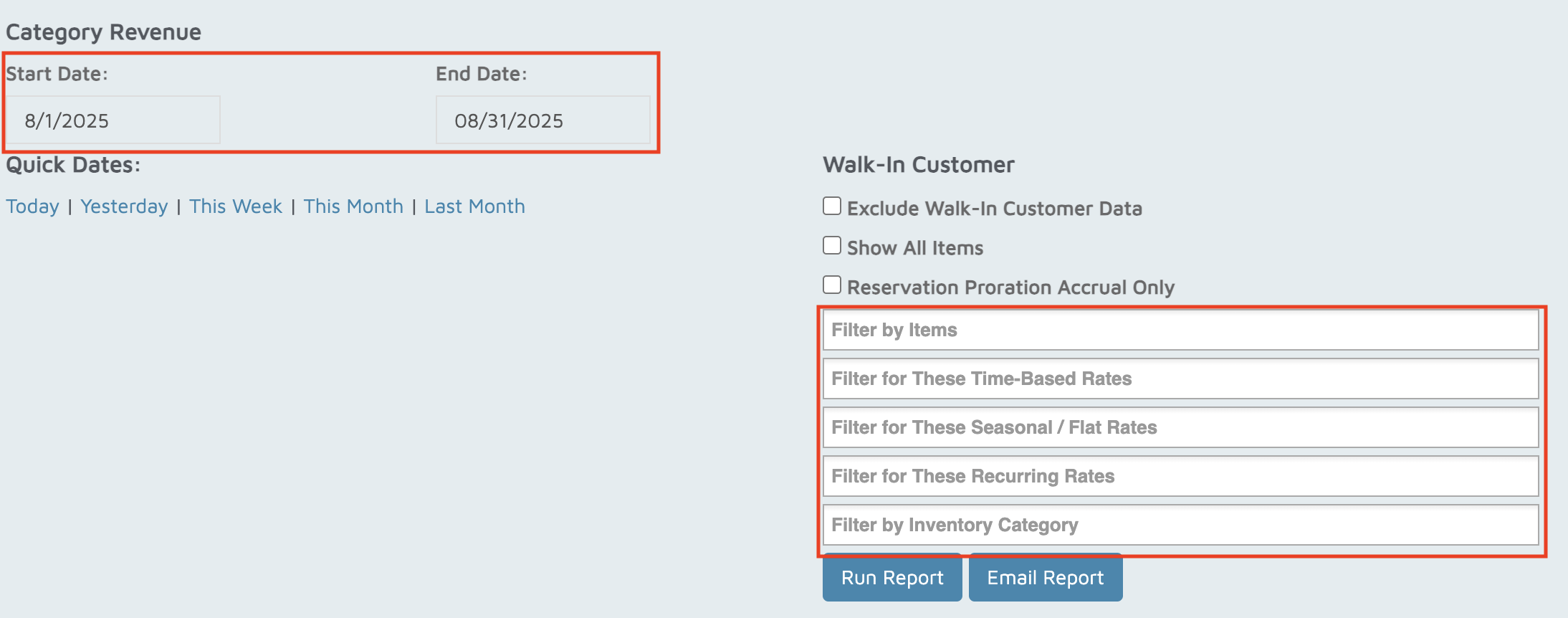
- Click Run Report.
- This report shows:
- Items
- Amount
- Quantities
- Discounts
- After-discount totals
- Grand Total (displayed in blue).
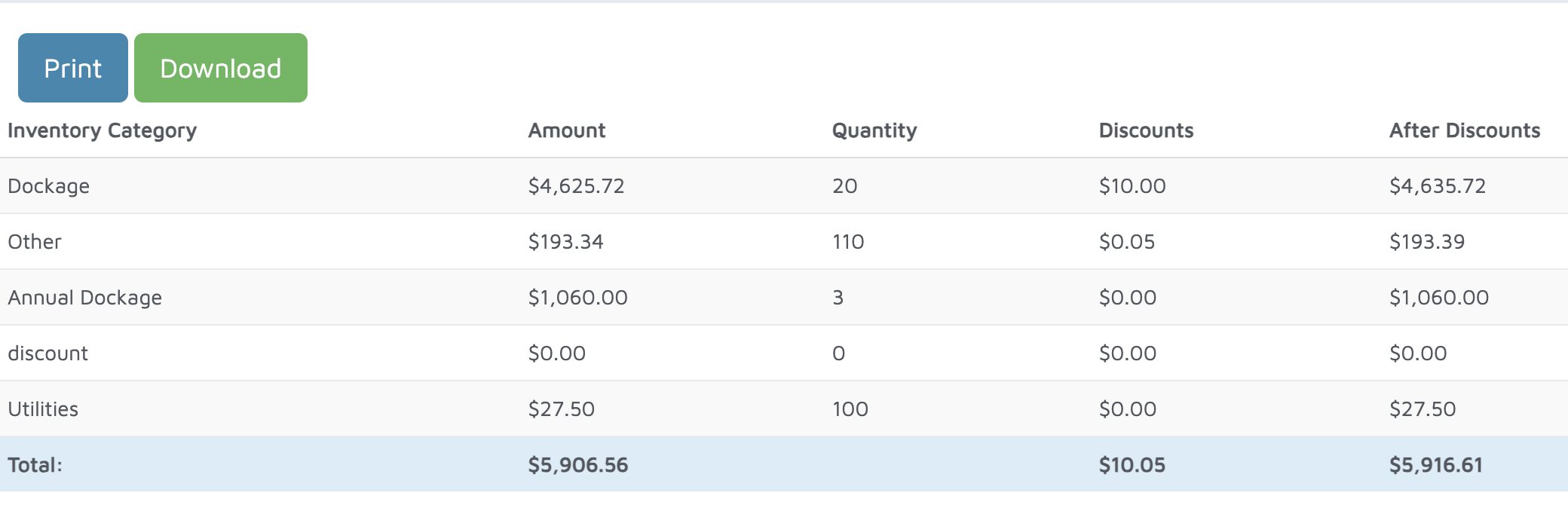
Verification: This report will display revenue for each inventory category.