
- "Where can I see voided invoices?"
- "Is there a report to show me voided invoices?"
Resolution Steps
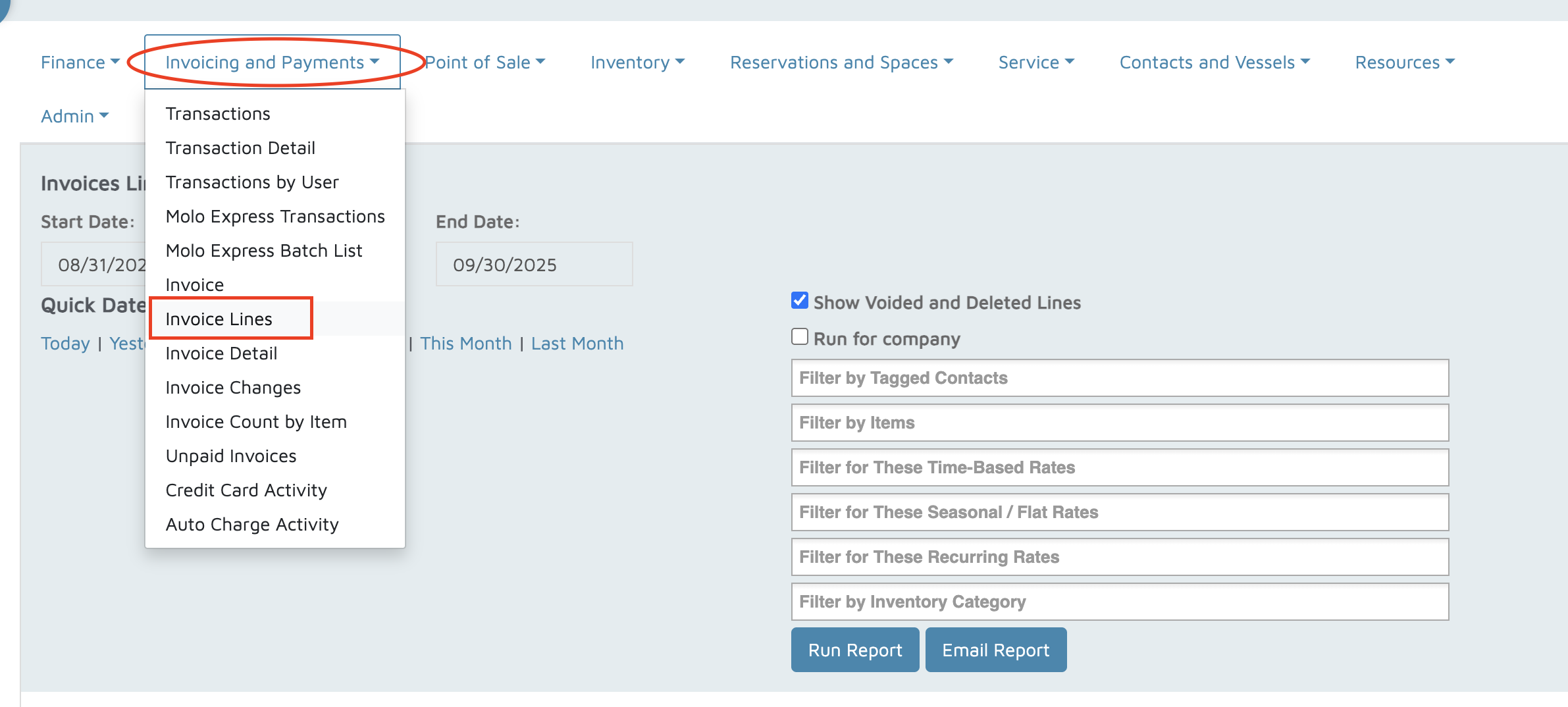
Go to Reports.
Select Invoicing and Payments > Invoice Lines.
Choose the Date Range you want to review.
Check the option to Show Voided and Deleted Lines.
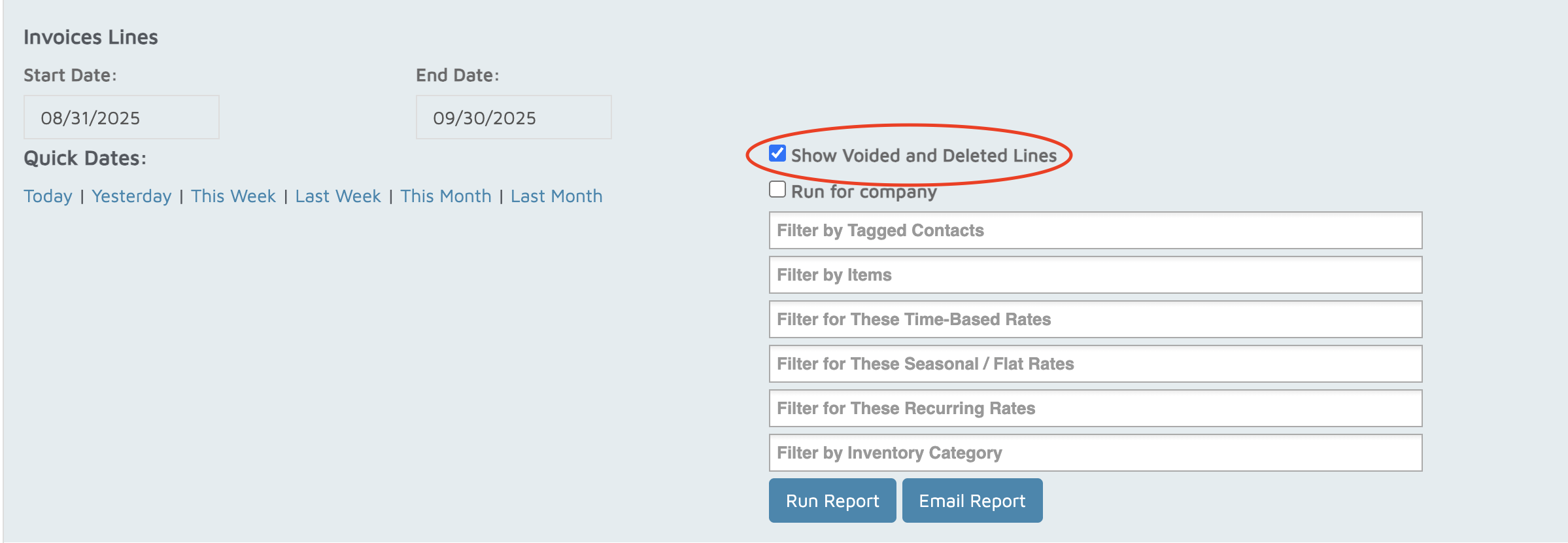
Click Run Report.
At the top of the report, you’ll see columns for Void/Deletion User and Void/Deletion Date & Time.
- Voided invoice lines will show up in red.
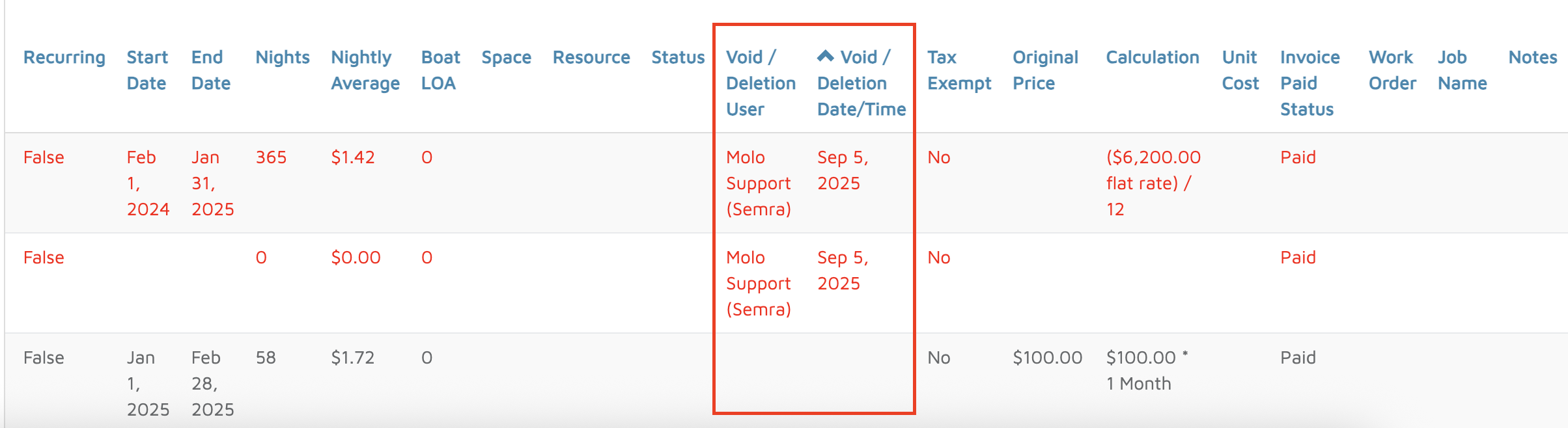
- Voided invoice lines will show up in red.
Download the report to Excel/CSV.
Use filters to quickly view all Voided Invoices.
Verification: Voided invoices should appear in red on the report within Molo.