
- "How do I review the history of inventory activity in Molo?"
Resolution Steps
- Go to Reports.
- Click on Inventory.
- Select Inventory History.
- Set the Start Date and End Date for the history period you want to review.
- (Optional) Choose a specific Category as a filter to narrow results.
- Click Run Report.
- The Inventory History report displays:
- All items from inventory within the selected date range
- The adjustment type (e.g., added to work order, added to invoice, manual adjustment)
- The user who made the change
- The date and time of the adjustment
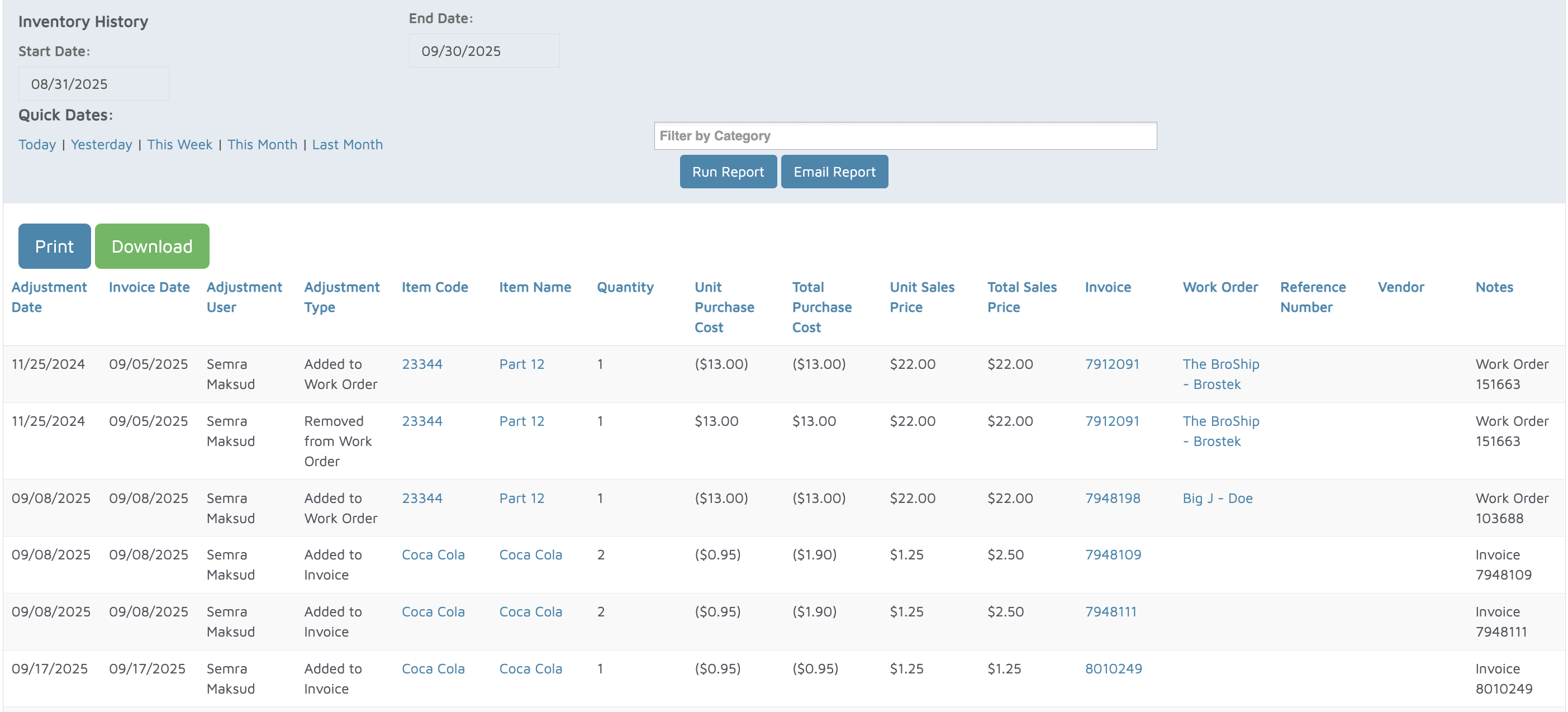
Verification: The report will populate with history for items within a specific time period.