
- "How can I see discounts on an invoice?"
Resolution Steps
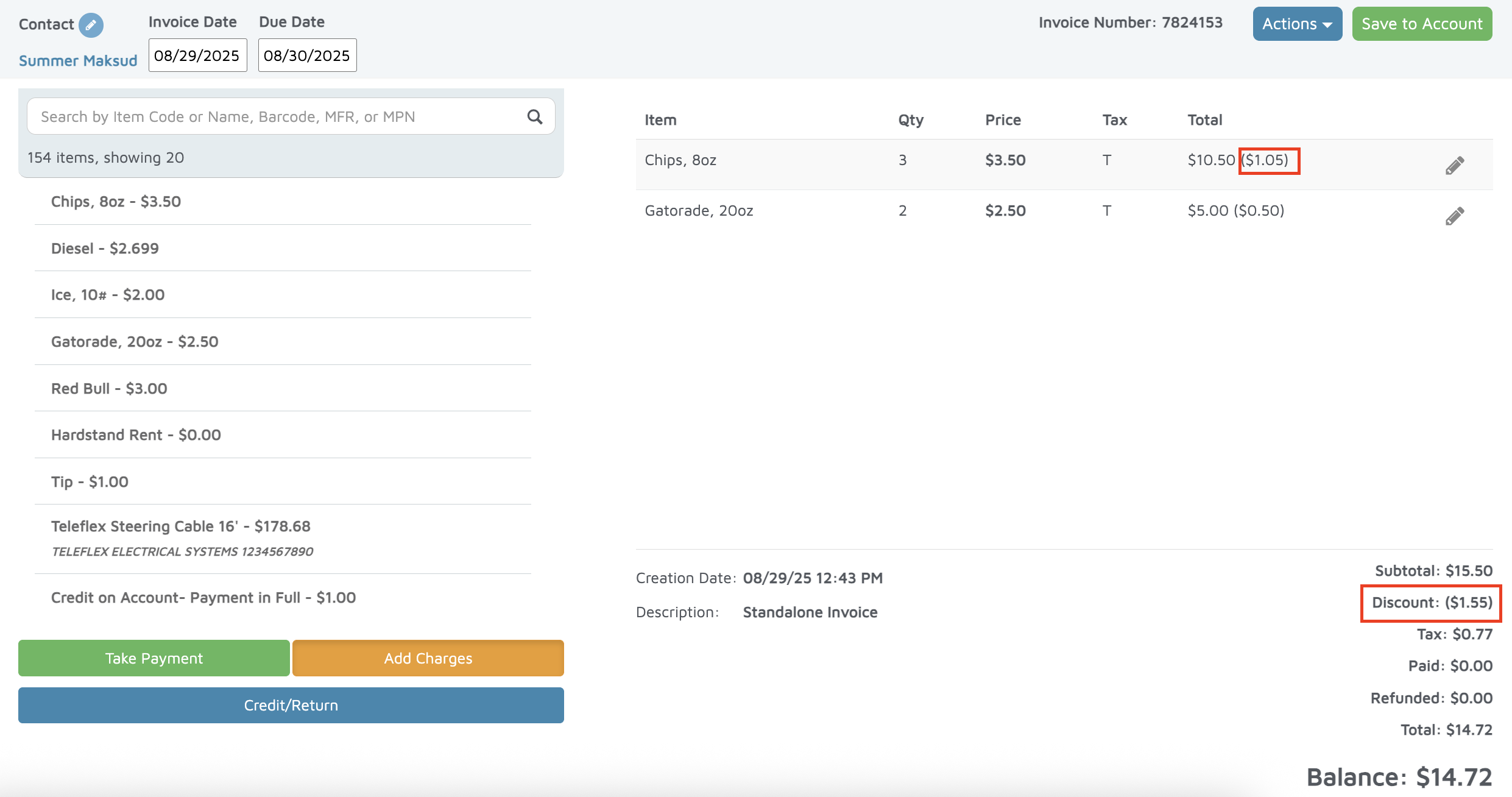
- On the POS screen:
- Each line item on the screen will display a discount in parentheses.
- The total for all discounts will display at the bottom of the screen before Balance.
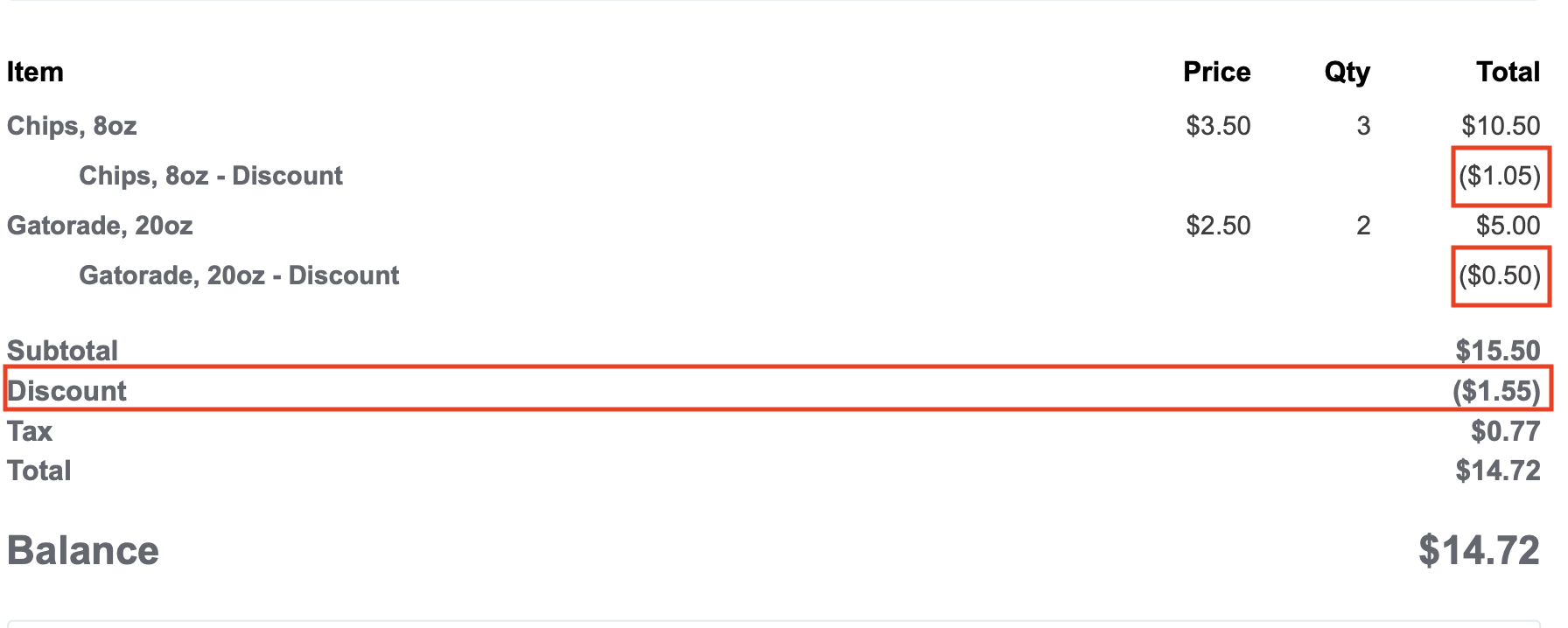
- On the Printed Invoice:
- The discount for each line item will appear below the balance of the line item.
- The Total Discount should appear at the bottom of the invoice.
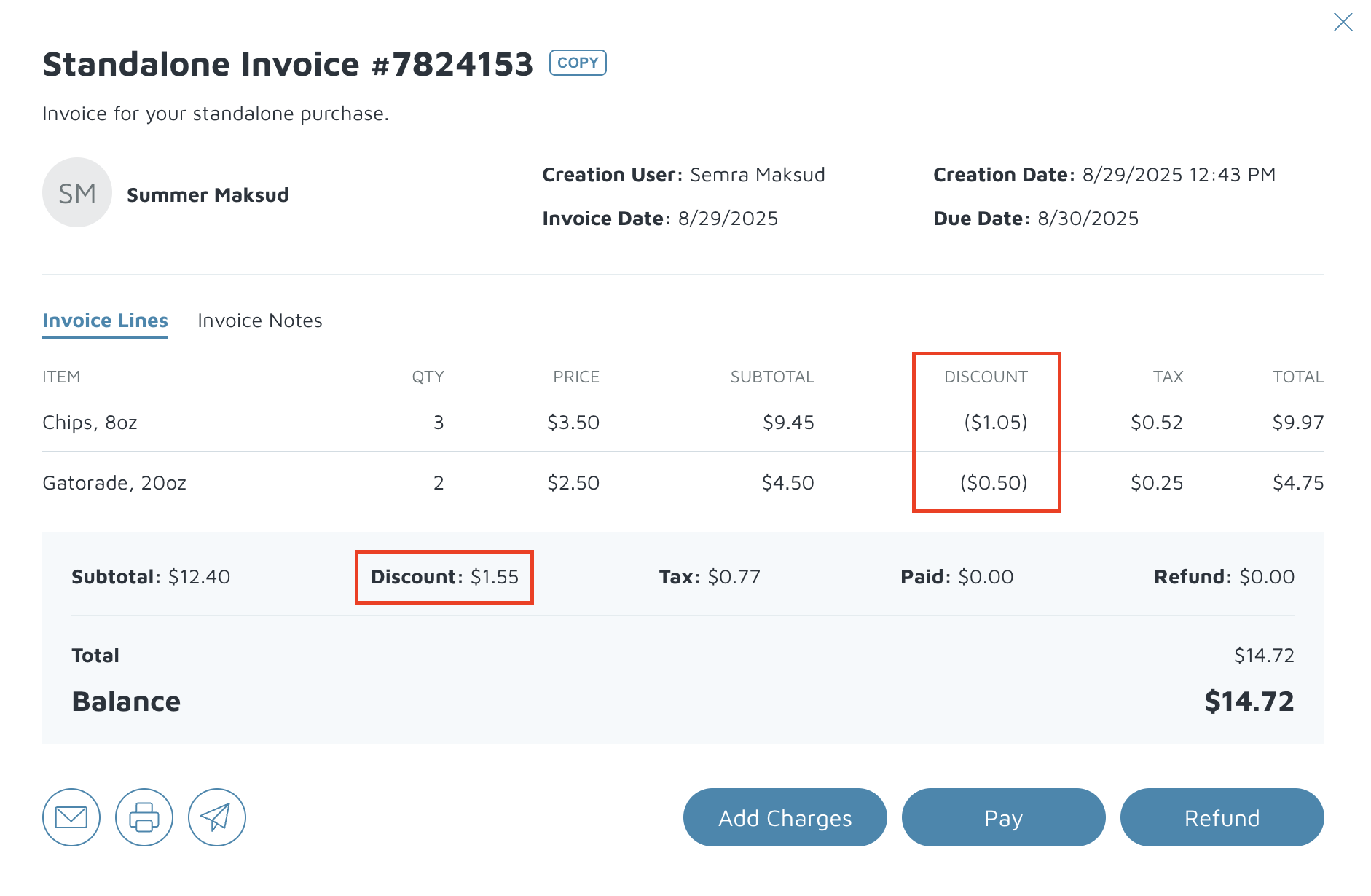
- On the contact page:
- The discount will show up next to each line item.
- The total for all discounts will be at the bottom.
Verification: If a discount was added to an invoice, the discount sections should populate.