
- "Is there a report that can show me space occupancy?"
Resolution Steps
- Navigate to Reports.
- Select Reservation and Spaces.
- Click on Space Occupancy.
- Choose your desired start date and end date.
- Apply filters as needed:
- Calculate by actual reservation dates (check-in/check-out)
- Or calculate by scheduled reservation dates
- Select occupancy mode: by nights or by days
- Filter by specific rates if required
- Click Run Report.
- Review the results, which will display:
- Dates within the selected range
- Number of occupied spaces
- Recommended space usage (total footage and spaces)
- Percent space utilization
- Percentage of spaces occupied
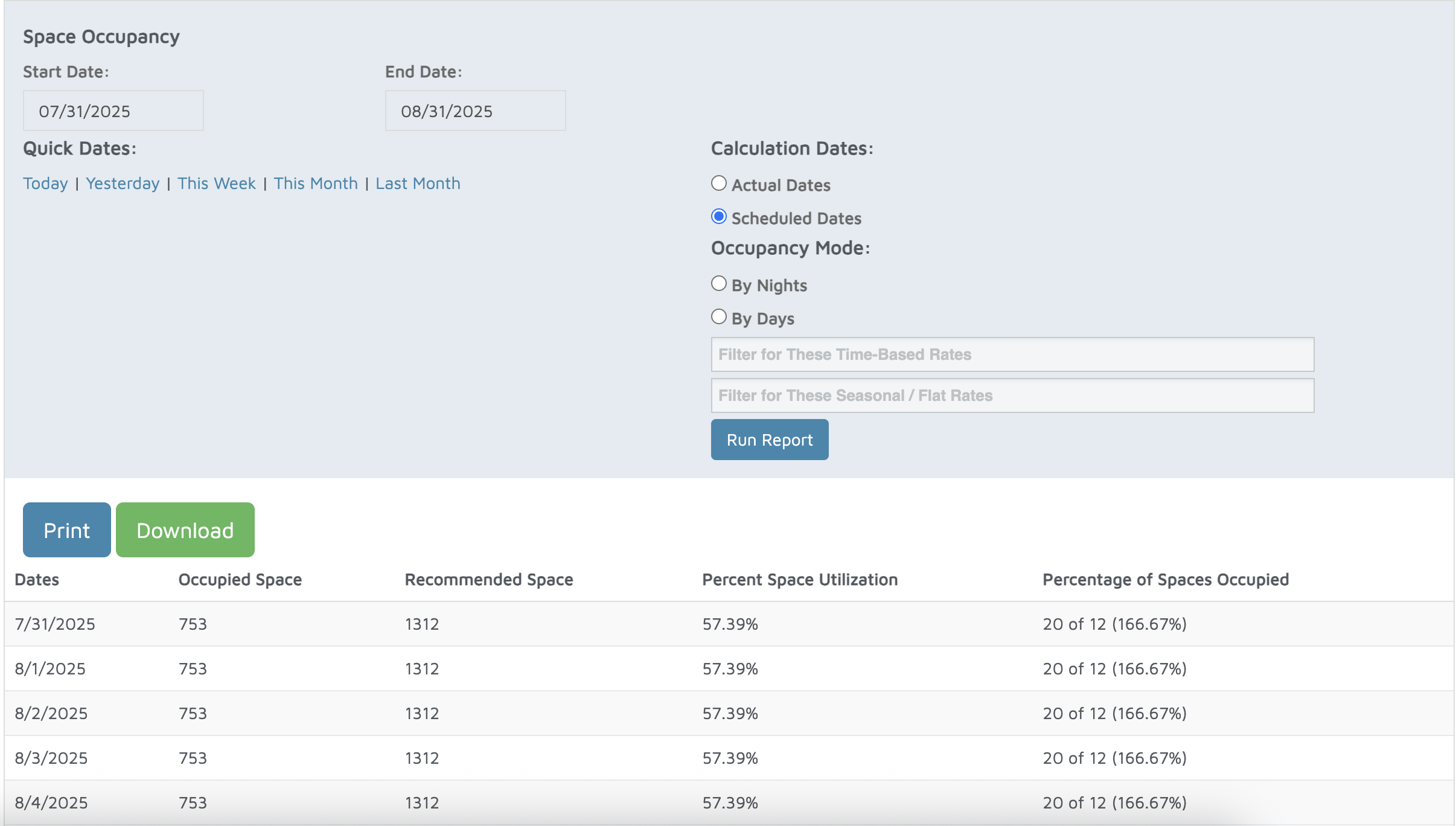
Verification: The report will populate space occupancy for time period selected.