
- "Is there a report that will show invoice numbers for reservations?"
Resolution Steps
- Navigate to Reports.
- Select Reservation and Spaces.
- Click on Transient Reservation Invoice Dates.
- Enter the desired start date and end date.
- Click Run Report.
- Review the results, which will display:
- Invoice number
- Contact name
- Invoice date
- Reservation start and end dates
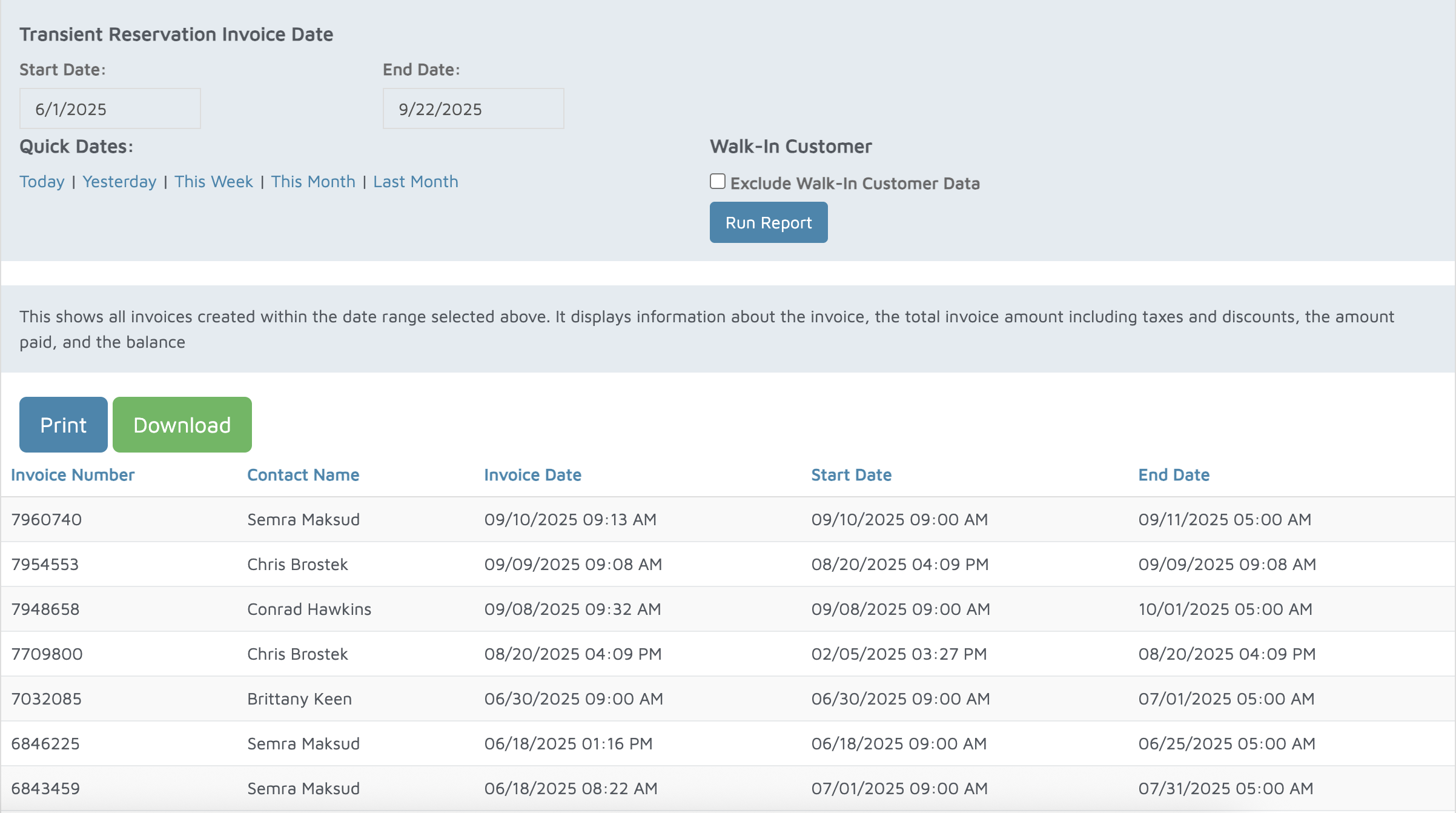
Verification: The report will populate invoices tied to reservations within the specified date range.