
- "How do I add or remove discounts from an invoice?"
- "How can I add a discount to 1 item on an invoice?"
Resolution Steps
- Add a Discount:
On the POS Screen locate the item you want to discount.
Click the pencil icon next to the item.
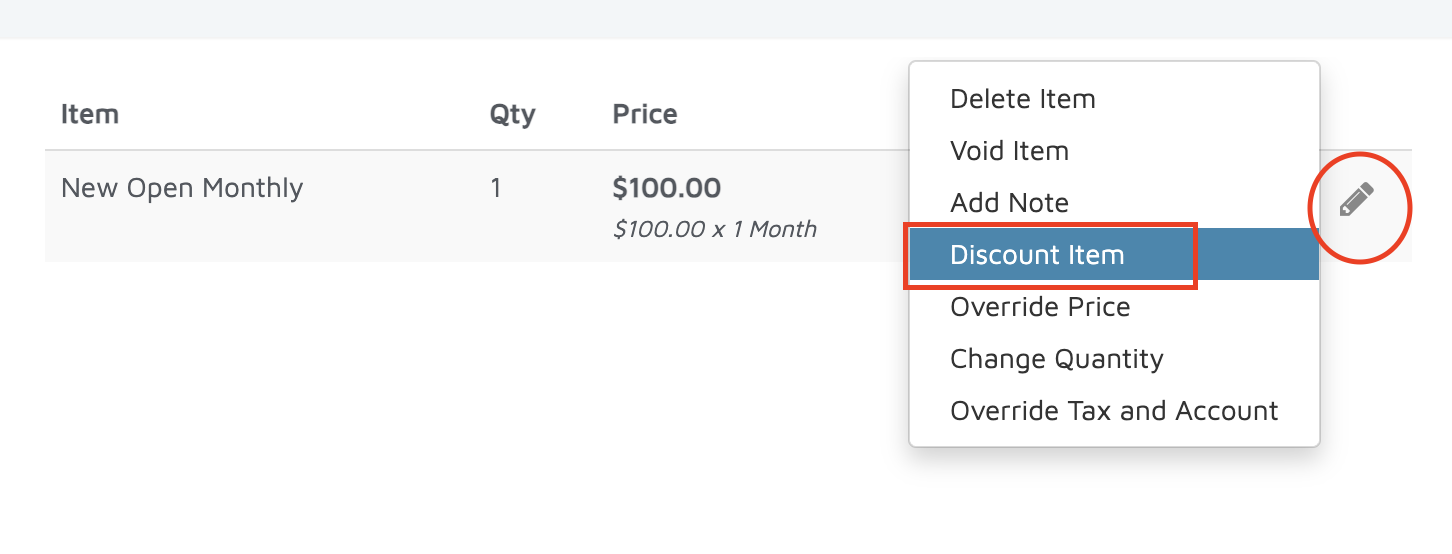
Select Add Discount Item.
Under Unit, choose one of the following:
Cash
Quantity
Percent
Enter the discount amount.
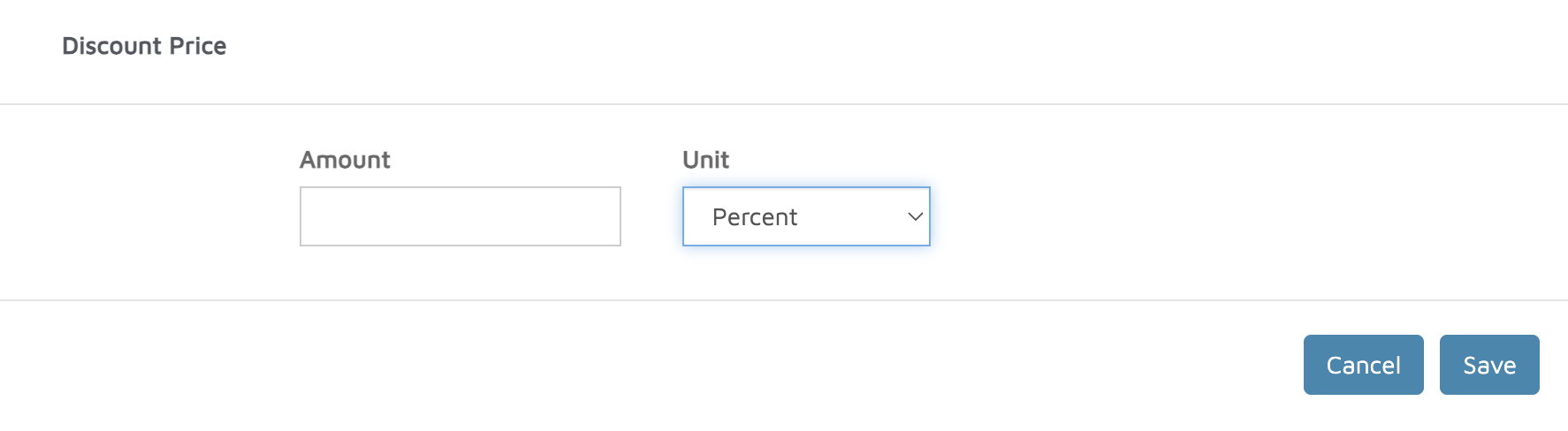
Click Save.
The discount will appear in parentheses next to the total.
- Remove a Discount:
Click the pencil icon next to the item.
Select Discount Item.
Remove or delete the entered discount.
Verification: If a discount was added to an invoice, the discount sections should populate.