
- "Is there a report that shows me when I run autocharge?"
Resolution Steps
- Go to Reports → Invoicing & Payments.
- Select Auto-Charge Activity.
- Enter the start date and end date for the billing cycle you want to review.
- Click Run Report to generate results.
- The report will display:
- Date & Time – when the auto-charge was attempted.
- User – which system user triggered or scheduled the auto-charge.
- Customer Name – the contact associated with the charge.
- Result – whether the transaction was processed (successful) or declined (failed).
- Reference – transaction ID or reference number.
- Card Type – Visa, MasterCard, Amex, etc.
- Decline Reason – explanation for failed transactions (e.g., insufficient funds, card expired, invalid number).
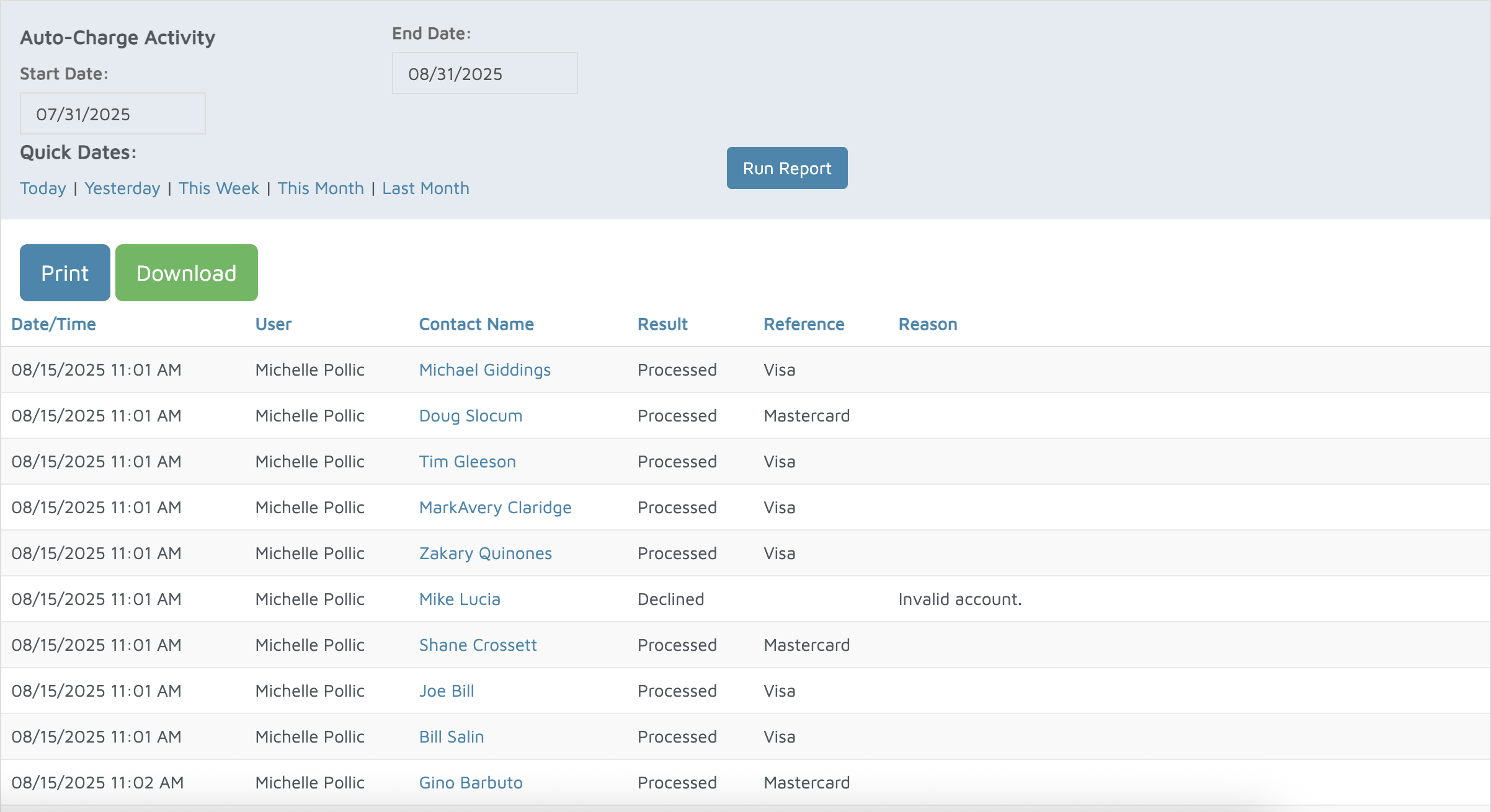
Verification: Use this report to track autocharge results.