
- "Is there a report that will show me unpaid invoices?"
Resolution Steps
- Go to Reports → Invoicing & Payments
- Select Unpaid Invoices.
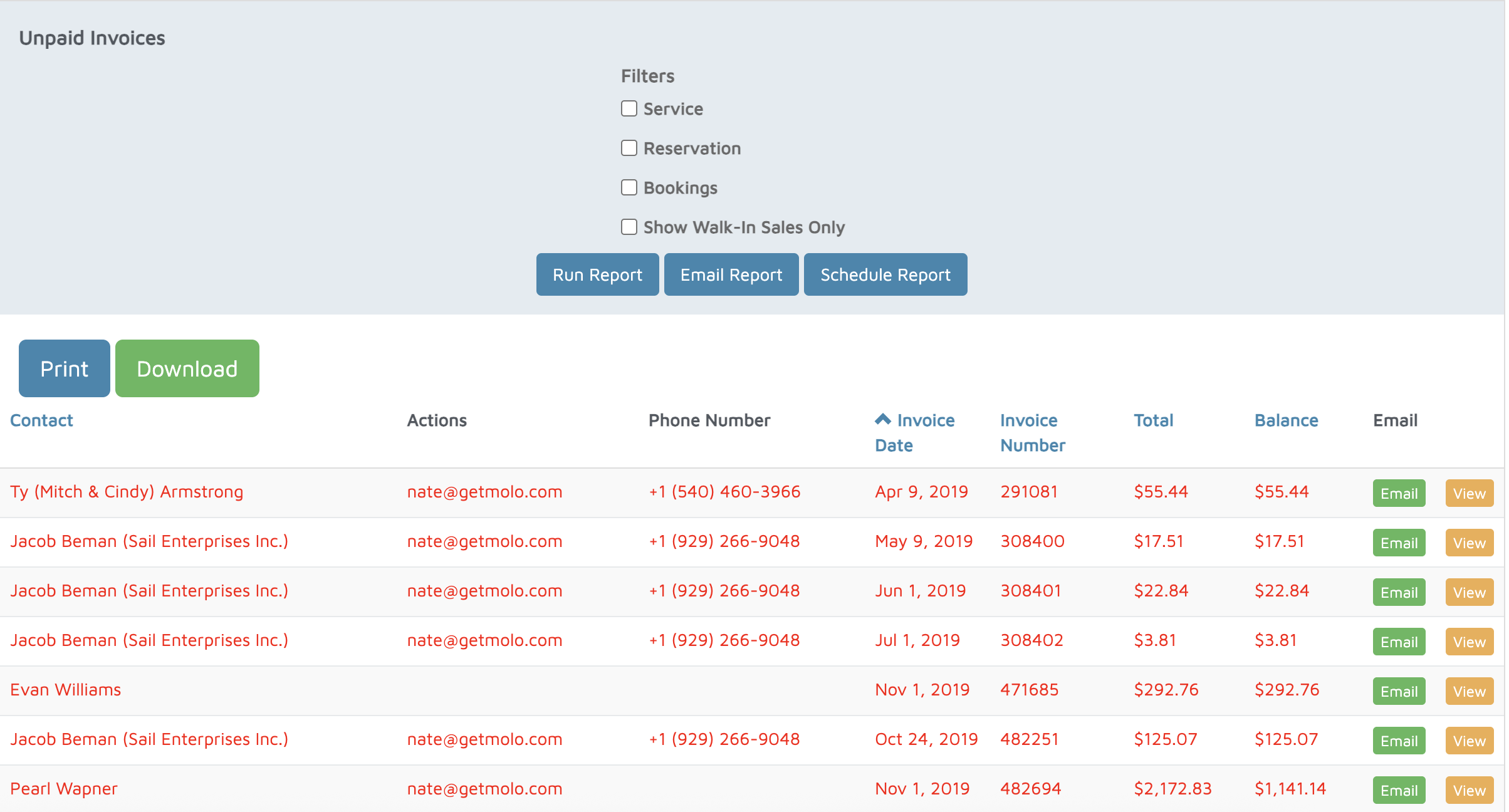
- Apply Filters (Optional)
- Service Invoices Only – limit to service-related billing.
- Reservation Invoices Only – show only invoices tied to reservations.
- Booking Invoices Only – display invoices created from bookings.
- Walk-in Sales Only – restrict results to invoices under the value/walk-in customer account.
- Click Run Report to generate results.
- Each row will display:
- Contact Name – the customer’s name.
- Email Address & Phone Number – customer contact details.
- Invoice Date – when the invoice was issued.
- Invoice Number – unique identifier.
- Invoice Total – full value of the invoice.
- Balance Due – outstanding unpaid amount.
- Actions – option to email the invoice or view it directly from the report.
- Note: Invoices marked in red indicate they are past due.
Verification: Use this report to track unpaid invoices that are past their due date.