
- "What is FuelCloud?"
Resolution Steps
- FuelCloud is a cloud-based fuel management platform designed to help businesses efficiently track, manage, and secure their fuel inventory. It combines hardware, a web portal, and a mobile app to provide real-time insights into fuel usage, automate reporting tasks, and enhance security.
How does Data flow between systems -
- We ping Fuel Cloud every 120 seconds 24 hours a day for new Transactions. Transaction is the term fuel cloud uses when someone unlocks the pump to dispense fuel and shuts off the pump. In other words, we see the Transaction when the dispensing is over and pump is off.
- In the POS screen, you touch Actions --> Import Fuel Transactions. In the pop up window you can also touch Refresh Data to immediately ask for the latest transactions from Fuel Cloud.
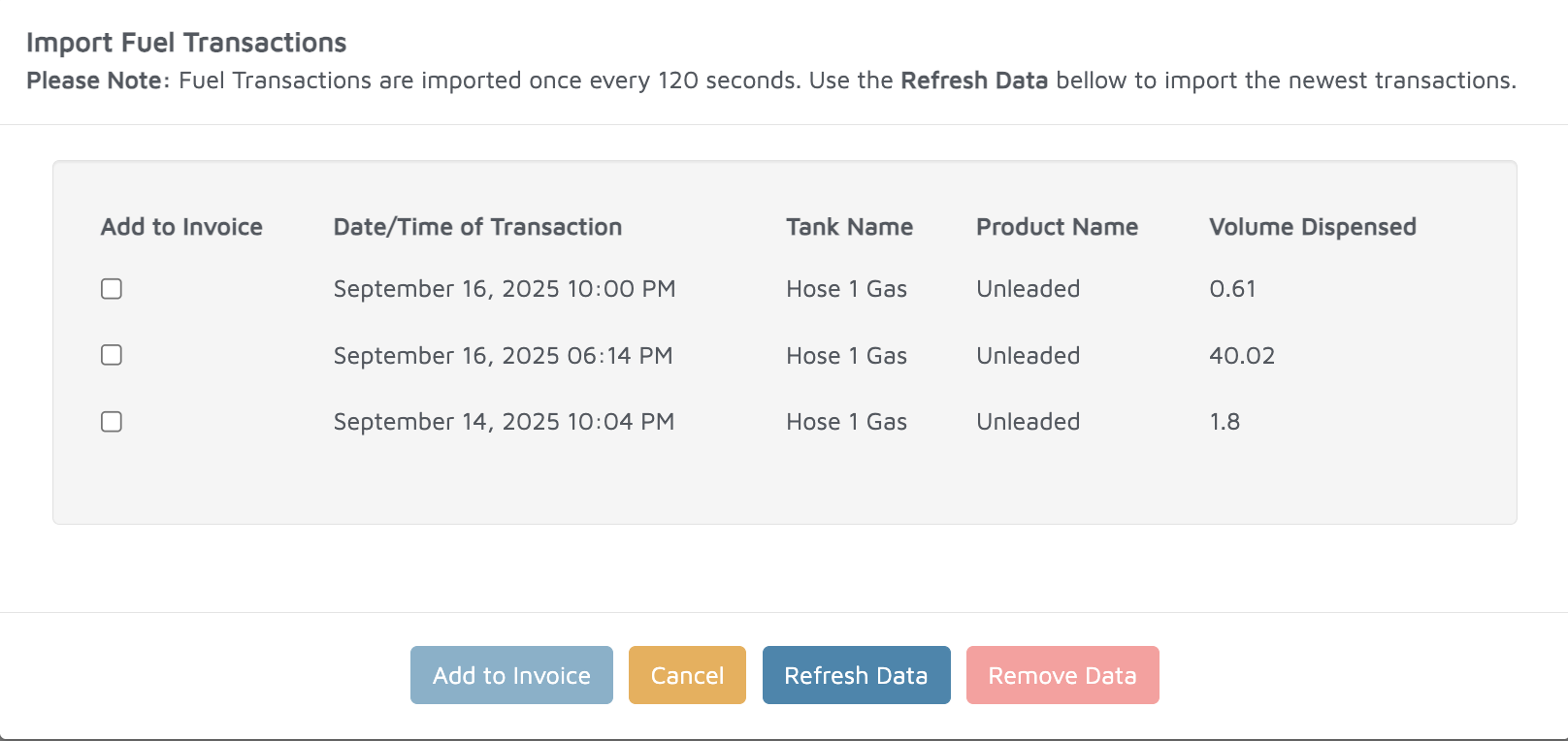
- You can pick from the list of not invoiced Transactions. Meaning transactions that have already been invoiced are hidden from this pop-up. You can pick more than 1 if a customer fueled multiple boats.
- When you touch Add to Invoice we copy the volume dispensed to Molo and apply it using the sales price set up in Molo.
- Once the invoice is created, we flag those Fuel Cloud Transactions in Molo as Invoiced. You can audit this in the Fuel Cloud Transactions report.