
- "How do I add a discount line to an invoice?"
- "How can I add discounts to invoices?"
Resolution Steps
Make sure the discount is set up as an item inventory - How to Create an Inventory Item
Go to Inventory > Items.
Click New Item and create a new item, and fill in all the details needed.
Set the Sales Price to a negative value for the discount.
Example: for a 10% discount, set the sales price to -0.10.
Click Create.
Adding the discount line to an invoice.
On the POS screen, add the items being purchased.
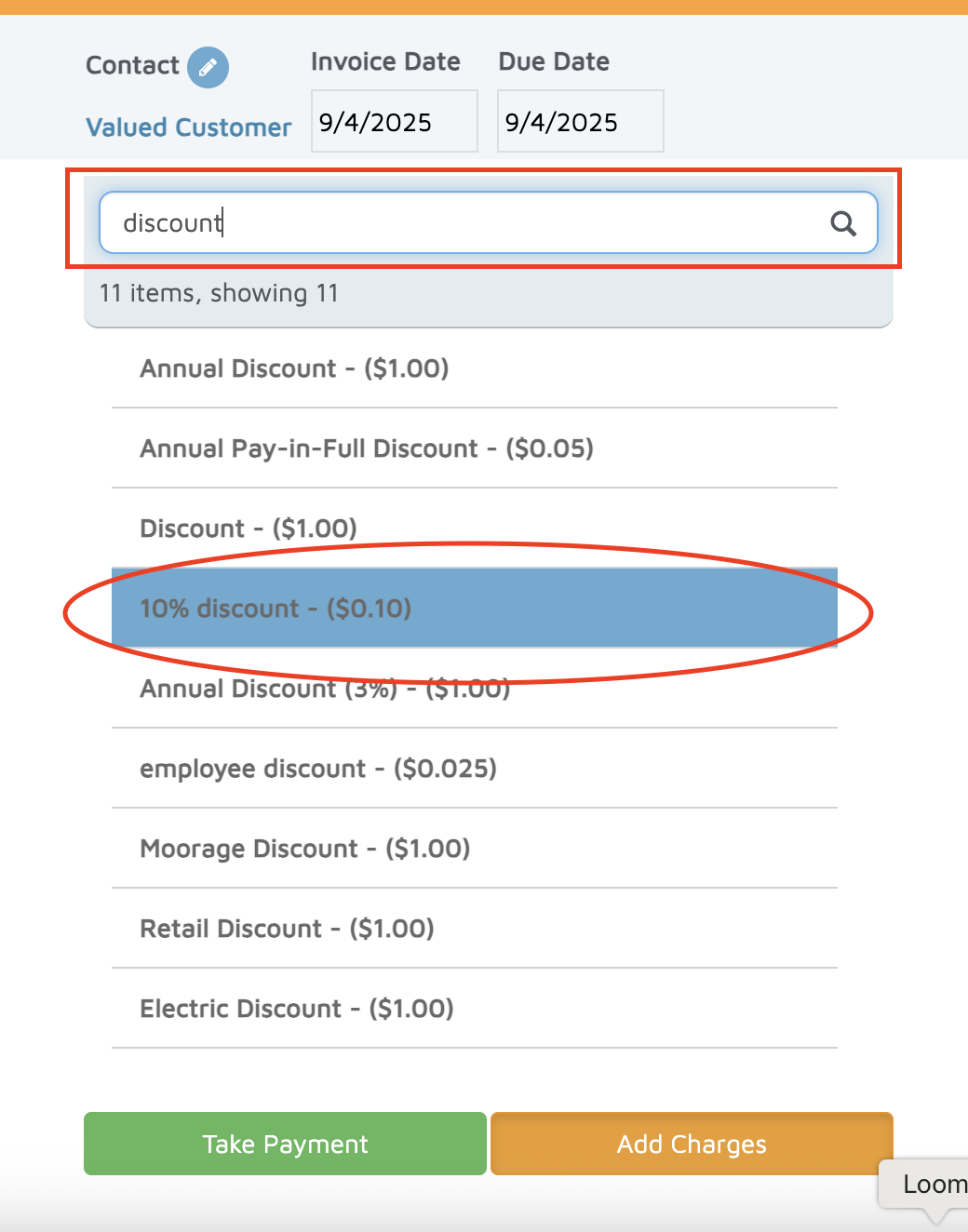
Search for and select the discount item (e.g., “10% Discount”).
In the Quantity field, enter the subtotal of the transaction.
Example: If the subtotal is 11.98, enter 11.98.
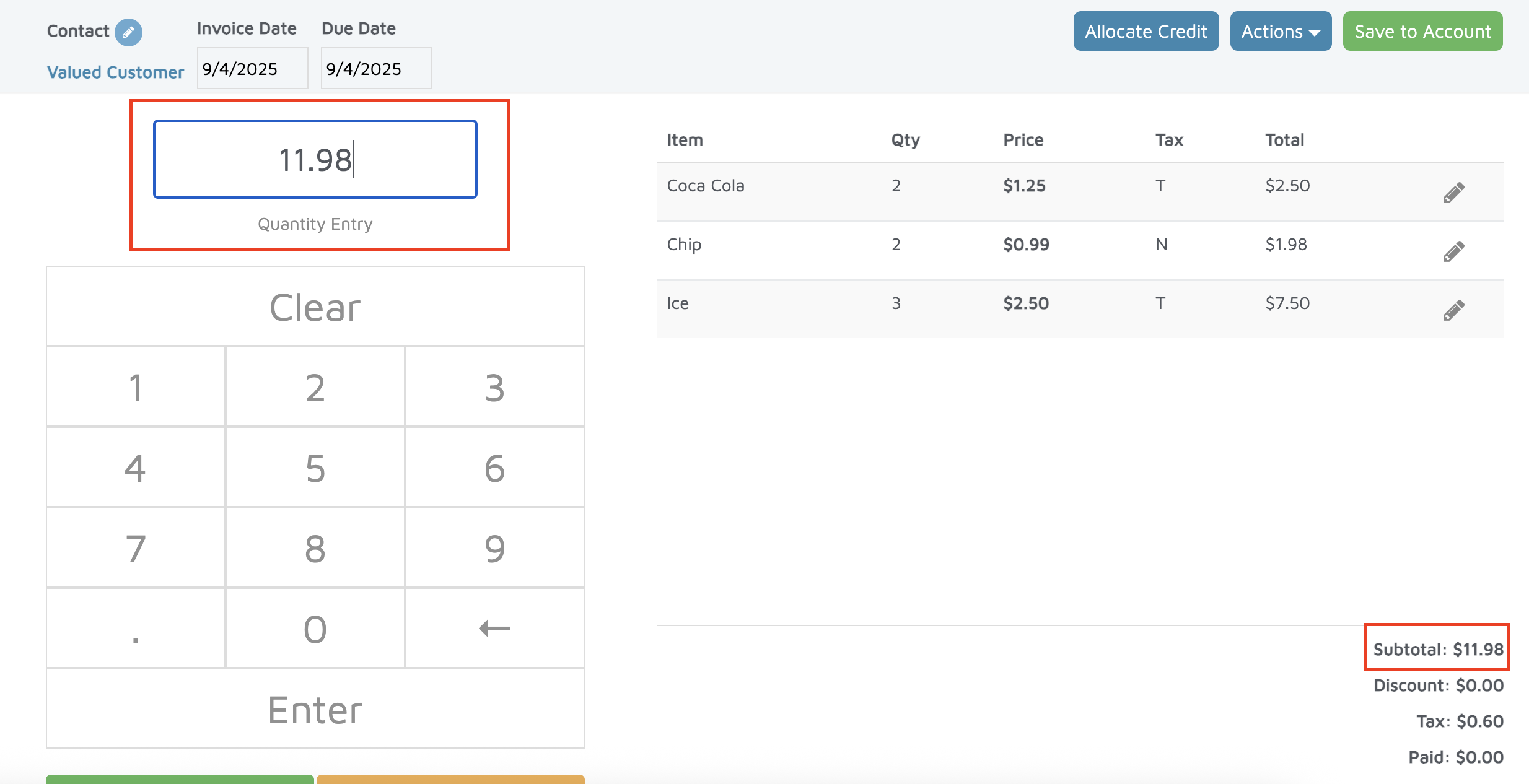
Press Enter.
The system will calculate 10% of the subtotal as a discount.
The discount will appear as a line item on the invoice.
Verification: The discount should appear as a separate line item on the invoice.