
- "How can I change the tax rate for an item on an invoice?"
- "Would it be possible to update the tax rate for 1 item on an invoice?"
Resolution Steps
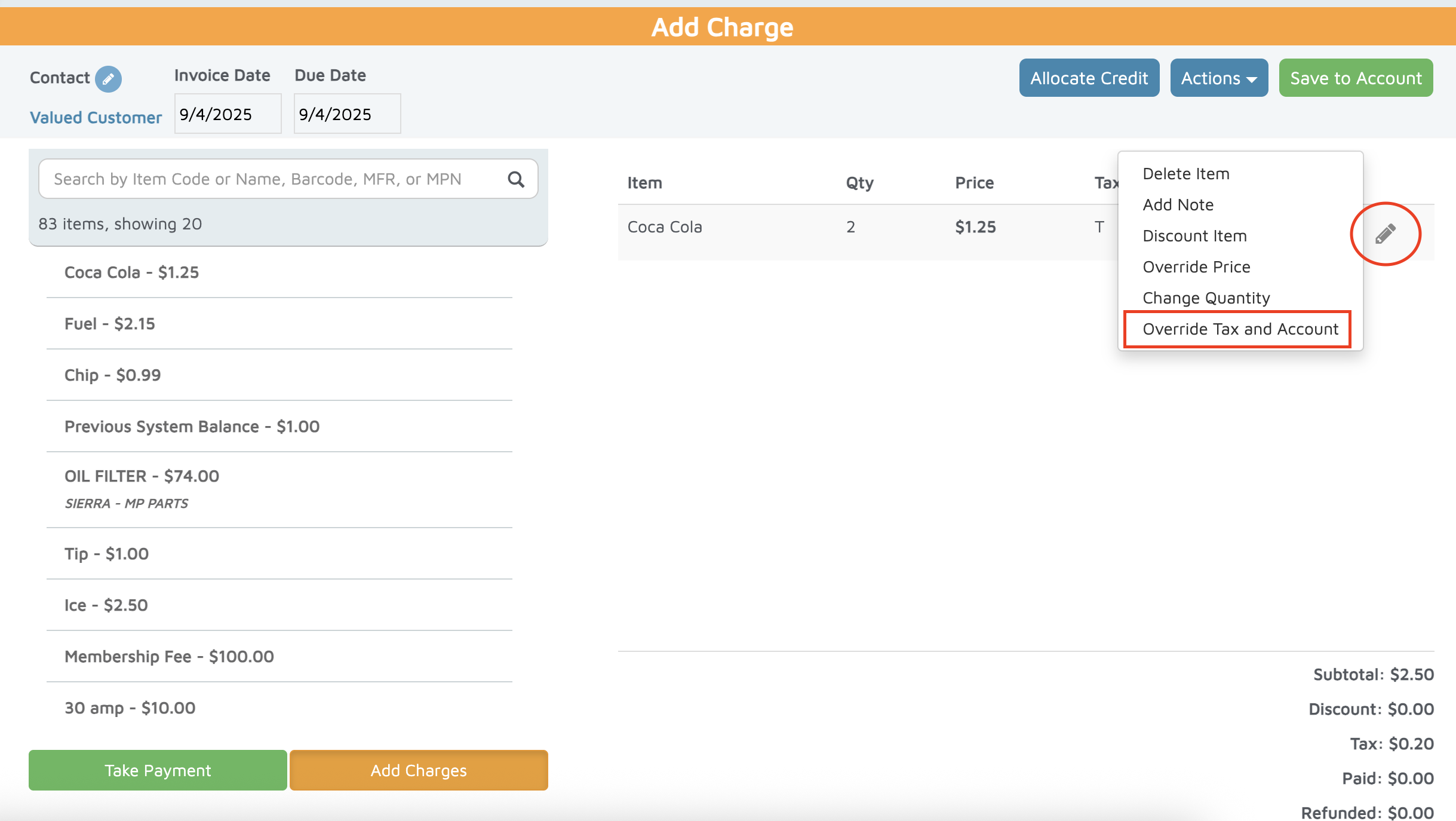
On the POS screen, click the pencil icon next to the item.
Select Override Tax and Account.
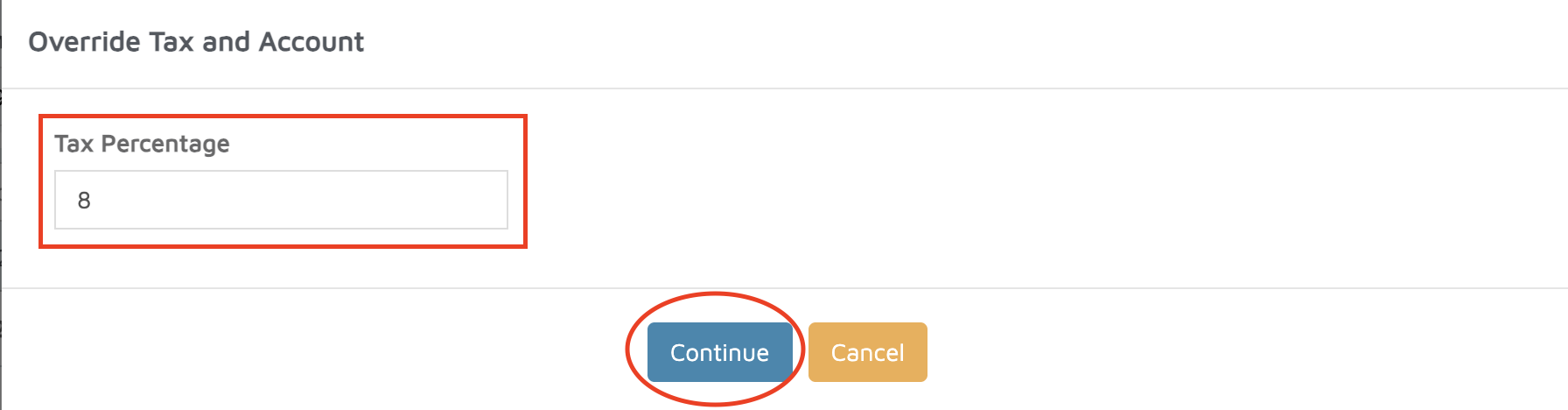
Review the current tax rate displayed for the item.
If a different rate is needed:
Delete the existing tax rate.
Enter the new tax rate.
Click Continue to save the change.
Verification: The new tax amount should display at the bottom of the invoice under the Tax section.