
- “How can I manually adjust inventory quantities for an item in Molo?”
- “I need to correct stock counts or account for missing/damaged inventory — how do I do that?”
Resolution Steps
- Go to Inventory → Items.
- Locate and select the item you wish to adjust.
- Click on the Inventory Adjustments tab.
- Click Add Adjustment to create a new entry.
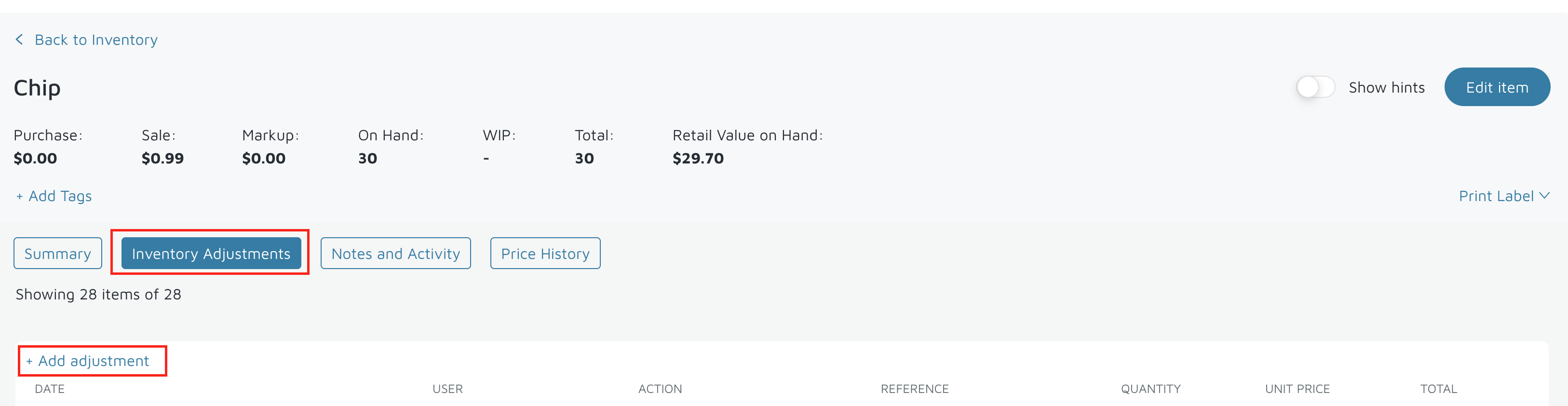
- Specify whether to increase or decrease the quantity.
- Enter the date that the adjustment should apply to.
- (Optional) Select a GL Code or Income Account if your integration requires it (for accounting or tracking purposes).
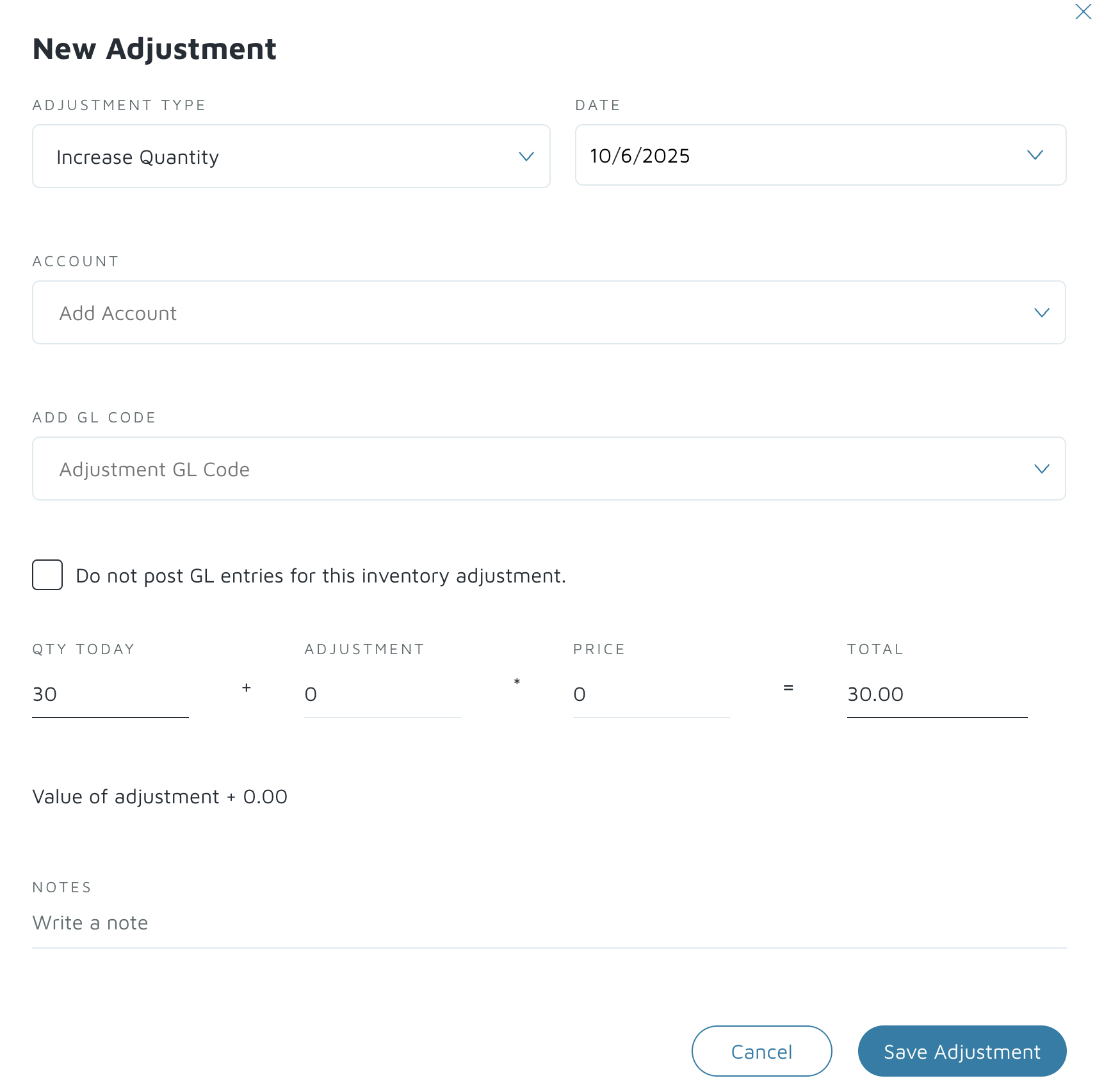
Verification: The item’s stock quantity will now reflect the manual adjustment made.