
- "How do I add more spaces to the online booking page?"
- "How can I edit the spaces on my online booking offers?"
Resolution Steps
Go to Marina Settings.
Select Space Settings.
Click on Online Booking Space Offers.
Select the offer you want to edit.
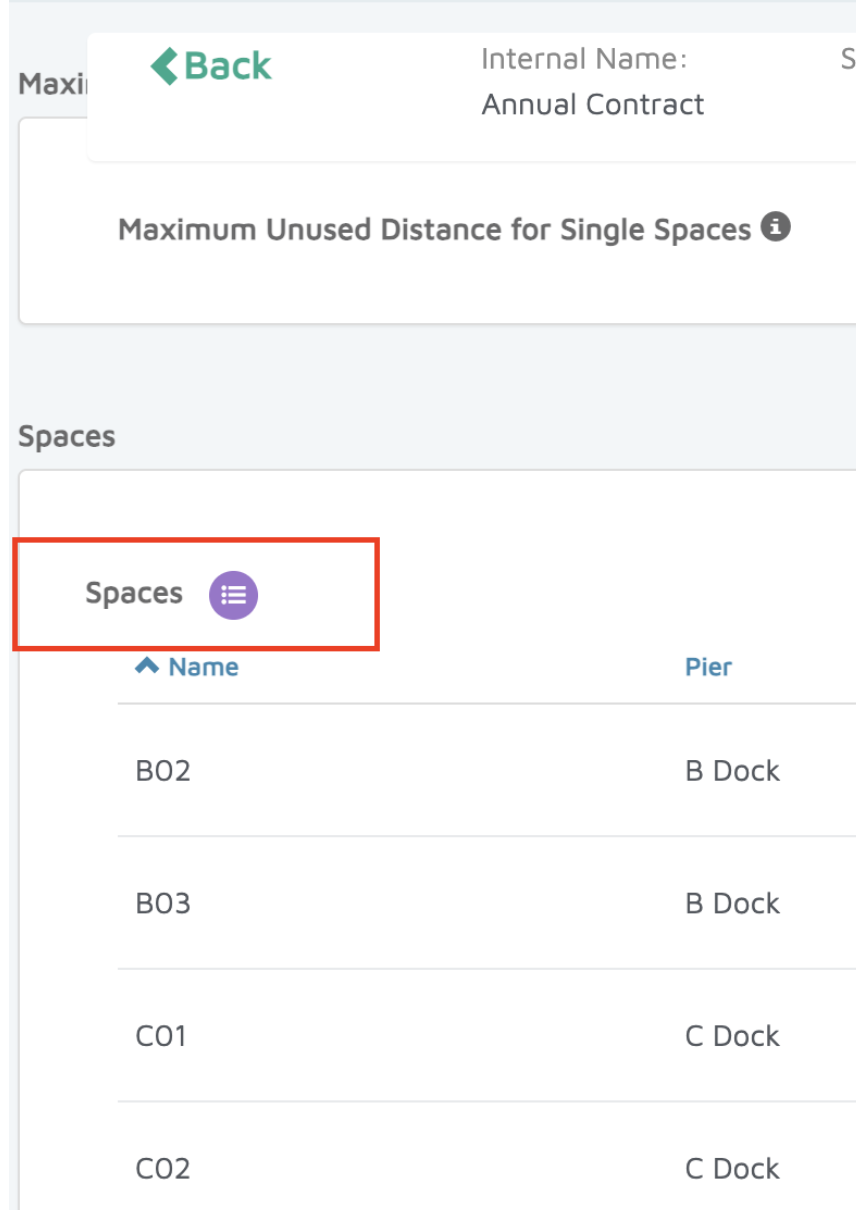
Scroll down to the Spaces section.
Click on the purple bubble.
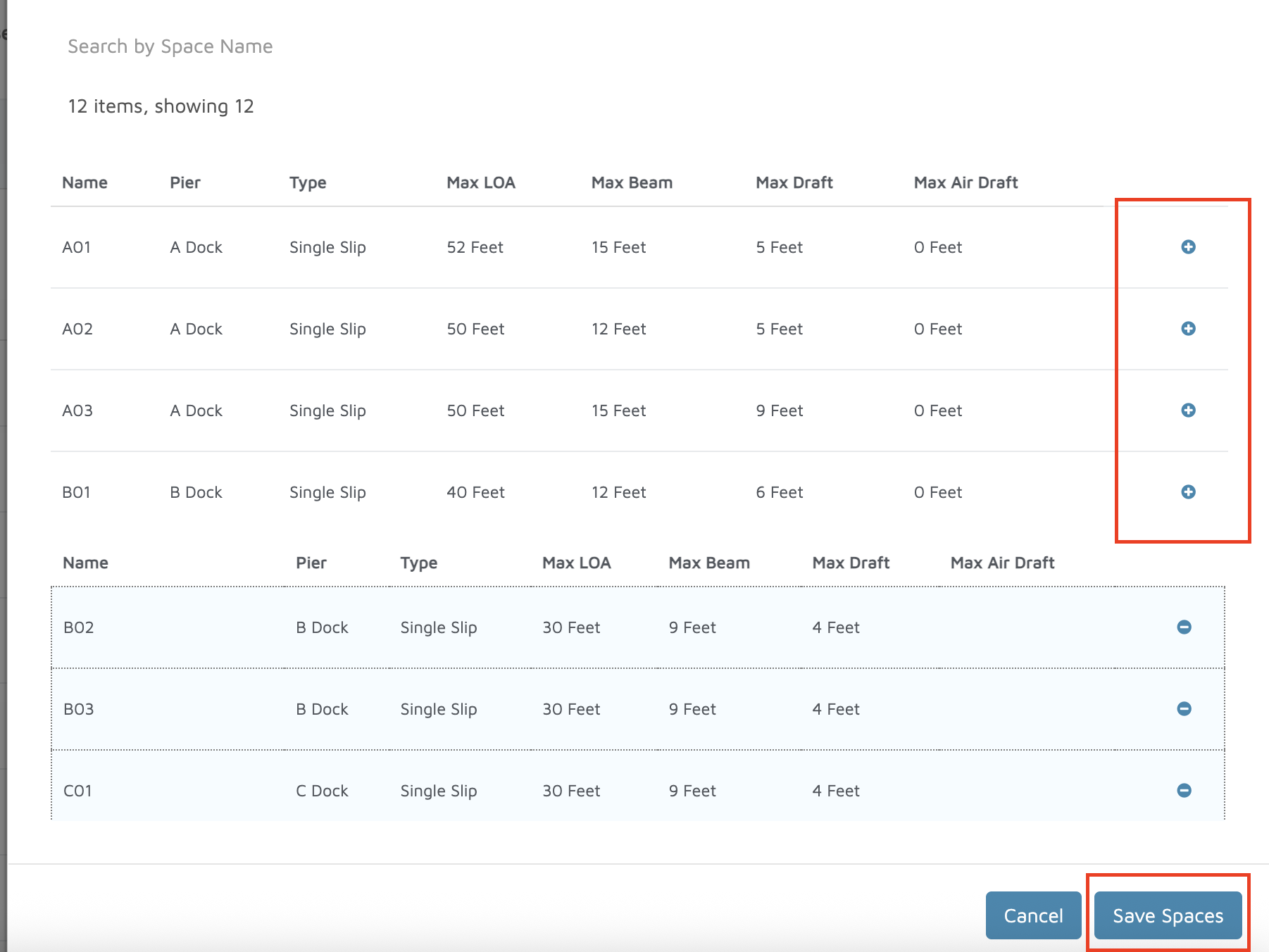
Add spaces by clicking the plus sign (+) in the box above.
Click Save Spaces.
Verification: The added spaces should appear on the online booking page.