
- "How can I create an item for work orders?"
- "Why don't my items show up under labor in work orders?"
Resolution Steps
Go to Inventory → Items.
Click New Item.
Select Create a New Blank Item.
Fill in the item details:
Item Code / Name
Category
Sales Price
Toggle Taxable for Sales (if applicable)
Item Charge Method
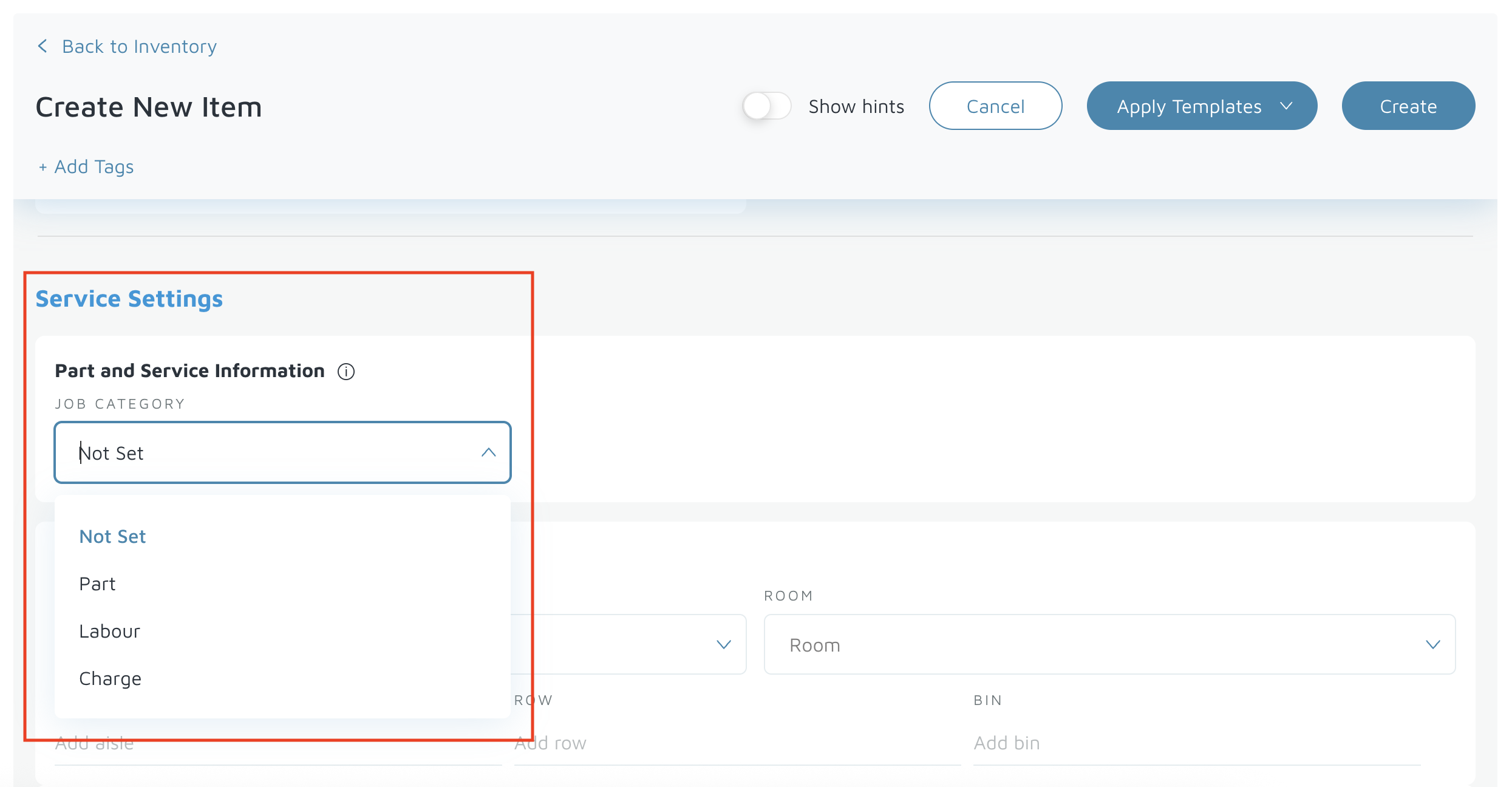
Scroll to Service Settings → Part and Service Information.
From the dropdown, select whether the item is a:
Part
Labor
Charge
Click Create (top right) to save the new item.
Verification: When the item is successfully created, a confirmation pop-up will appear on the right side of the screen.