
- "How can I see if an item is added to a work order?"
- "Where can I check to see if an item has a manual inventory adjustment?"
- "Is there a place to check the history of an item?"
Resolution Steps
- Navigate to Inventory in the main menu.
- Select Items.
- Locate and click on the item you want to review.
- Go to the Inventory Adjustments tab.
- Review the log, which will display:
- Date and time of the adjustment
- User who made the adjustment
- Type of action (added to work order, removed from work order, added to invoice, manual adjustment)
- Links to related work orders if applicable
- Quantity adjusted
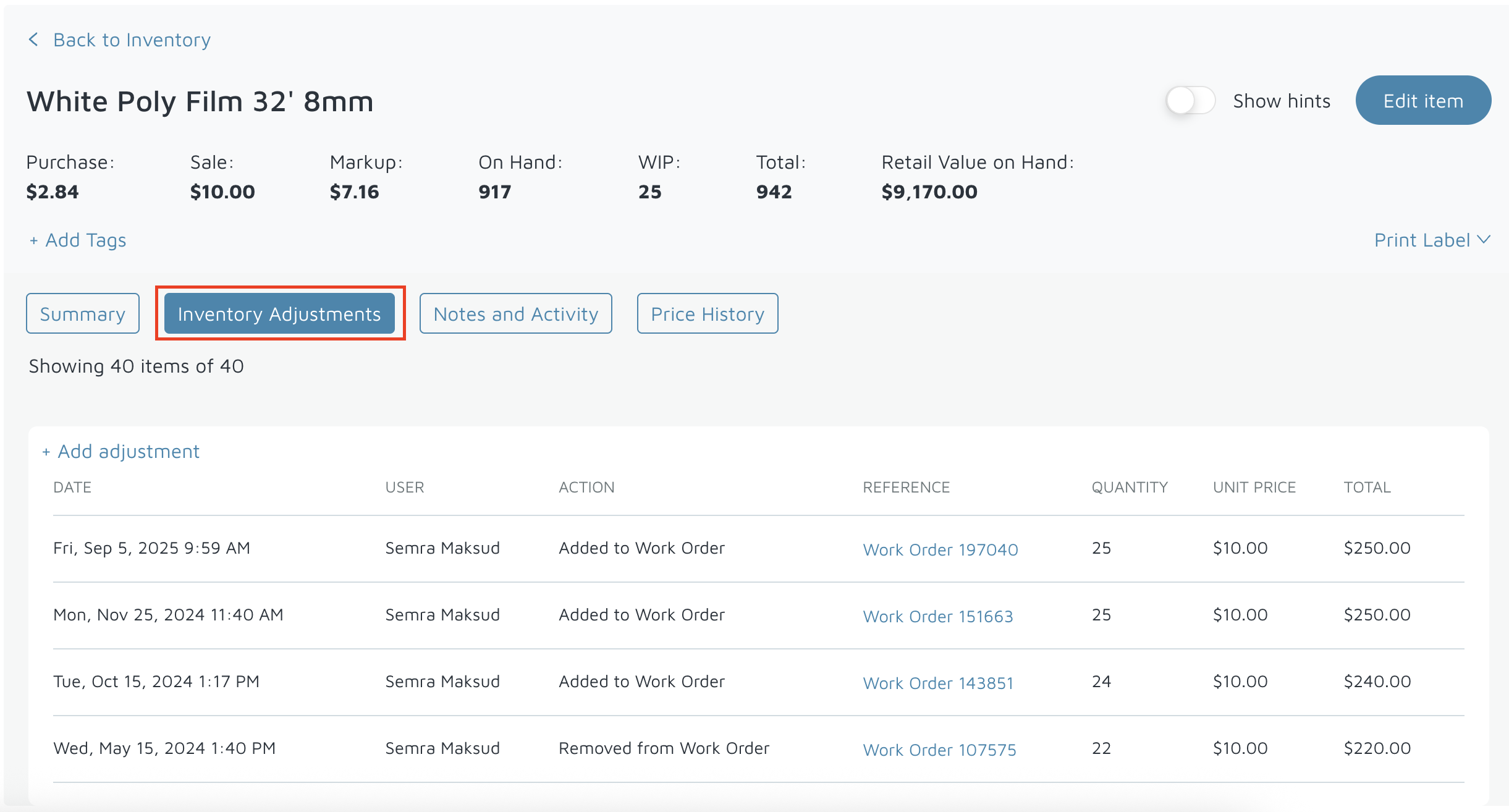
Verification: The Inventory adjustments tab will show all history for an item.