
- "How do I add a new employee to Molo?"
- "Can I add users to Molo myself?
Resolution Steps
- Admin Settings > General > User Management.
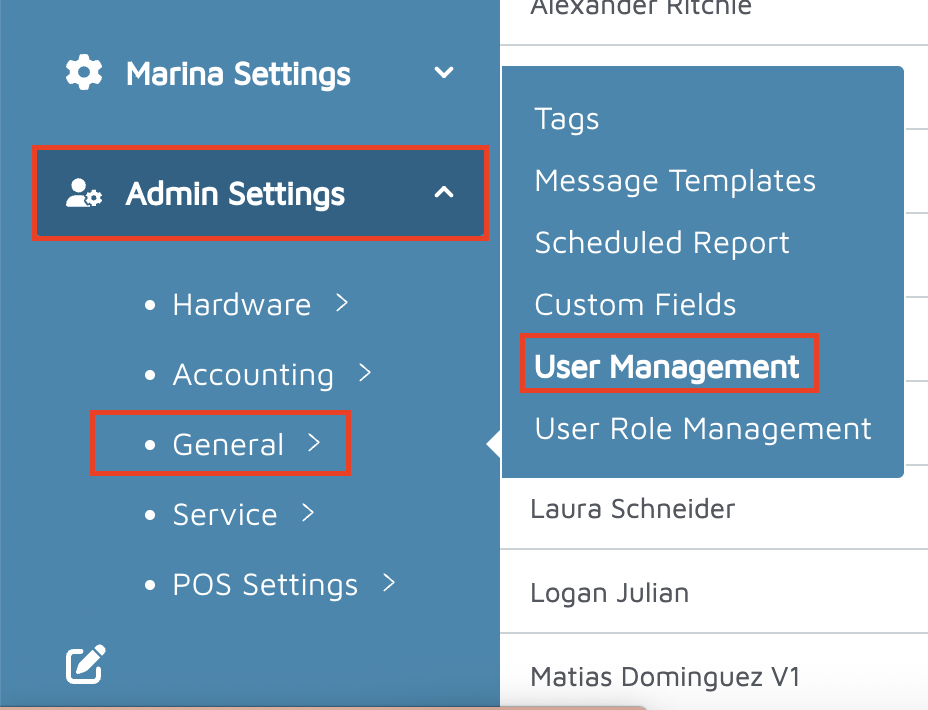
Click New User in the top right corner.
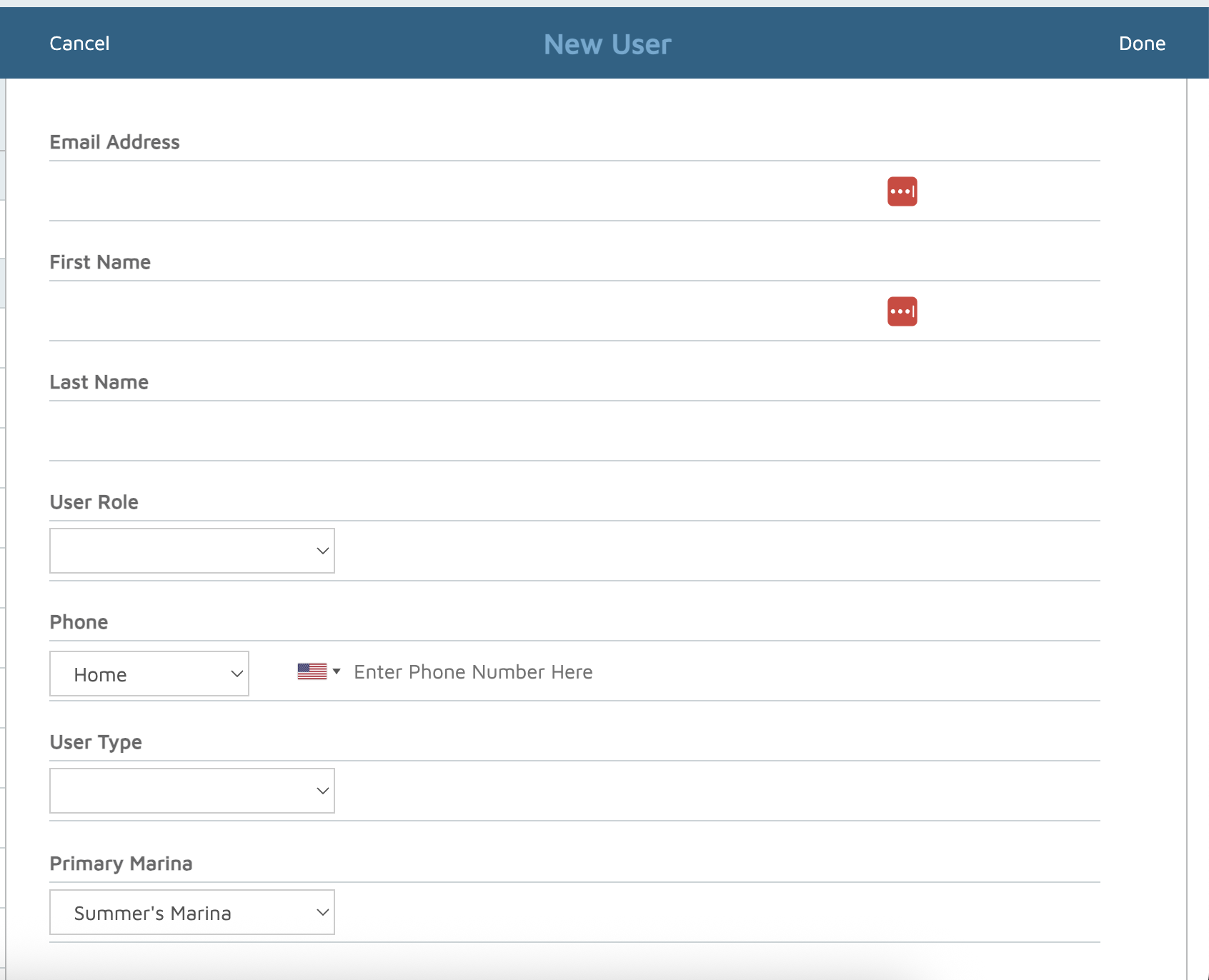
Fill in the following details:
Email address
First name
Last name
User role (Super User, Standard User, or Limited Access User)
Phone number
User type
Click Done in the top right to save.
- You will receive a pop-up asking whether you'd like to send a password reset email.
Verification: The New user account should appear under the Users section on the left of creating the new user.