
- "How can I duplicate work orders?"
- "How can I change the contact of a work order?"
Resolution Steps
- Note: These steps do not reassign the work order to a new customer. This will duplicate the current work order and you can choose the contact you want it assigned to.
Open the Work Order you need to duplicate.
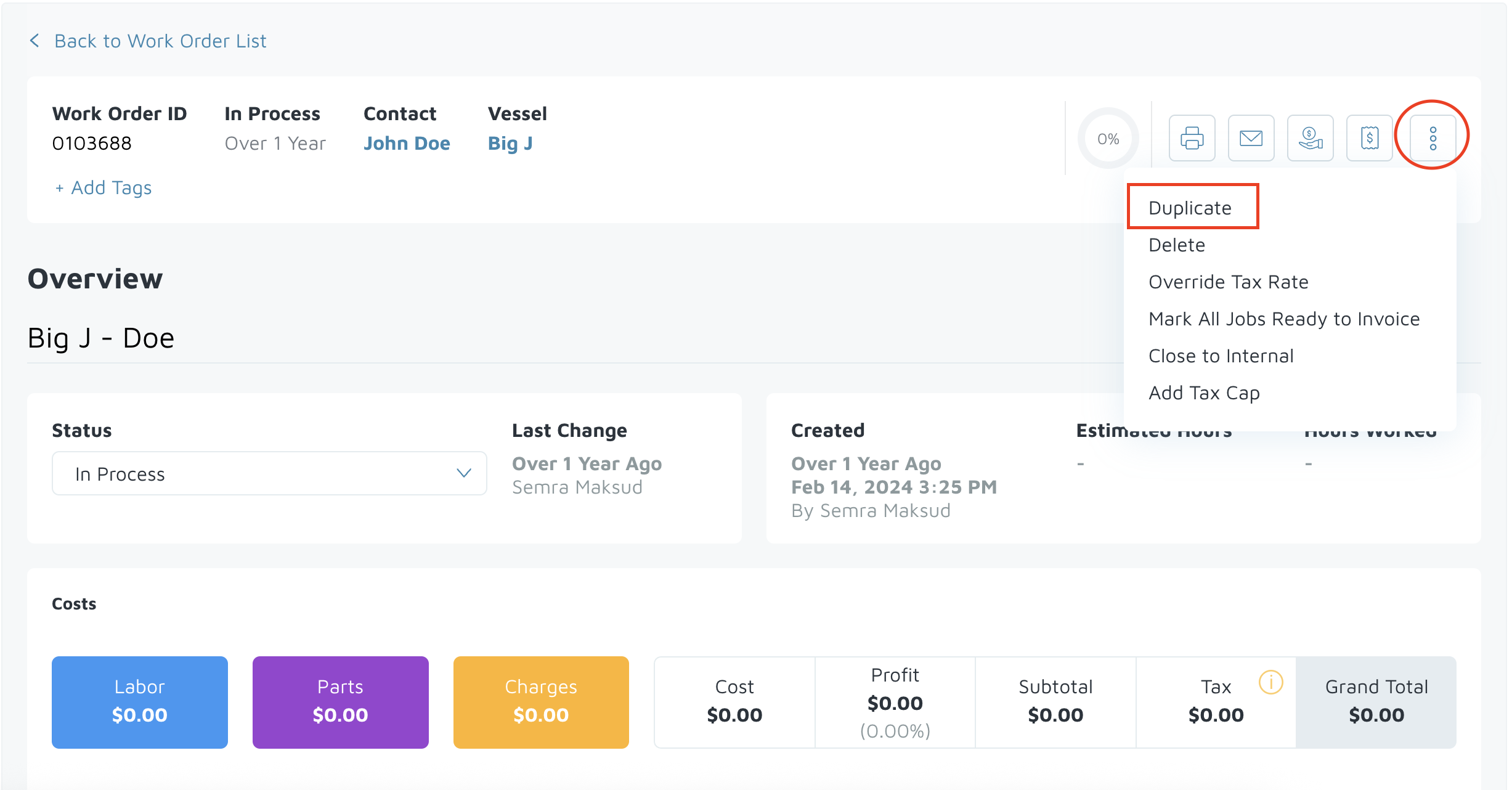
Click on the three dots in the top right corner.
Select Duplicate.
Choose the contact you want the new work order assigned to.
Click Duplicate to create the new work order.
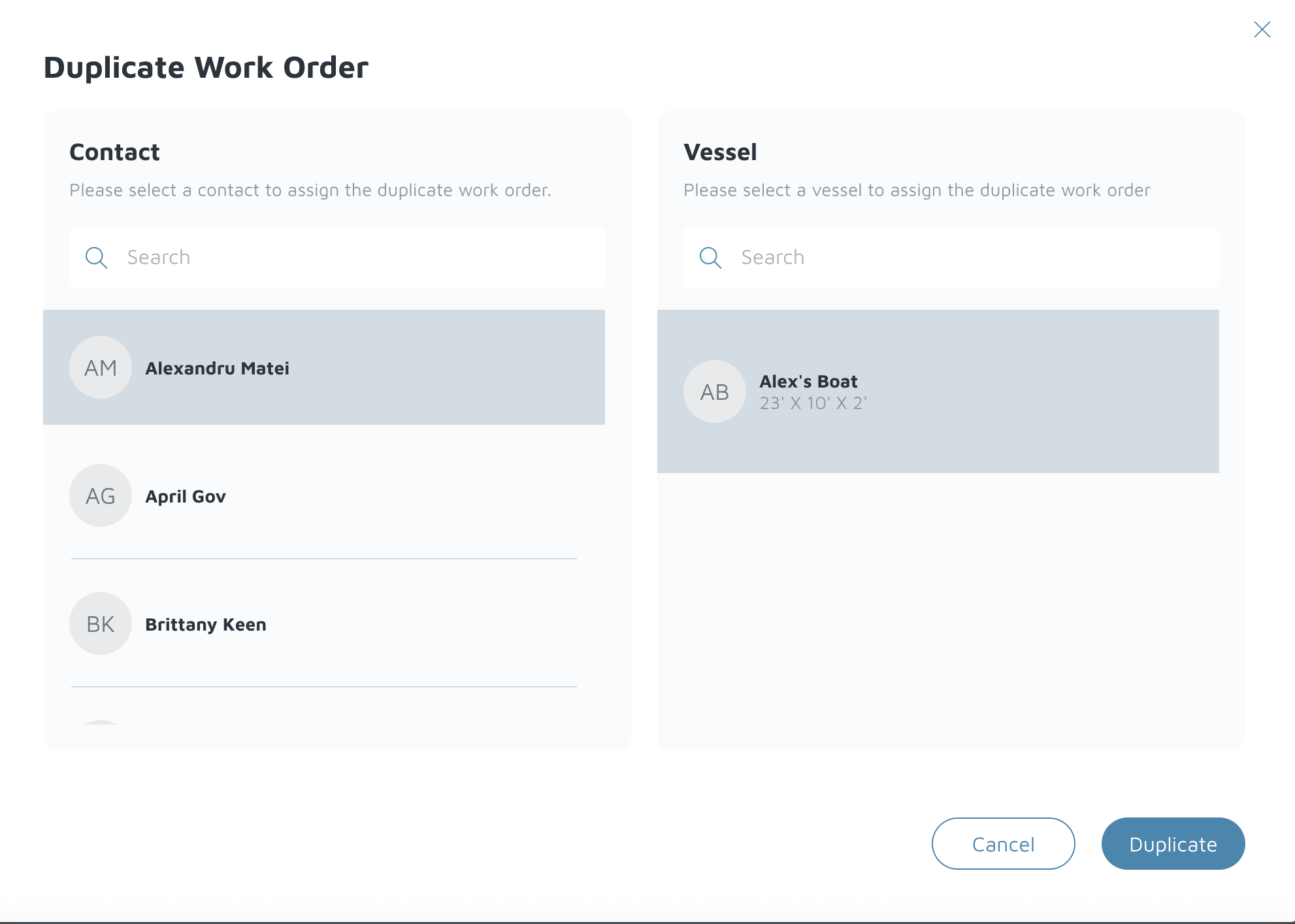
The system will copy all details from the original work order into the new one for the selected contact.
Go back and delete the original work order if it’s no longer needed.
Verification: The work order is now duplicated and assigned to the new contact.