
- "What is the Molo Express Batch List report used for?
- "How can I track the batches that are sent to my bank account?"
Resolution Steps
- Go to Reports → Invoicing & Payments.
- Select Molo Express Batch List.
- Enter the start date and end date for the period you want to review.
- Click Run Report to generate the results.
- The report will display:
- Creation Date - when the batch was created.
- Payout Amount - how much money is in the batch.
- Transaction Amount - how many transactions are in the batch.
- Status - whether it's sent or still pending.
- Sent Date – the date the batch was processed.
- Estimated Arrival - the estimated date of when it should appear in your bank account.
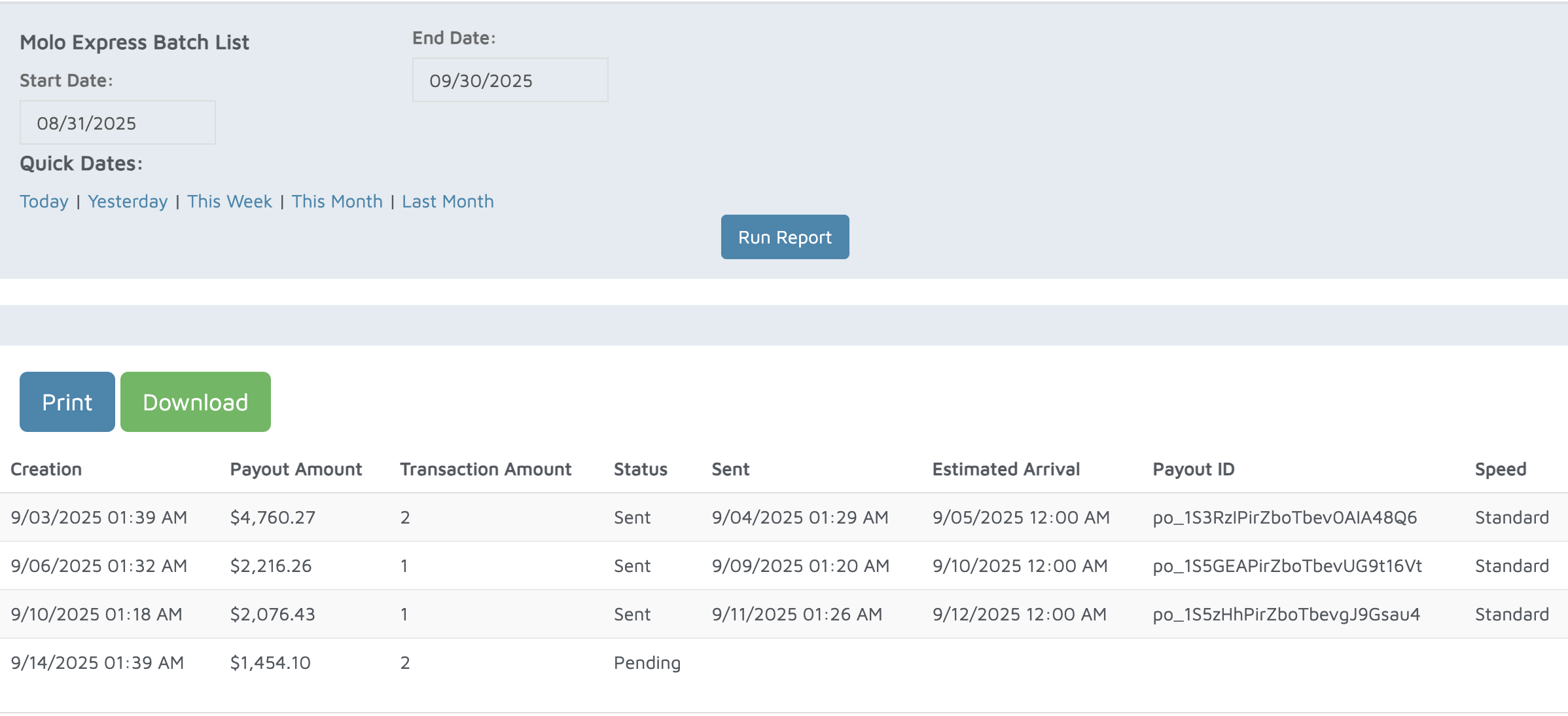
Verification: Use this report to track batches sent to your bank account.