
- "How do I make a sale on the Molo app?"
- "Where do I create an invoice on the app?"
Resolution Steps
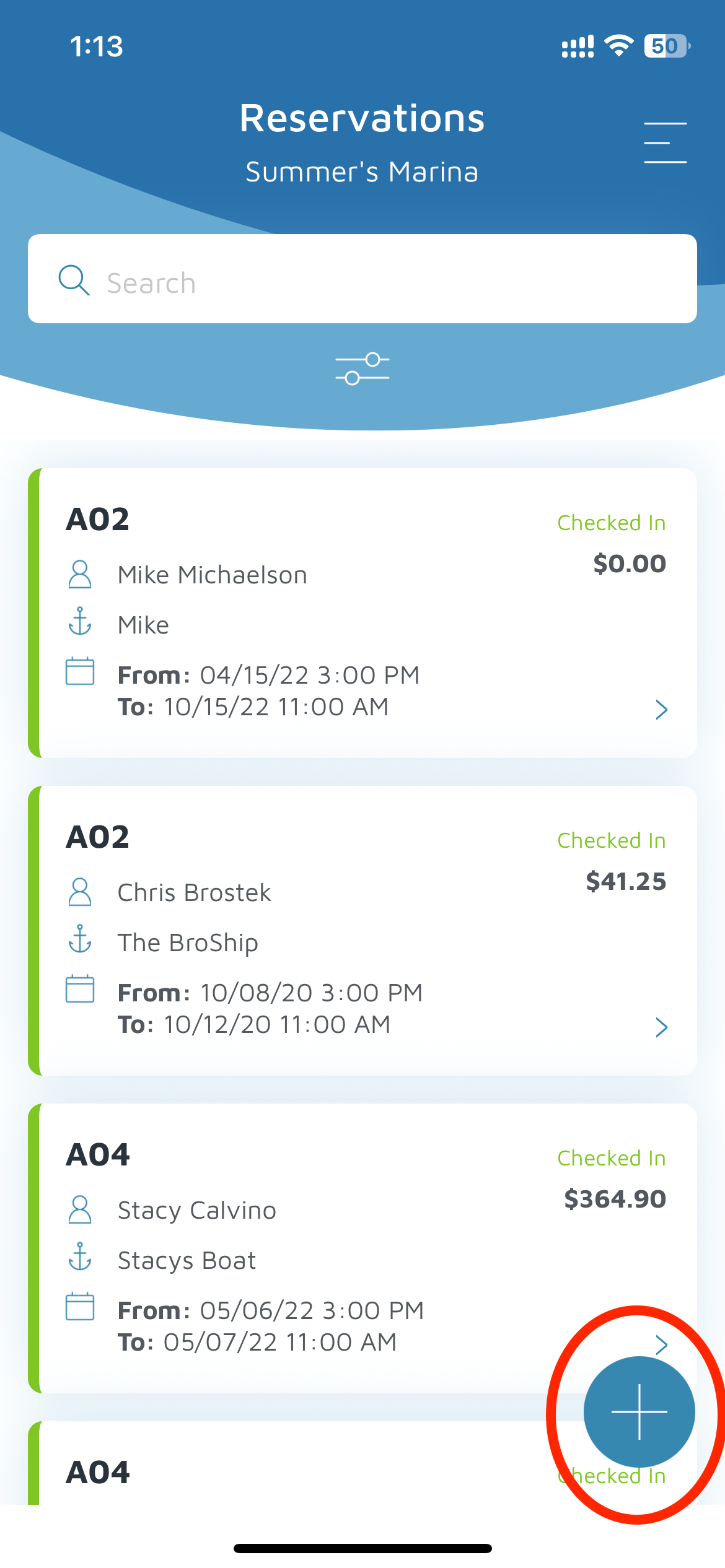
Click on the plus sign in the blue circle in the bottom right corner.
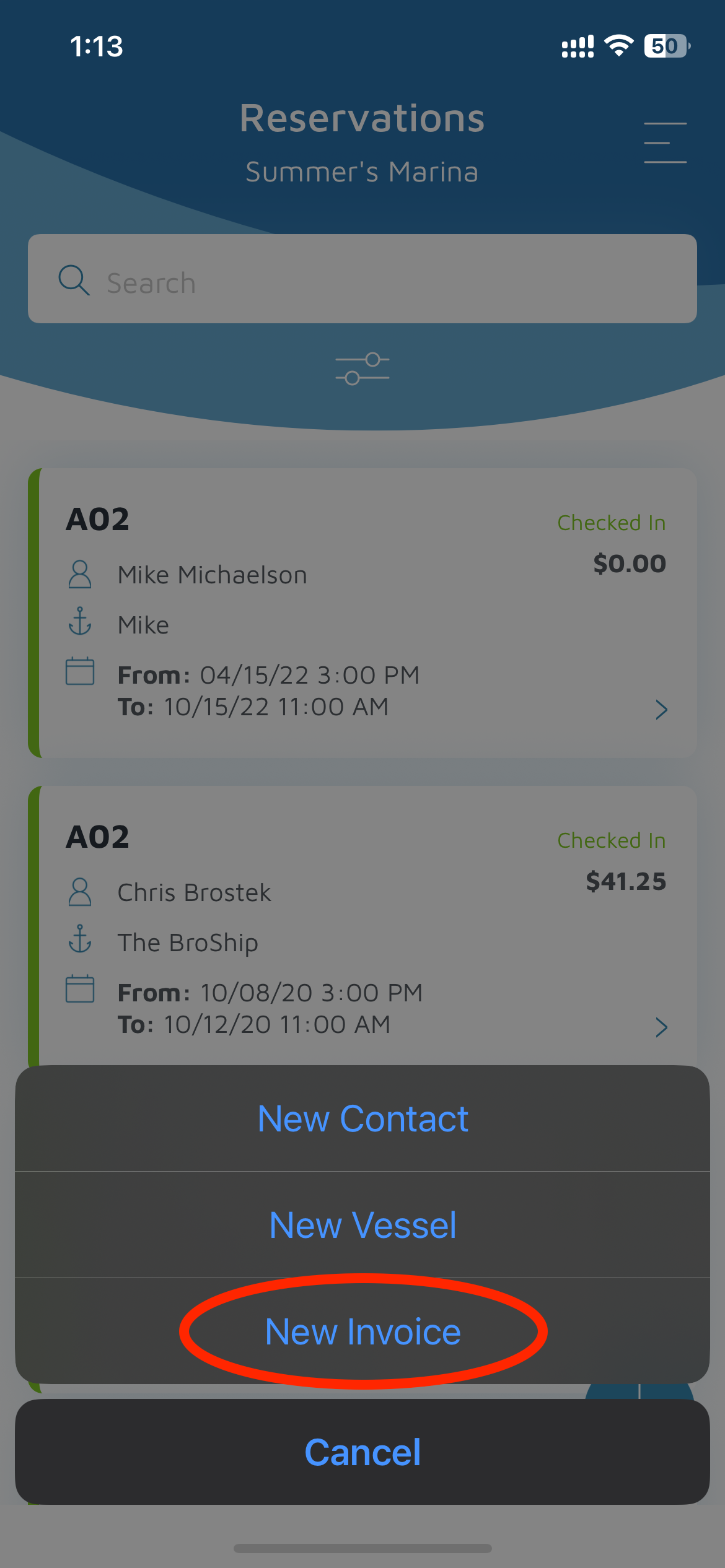
In the pop-up, select New Invoice.
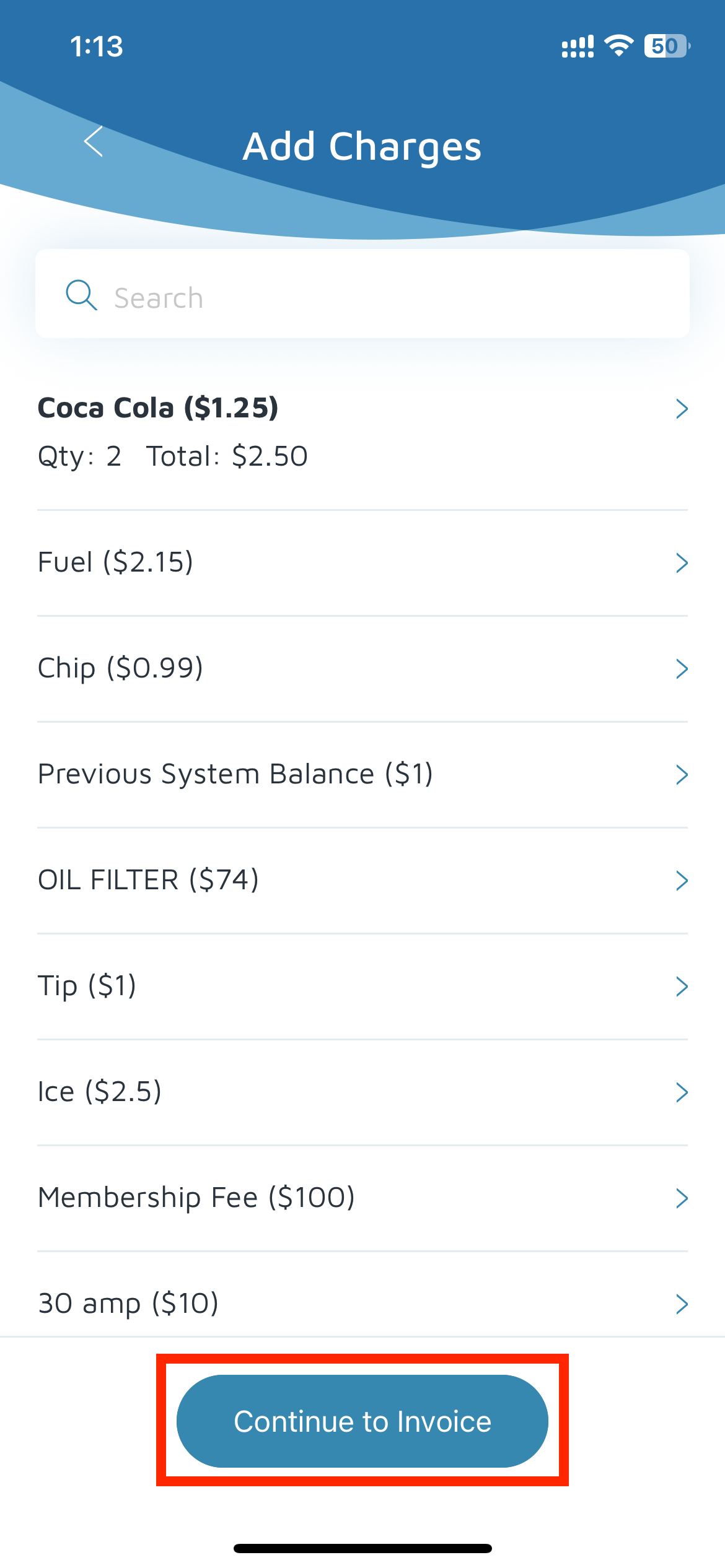
From the list, add the items that need to be included on the invoice.
Enter the quantity for each item and click Add to Invoice.
Once all items are added, click Continue to Invoice.
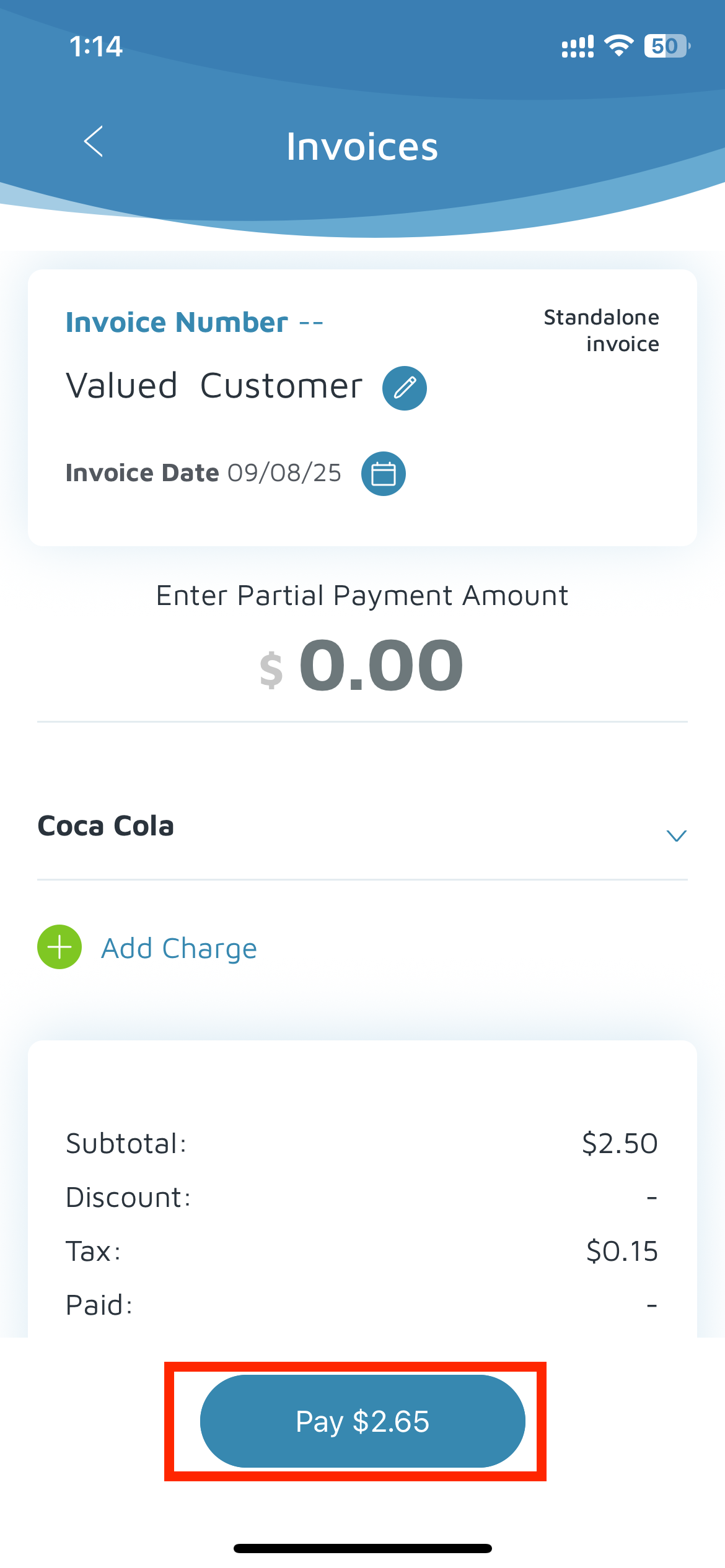
Click Pay to proceed with payment.
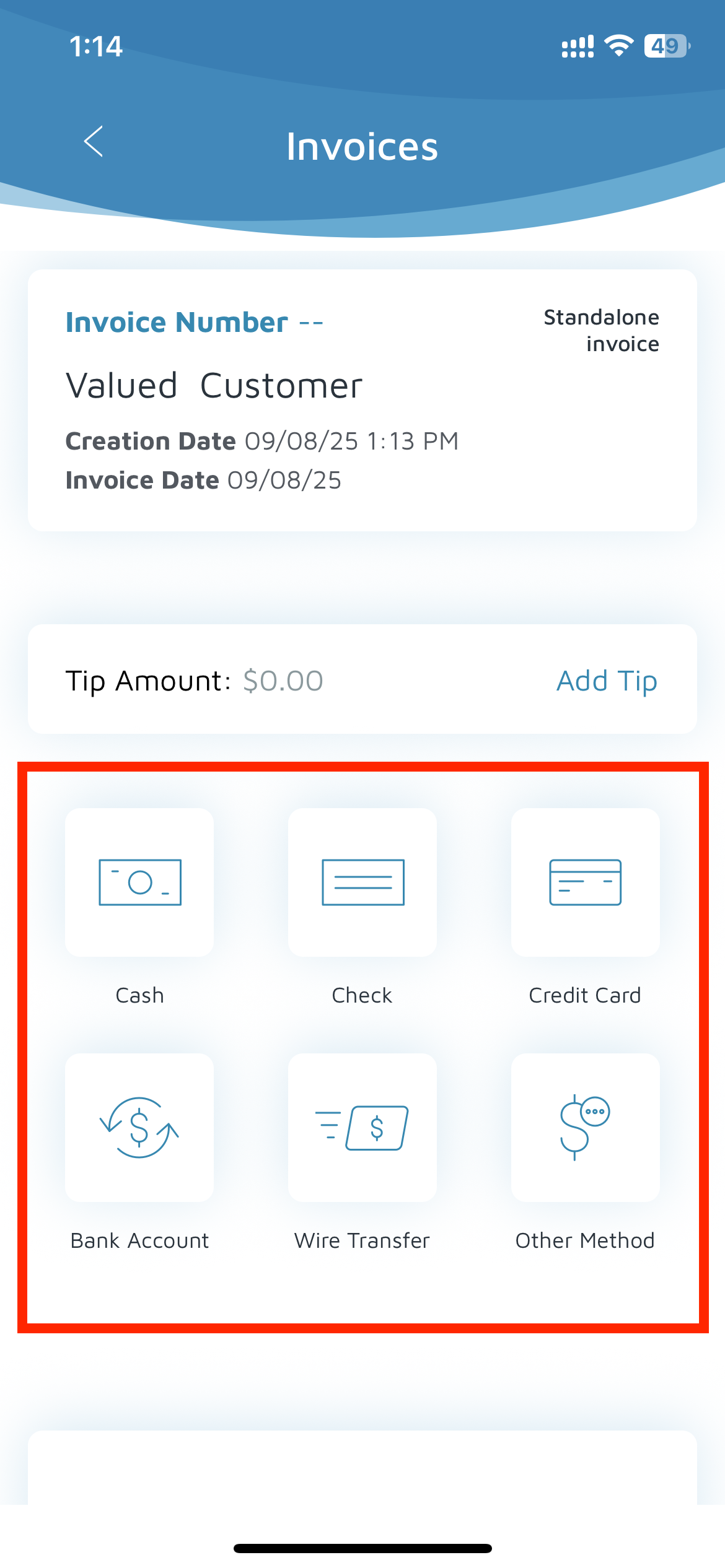
Choose a payment method (Cash, Check, Credit Card, Bank Account, Wire Transfer, or Other).
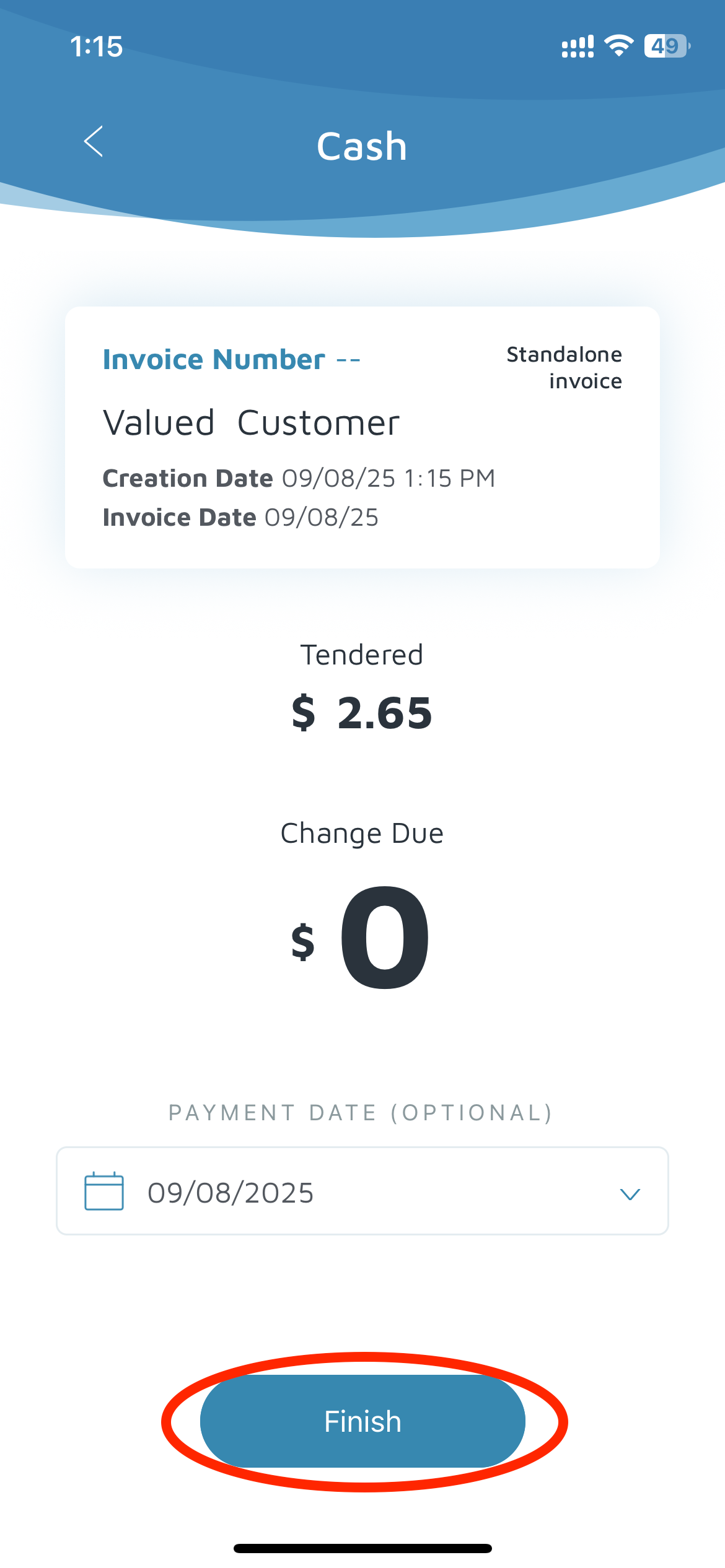
Click Finishto complete the transaction.
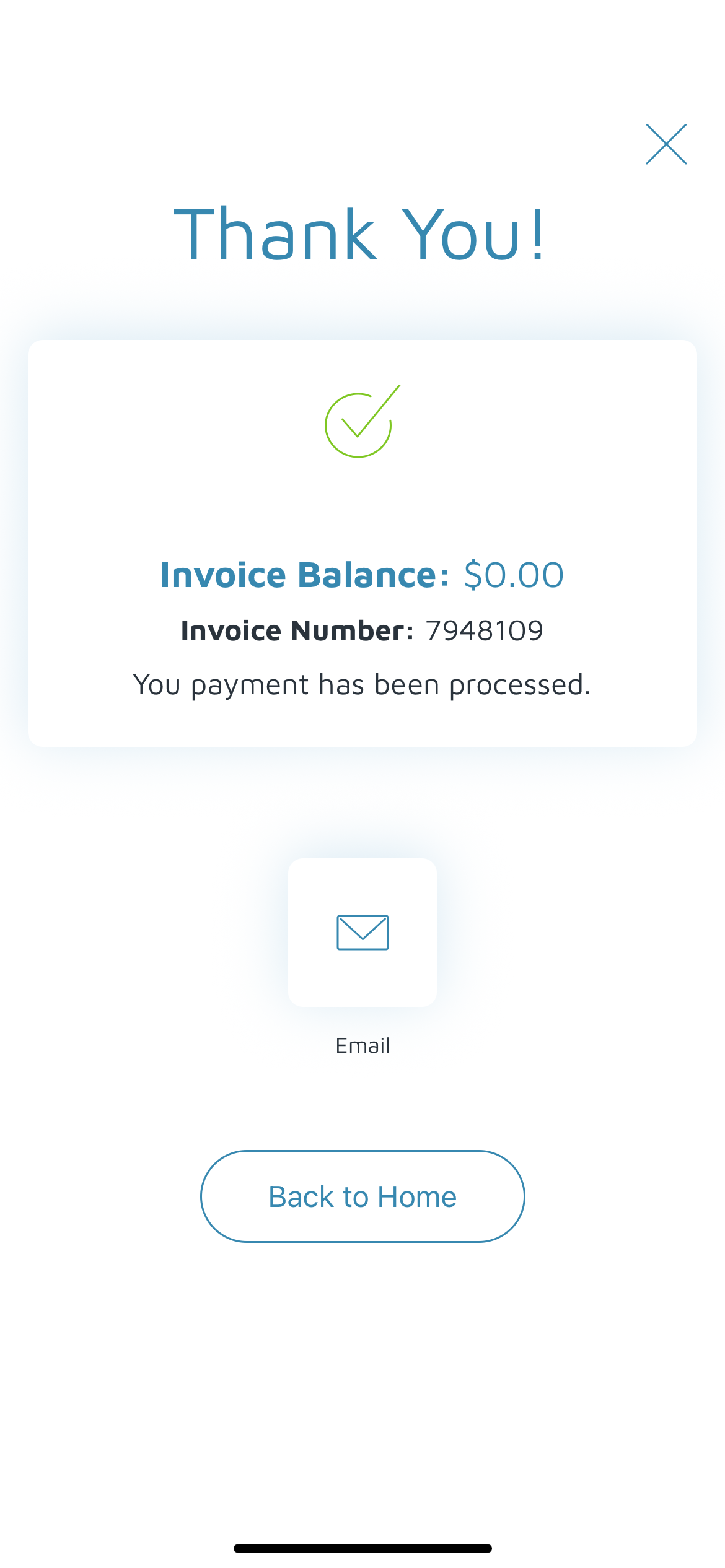
Verification: The invoice should be under the valued customer or the customer's account.