
- "How do I add vessel equipment?"
- "Where do I add engines and other vessel equipment?"
Resolution Steps
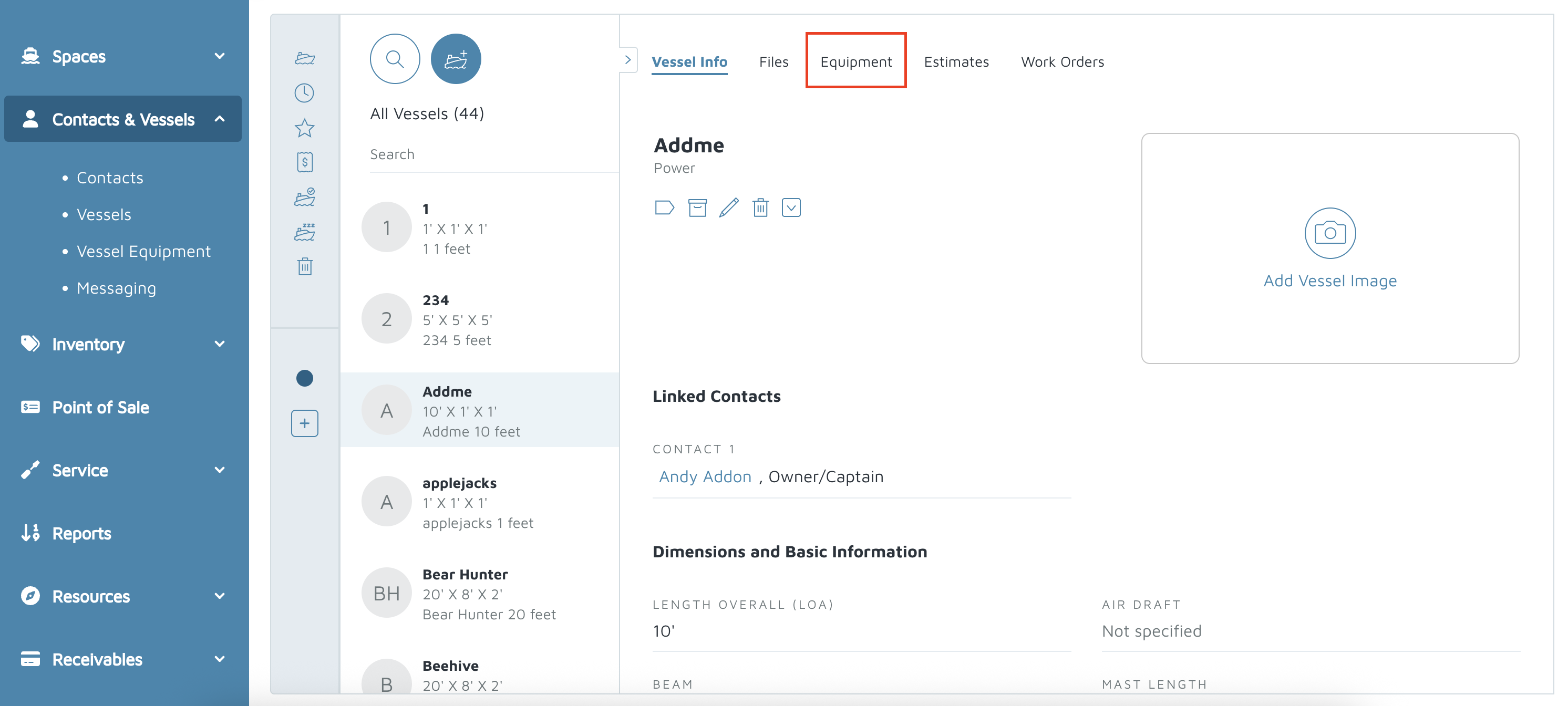
Contact & Vessels > Vessels.
Select the vessel you want to edit.
At the top of the vessel page, click the Equipment tab.
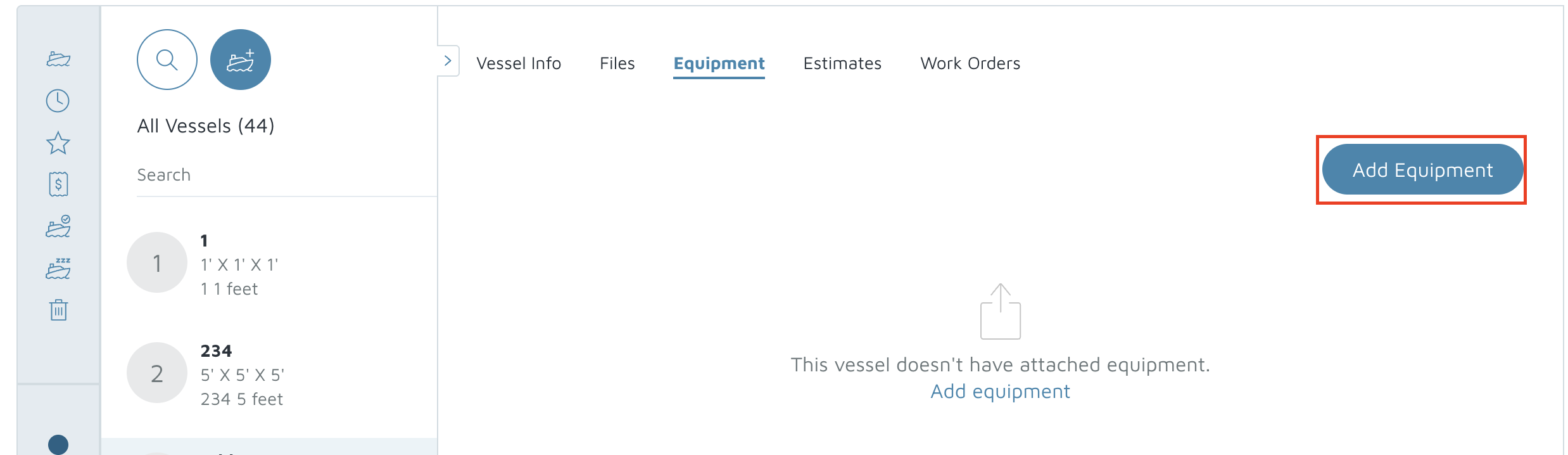
On the right side of the Equipment tab, click Add Equipment.
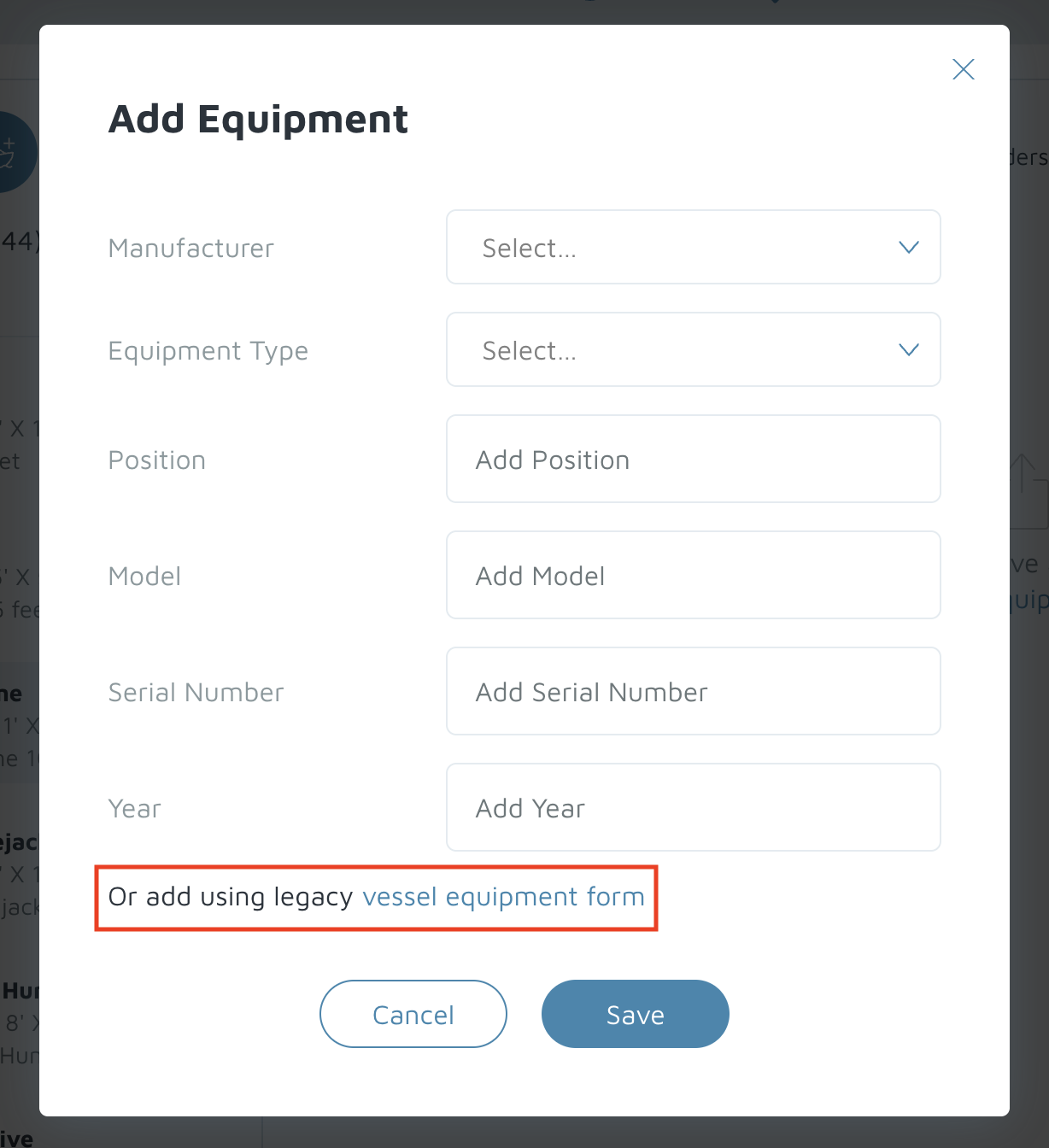
In the Add Equipment pop-up, enter the basic fields:
Manufacturer
Equipment Type
Position
Model
Serial Number
Year
Click Save.
In the Add Equipment pop-up, if you need more fields, click Vessels Equipment Form (button/link at the bottom of the pop-up).
Fill in the extra details you need on that form (examples you might add):
engine class
fuel type
warrenty
capacity/specifications or technical notes
Click Done at the top right when finished.
Verification: The new equipment should appear under the Equipment tab of the vessel.