
- "How can I differentiate types of security deposits for customer accounts?"
- "Is there a way to have different types of deposits on accounts?"
Resolution Steps
- Before starting (one-time setup)
Create a new inventory item, Security Deposit
Sales price: $1
Map it to a liability account (so deposits are recorded as liabilities). - (For QBO or Xero integration only.)
Create a new inventory item, Security Deposit Forfeit
Sales price: $1
Map it to a revenue account where forfeits should be recognized. - (For QBO or Xero integration only.)
- To take a security deposit
Click +New > New Sale/Invoice (create a new invoice).
From the items list, add Security Deposit to the invoice.
Enter Quantity = 1 and press Enter.
Adjust the price if necessary.
Choose how to record payment now:
Save to Account — save the invoice to the customer account and take payment later; or
Take Payment — collect payment immediately using Cash / Check / Credit Card / etc.
If you selected Save to Account, later go to the customer’s account, open the Security Deposit invoice, click Pay, and process the payment.
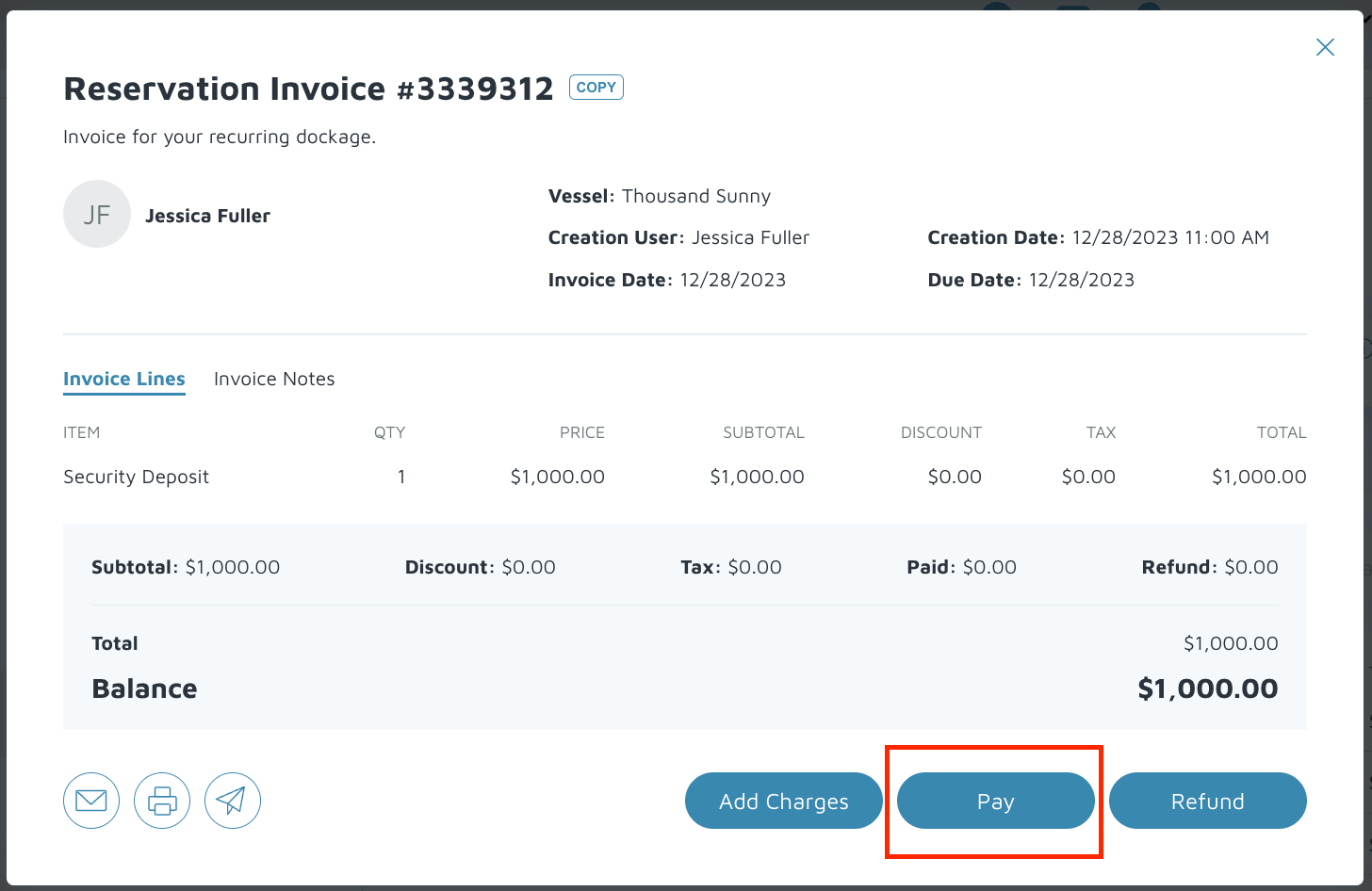
Done — deposit recorded (as a liability).
- To refund a security deposit
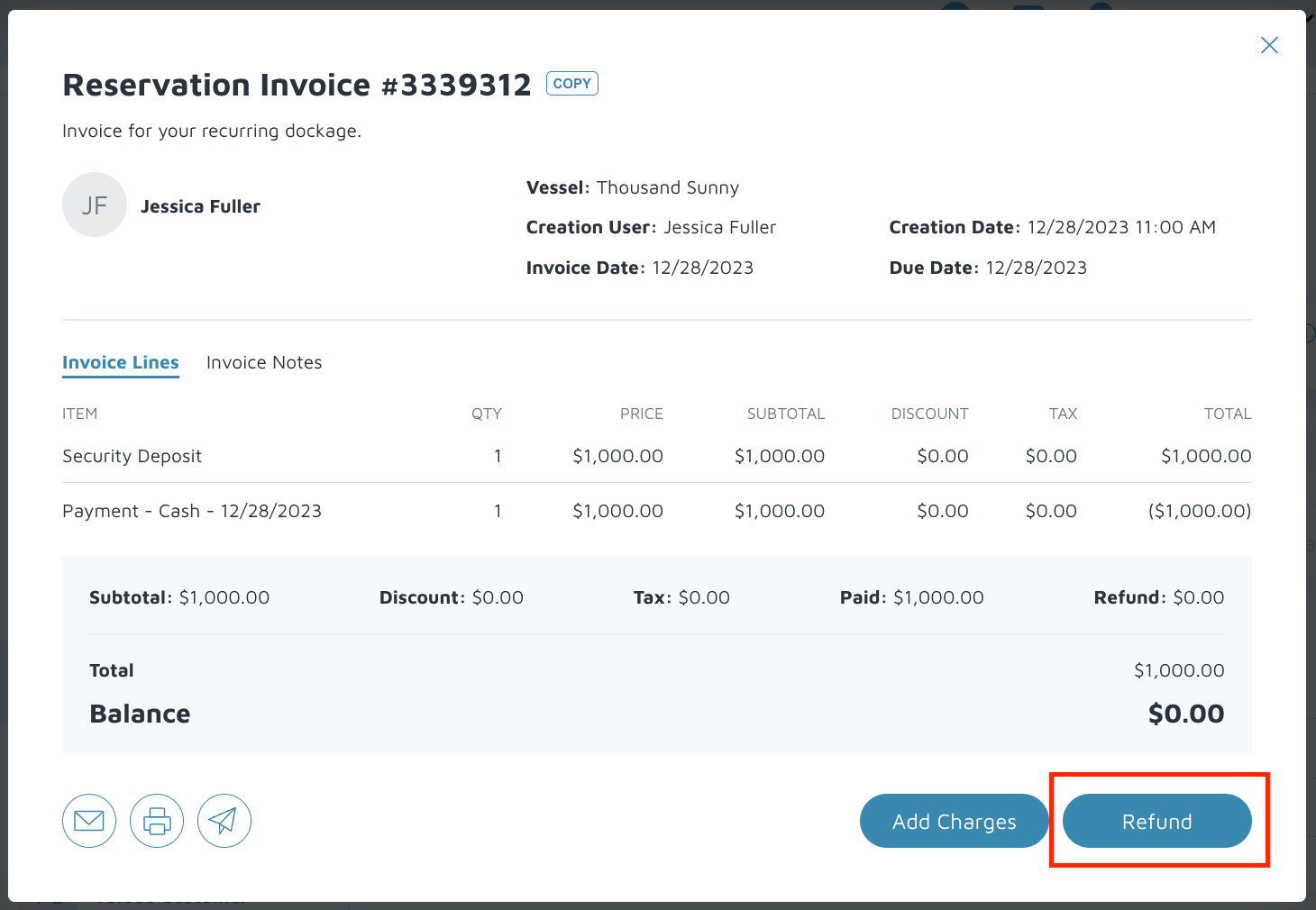
Open the original Security Deposit invoice.
Click Refund.
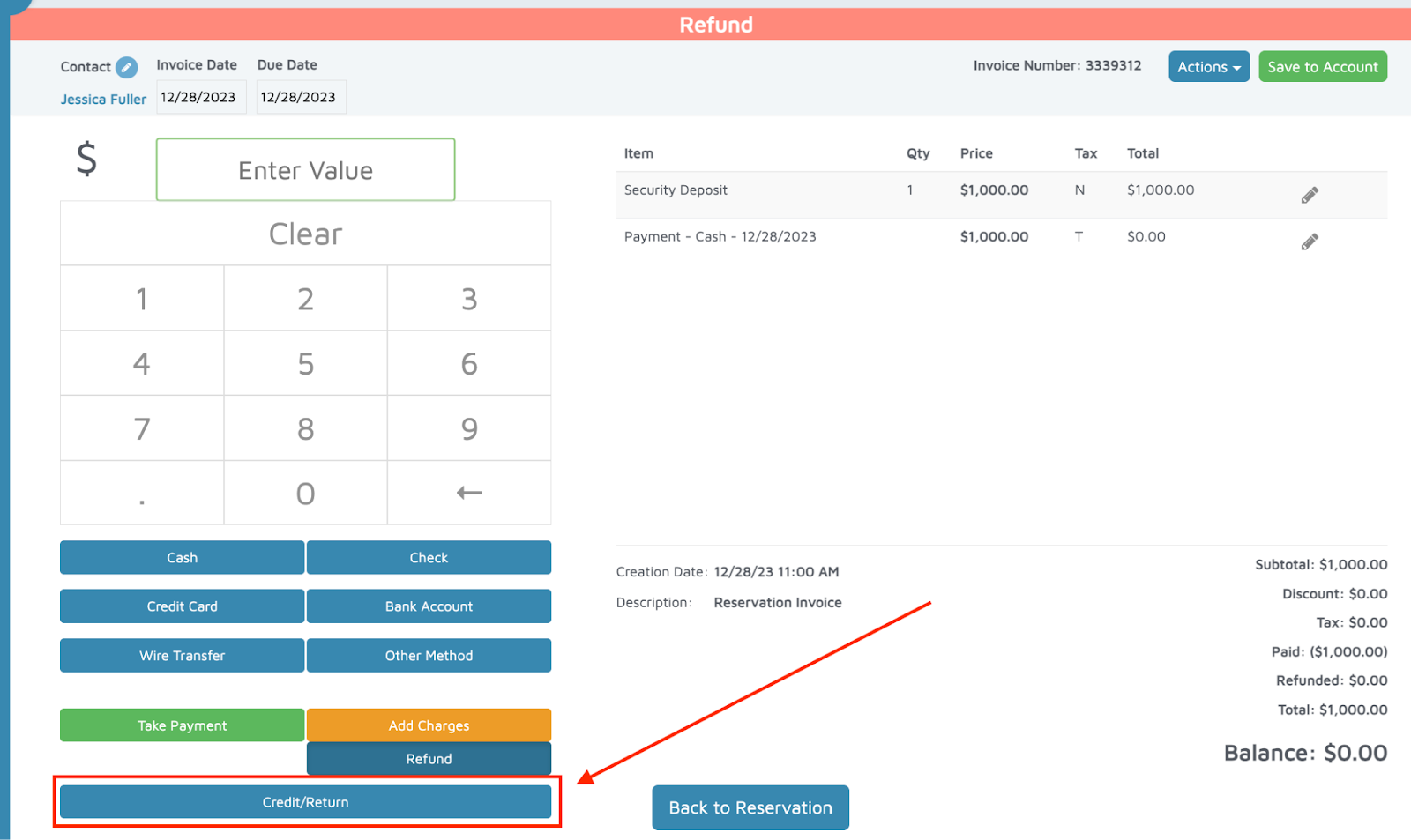
On the Refund screen click the Credit/Return button (bottom left).
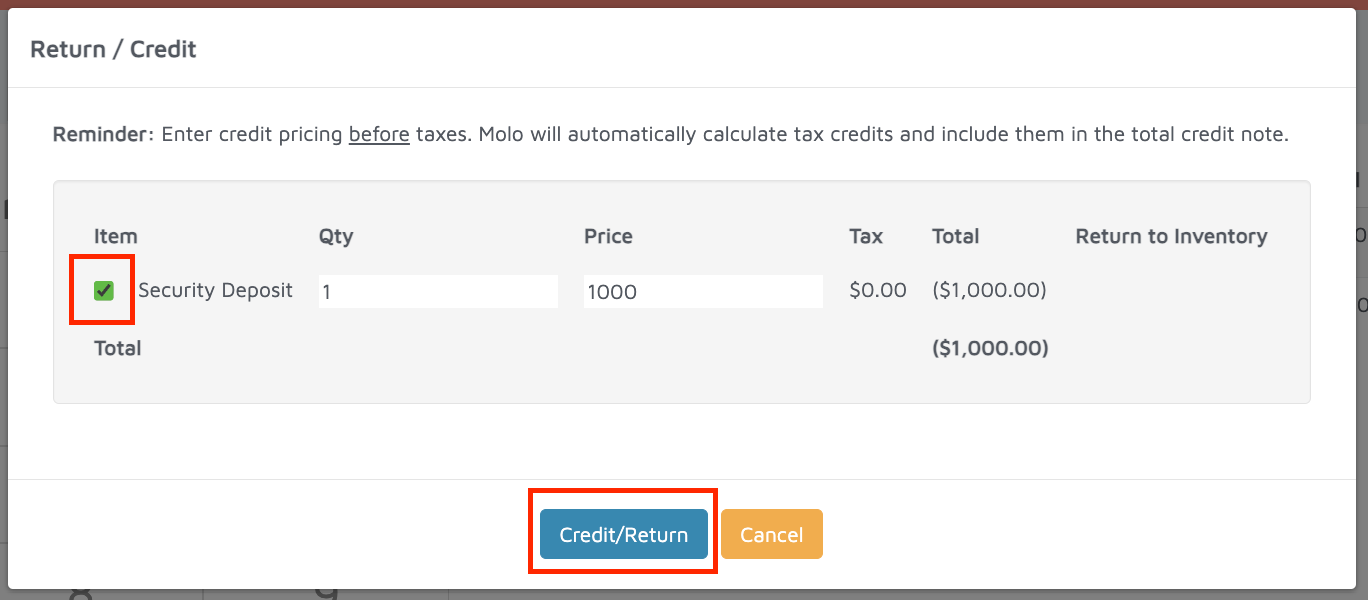
Tick the checkbox next to Security Deposit and click the Credit/Return button for that line.
Process the refund by choosing how to return funds (Cash / Credit Card / etc.).
Done — refund processed and liability cleared.
- To forfeit a security deposit (move it to revenue)
Open the original Security Deposit invoice and click Refund.
On the Refund screen click the Credit/Return button (bottom left) to create a Credit Note for the deposit.
Select the Security Deposit line and confirm the credit/return so a credit note is generated.
- Return to the customer’s account and create a new invoice, Actions > New Sale/Invoice.
Add the Security Deposit Forfeit item (Quantity = 1).
Click Allocate Credit at the top of the new invoice.
In the Credit Allocation pop-up: check the box for the Credit Note you created and confirm the Allocation Amount is correct. Click Allocate.
Click Save to Account (to apply/record the allocation).
Done — the deposit liability is allocated to your forfeit revenue.
Verification: The security deposit should be a standalone invoice on the customers account.