
- "How do I tell that Molo is removing parts from inventory when I add them to a work order?"
- "Does Molo remove parts from inventory when I add them to a work order?"
Resolution Steps
- Go to Inventory → Items.
- Search for the part that was added to the work order.
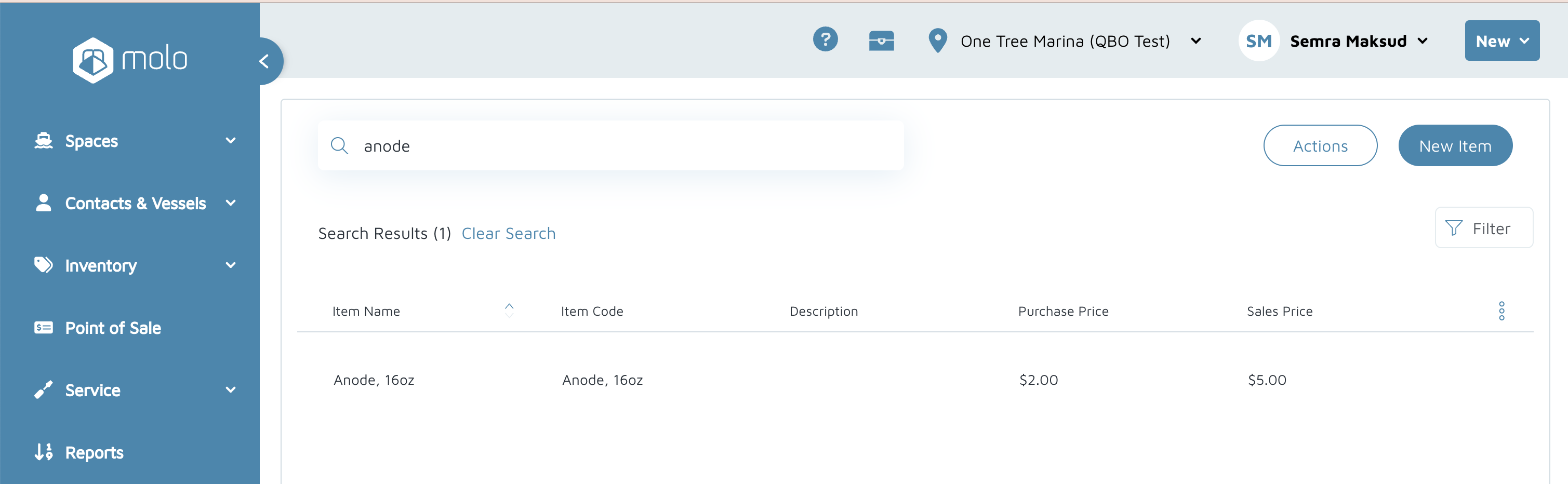
- Open the part details.
- Click the Inventory Adjustments button.
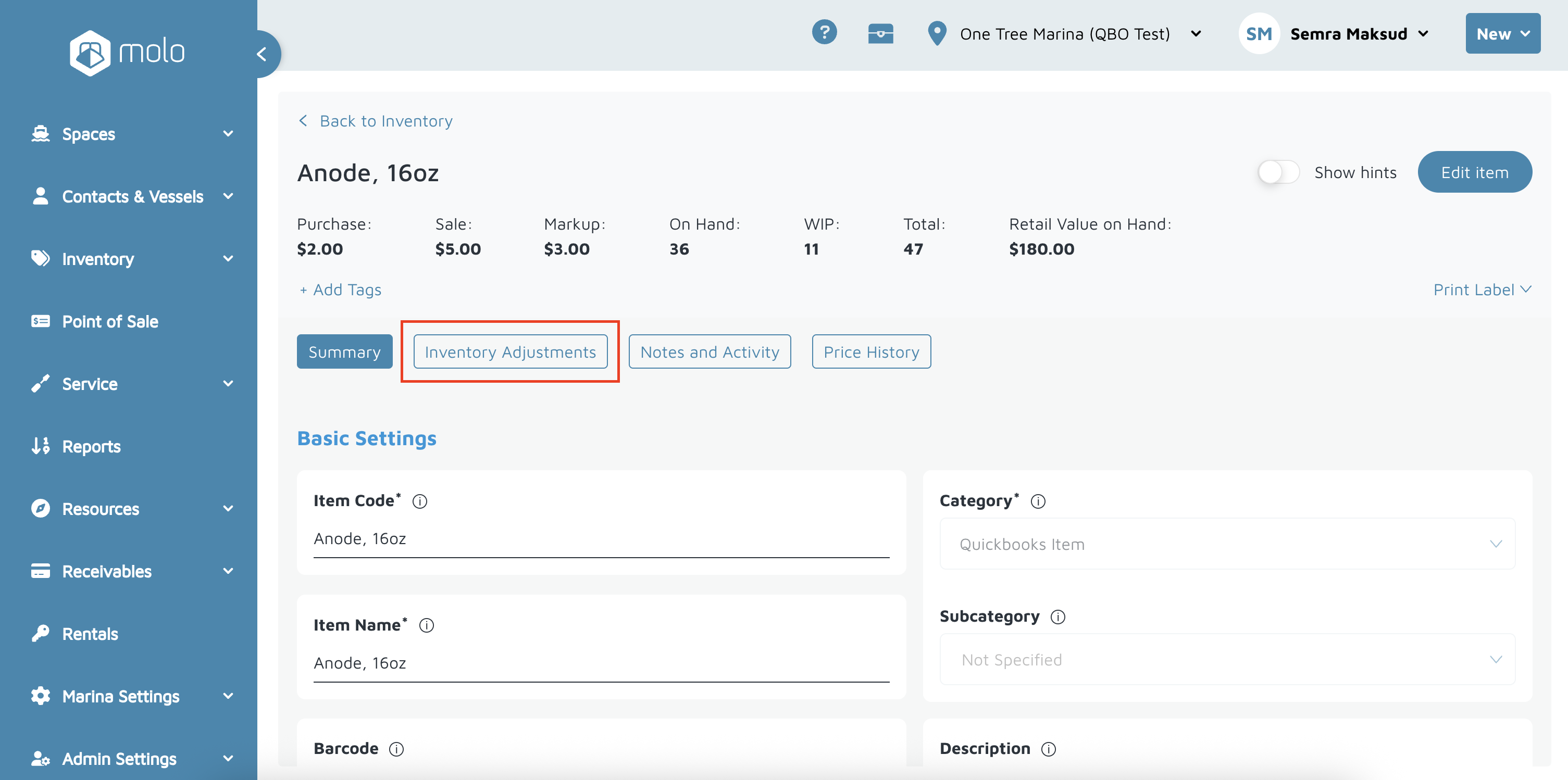
- Review the log to see:
Date of the adjustment
User who made the change
Action showing the part was added to a work order.
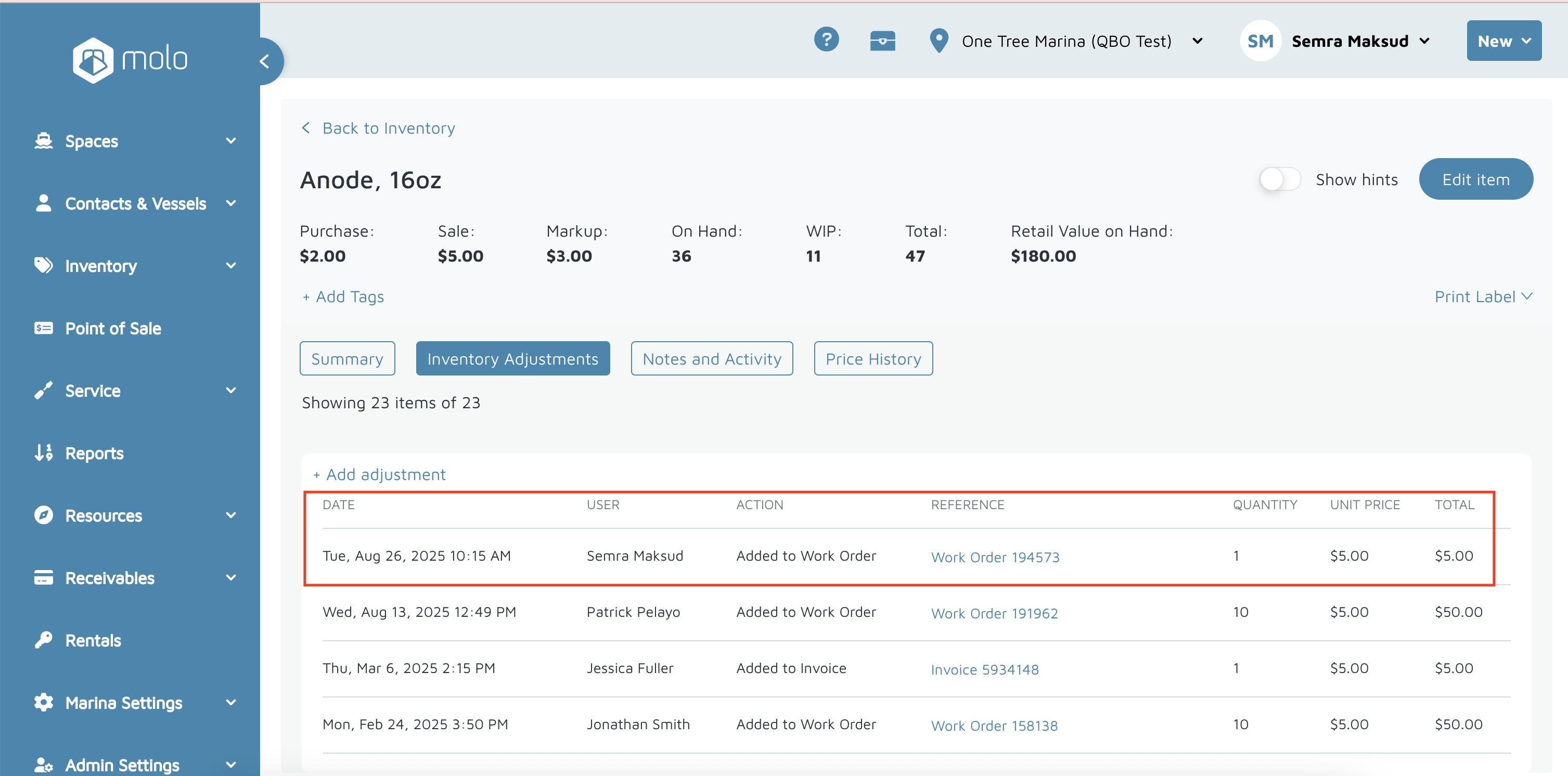
Verification:
- The part should show up under the Adjustments tab. If not, it has not been added to the work order.