
- "How do I generate and review the Pedestal Report in Molo?"
Resolution Steps
- Go to Reports.
- Select Reservation and Spaces.
- Click on Pedestal.
- (Optional) Apply the filter to show the capabilities of the pedestals (e.g., power configurations).
- Click Run Report.
- The report will display:
- All pedestals currently configured.
- The space each pedestal is linked to.
- Current and last electric meter readings with dates.
- Current and last water meter readings with dates.
- Amperage details, shown as True/False values for each pedestal capability.
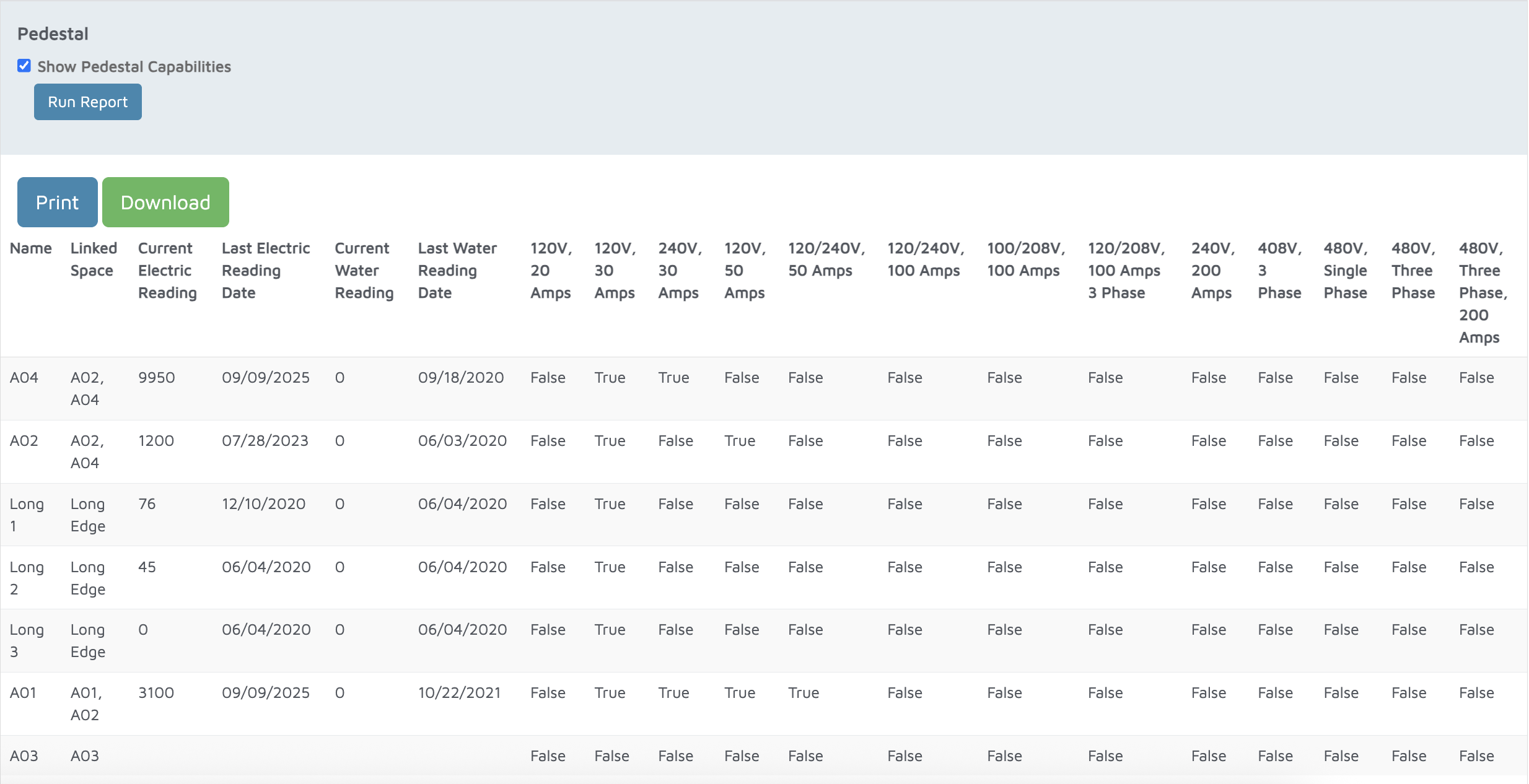
Verification: The report will populate all pedestals currently configured in Molo.