
- "How can I review which users have access to Molo, their roles, and permissions?"
Resolution Steps
- Go to Reports from the main menu.
- Select Contacts and Vessels.
- Click on User Access.
- Optional: Apply filters as needed:
- This Marina Location Only – limits the report to the current marina.
- Entire Company – shows users across all locations (if applicable).
- Show In-App Active Users – includes users currently active in the app.
- Show Deleted Users – includes accounts that were deleted.
- Click Run Report.
- The report will display:
- User’s First Name and Last Name
- User Type (e.g., Company User, Marina User)
- User Role (e.g., Manager, Staff, Admin)
- Locations the user has access to
- Access points where permissions are granted or denied, including Manager access
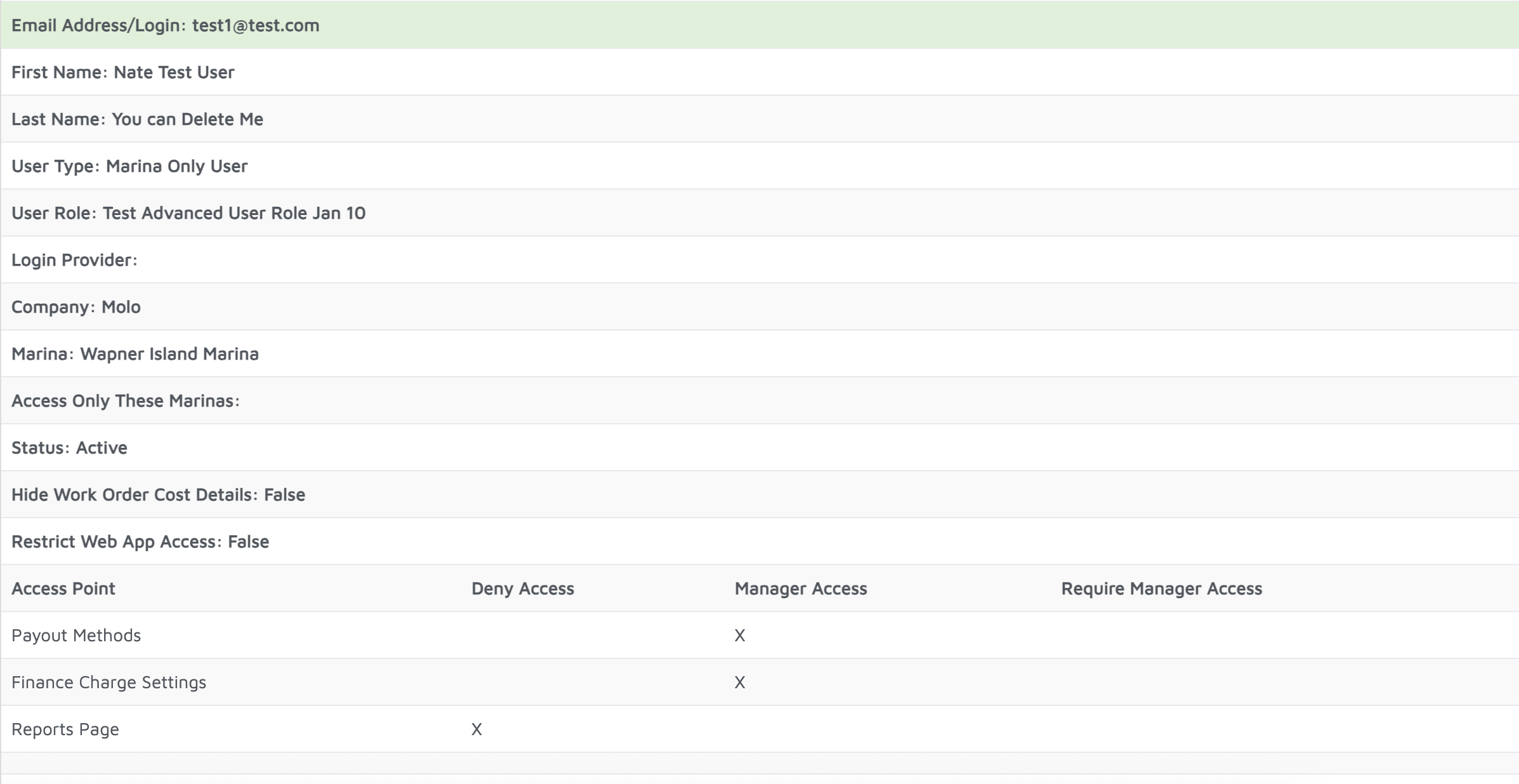
Verification: All users who have access and their access levels should appear on this report.