- "How do I create a rate for recurring reservations?"
- "How can I add new recurring rates?"
Resolution Steps
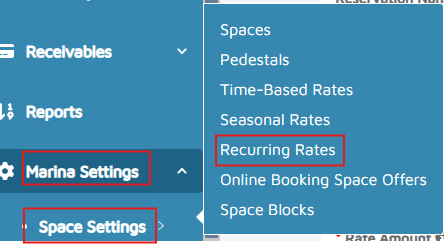
- On the left menu, navigate to Marina Settings > Space Settings > Recurring Rates.
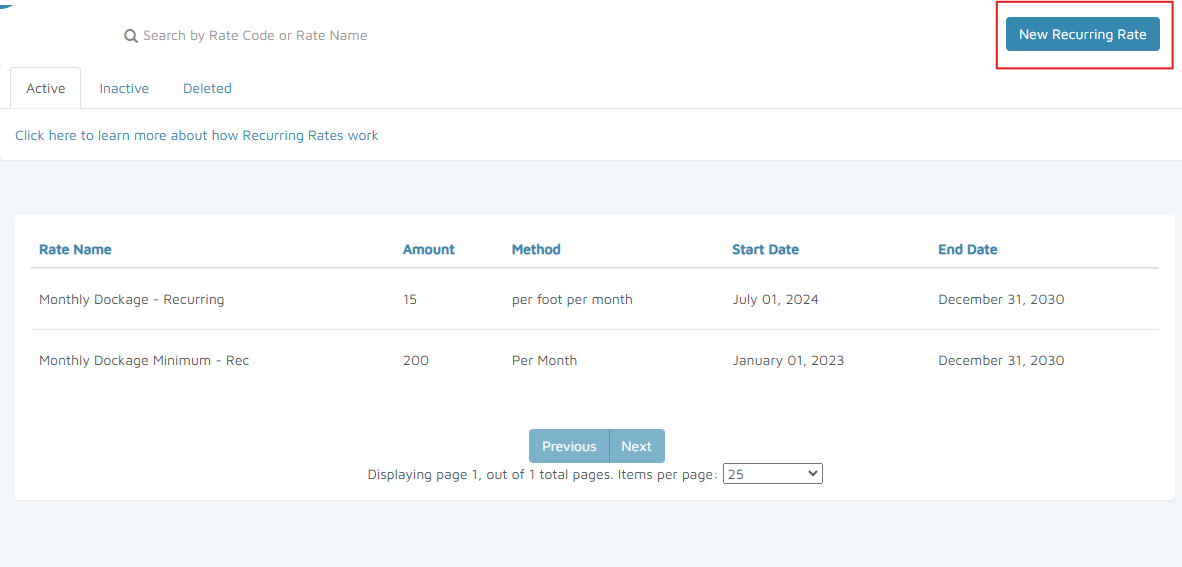
- Click on New Recurring Rate at the upper-right corner.
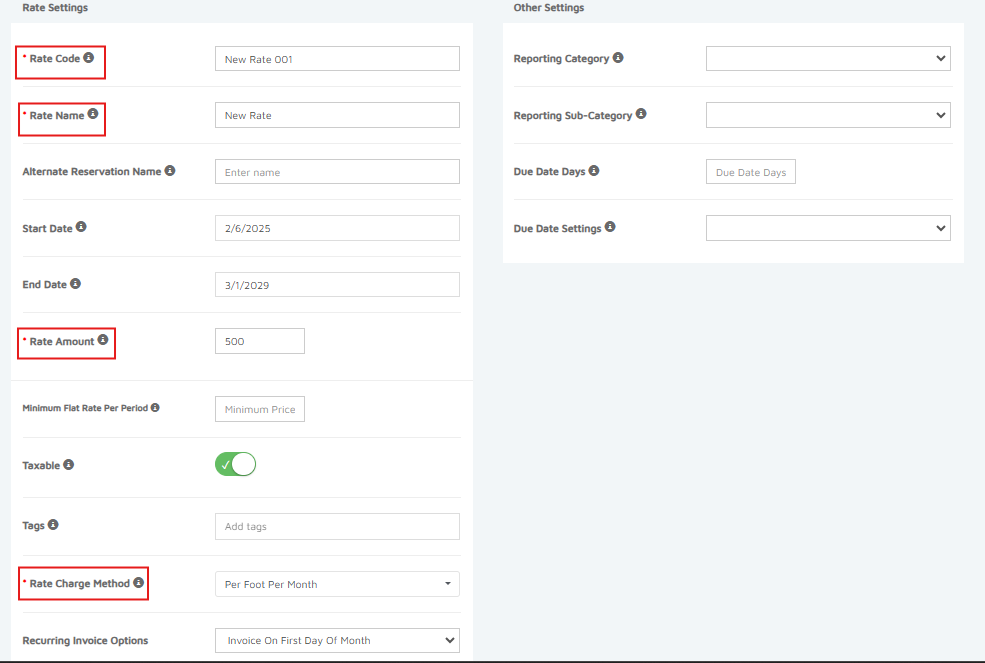
- Fill in the required fields marked with an asterisk (*).
- Click Create New Recurring Rate at the upper-right of the screen to save.
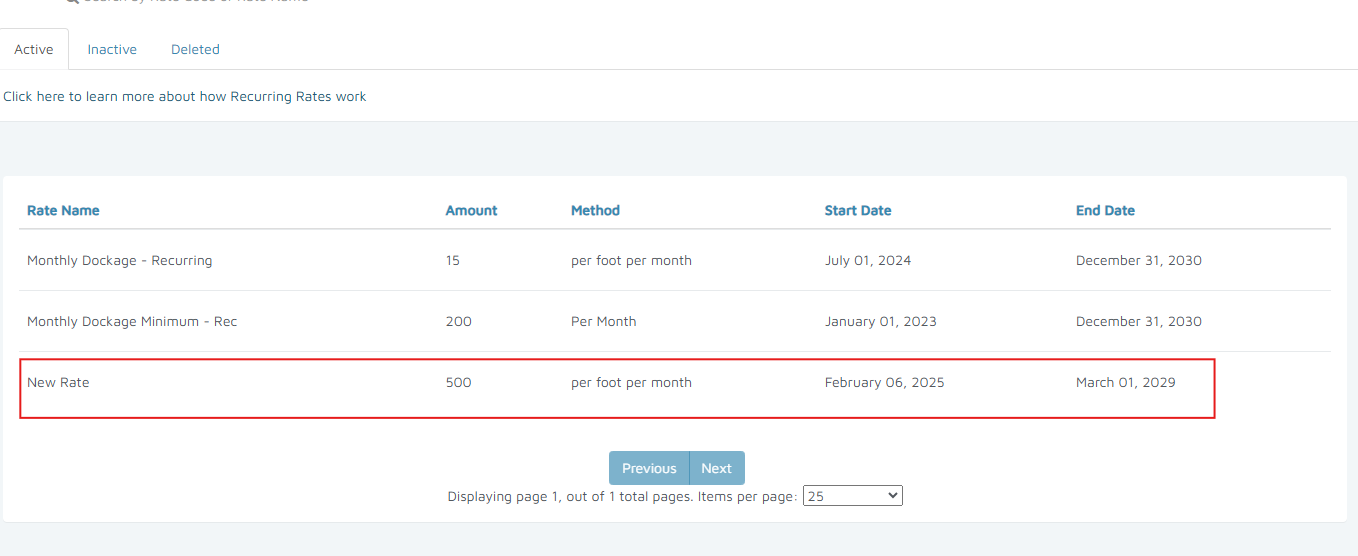
Verification: The new rate appears in the list of Active Recurring Rates.