
- "How do I update an Inventory Item so it can post to a non-income Chart of Account in QuickBooks?"
Resolution Steps
- Go to Inventory > Items.
- Click on the item you would like to update.
- Scroll down to the section labeled QuickBooks Information.
- Locate the setting titled Allow Posting to Non-Income Accounts.
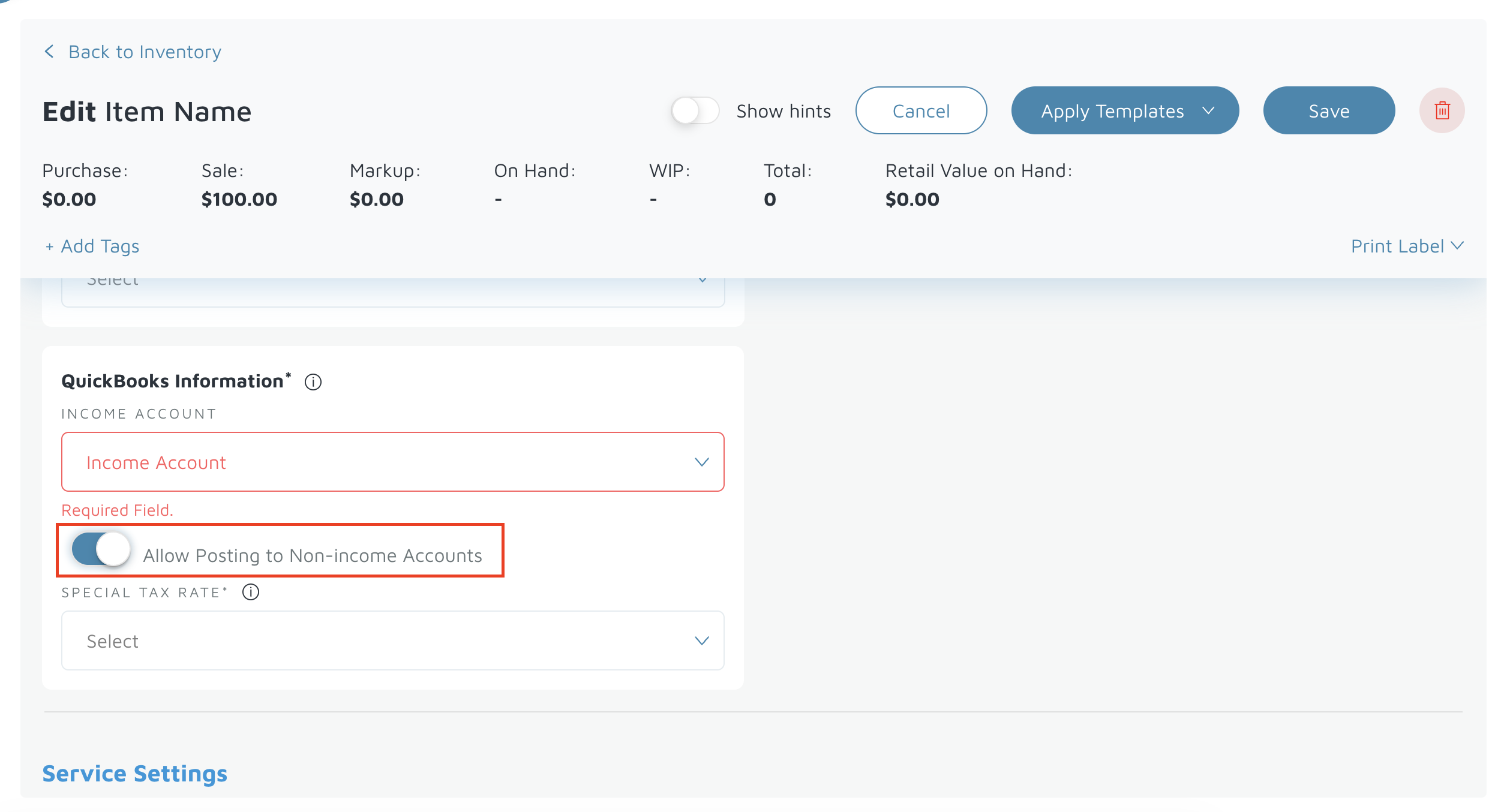
- Toggle this setting ON to enable selecting accounts that are not income accounts.
- Once enabled, the Chart of Accounts dropdown will display all accounts currently available in your connected QuickBooks account.
Verification: Create a test invoice with that item to see if it will flow over to the selected non-income account in QBO.